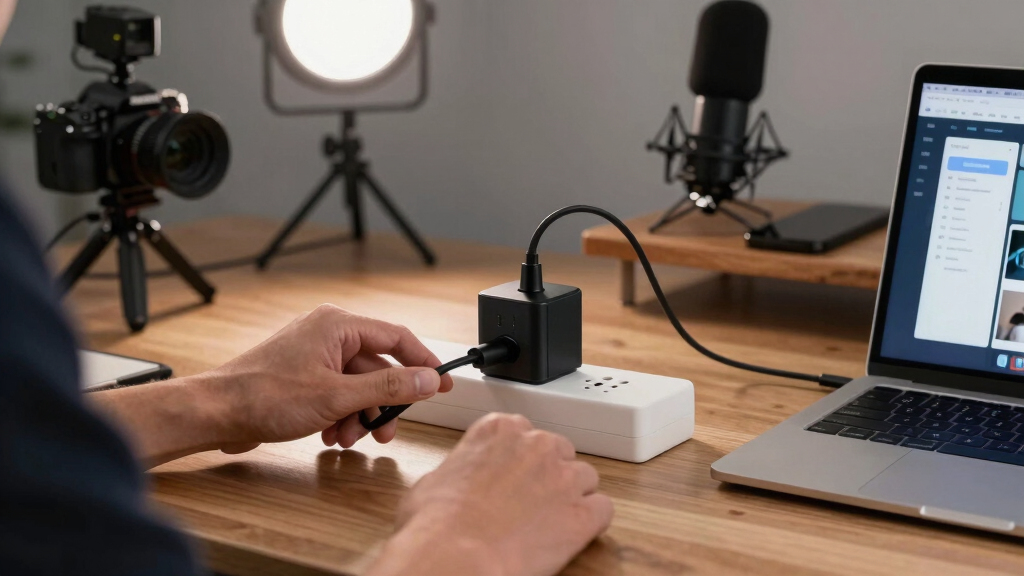

Choosing the best smart plugs for creator studios involves balancing reliable automation, compatibility with your existing gear, and ease of setup. The Govee Smart Plug stands out as the overall top choice thanks to its group control and timer features. Meanwhile, the Amazon Smart Plug offers seamless Alexa integration for voice commands, ideal for those already invested in Amazon’s ecosystem. For broader compatibility with Apple and Google devices, options like the Linkind Matter Smart Plug excel. The main tradeoffs include balancing advanced features against ease of use and compatibility. Keep reading for a detailed breakdown to find the perfect fit for your studio needs.
Key Takeaways
- The best smart plugs for creator studios combine reliable Wi-Fi performance with easy integration into existing smart home systems.
- Compatibility varies significantly; choose a plug that aligns with your preferred voice assistant or smart ecosystem.
- Features like timers, group control, and remote access are pivotal for automating studio equipment effectively.
- Compact design and power capacity matter when space is limited or you need to control high-wattage devices.
- Price ranges reflect differences in compatibility, build quality, and added features—consider what’s essential for your workflow.




More Details on Our Top Picks
Govee Smart Plug, WiFi Plugs Work with Alexa & Google Assistant, Smart Outlet with Timer & Group Controller, WiFi Outlet for Home, No Hub Required, ETL & FCC Certified, 2.4G WiFi Only, 4 Pack
This Govee Smart Plug stands out for its dual connectivity support, combining Bluetooth and WiFi, which provides a more stable and faster connection compared to single WiFi options like the Amazon Smart Plug. Its support for Alexa and Google Assistant allows seamless voice control, while the grouping and scheduling features make it easy to automate multiple devices. Compared to the Kasa HS103P4, Govee’s ability to switch between Bluetooth and WiFi reduces disconnection worries during network hiccups. The plug’s ETL & FCC certifications ensure safety and reliability, making it a solid choice for busy creator studios that rely on continuous device operation. However, the 2.4G WiFi-only design limits compatibility with 5G networks, which might be a drawback for users with newer routers. The compact size helps save space, but setup can be slightly more involved if you want to leverage Bluetooth pairing for improved stability.
Pros:- Supports both Bluetooth and WiFi for enhanced stability
- Group control and scheduling for automation
- Certified safe with ETL & FCC approval
- Compact design fits in tight spaces
Cons:- Limited to 2.4GHz WiFi networks, not compatible with 5G
- Setup can be slightly more complex due to dual connectivity options
Best for: Creators who need reliable, flexible control with multiple device grouping and scheduling features.
Not ideal for: Studio owners with predominantly 5G Wi-Fi networks or those seeking plug-and-play simplicity without Bluetooth setup.
- Connectivity:Bluetooth & WiFi (2.4G only)
- Max Load:10A, 1200W
- Certifications:ETL, FCC
- Control:Alexa, Google Assistant, Group & Schedule
- Size:Compact
- App:Govee Home
Bottom line: This pick is ideal for creators who prioritize a stable, feature-rich smart plug with flexible connectivity options.
EIGHTREE Smart Plug, WiFi Outlet Works with Alexa & Google Home, Smart Home Socket with Remote Control & Timer Function, 2.4GHz WiFi Only, 4 Packs
This EIGHTREE smart plug emphasizes a simplified setup process, making it particularly appealing for those new to smart home tech. Unlike the GHome or Kasa models, which often require multiple app steps, EIGHTREE’s Bluetooth-assisted pairing streamlines initial connection—ideal for creators who want quick integration. It supports Alexa and Google Assistant, but only through the Smart Life app, similar to the GHome plug, which may require extra setup steps compared to Amazon’s native Alexa control. Its remote control and scheduling functionalities suit creators managing multiple devices on tight schedules, but the 2.4GHz WiFi-only support limits compatibility with newer, faster networks. The compact, round design fits into tight studio corners without blocking outlets, yet this minimalism comes with fewer advanced automation options than higher-end models like the Govee.
Pros:- Simplified Bluetooth setup for quick pairing
- Supports Alexa and Google Assistant via Smart Life app
- Compact, space-saving design
- Remote control and scheduling features
Cons:- Limited to 2.4GHz WiFi, no 5G support
- Requires app setup for voice control, adding extra steps
Best for: Beginners or creators seeking straightforward setup and reliable basic scheduling.
Not ideal for: Tech-savvy users wanting advanced grouping or Bluetooth fallback for enhanced stability.
- Connectivity:WiFi 2.4GHz only
- Max Load:10A, 1200W
- Certifications:ETL, FCC
- Control:Alexa, Google Assistant, App
- Design:Round, compact
- App:Smart Life
Bottom line: This plug suits creators who prioritize quick, easy setup and reliable basic automation without advanced features.
Amazon Smart Plug – Voice Control with Alexa, Easy Setup
The Amazon Smart Plug offers effortless setup and tight Alexa integration, making it ideal for creators already invested in Amazon’s ecosystem. Its straightforward setup via the Alexa app and reliable reconnection after outages provide peace of mind during busy studio sessions. Compared to Govee or EIGHTREE, it lacks advanced scheduling or grouping features, focusing instead on simple on/off control. Its compact design leaves the second outlet free, perfect for powering essential studio lamps or small devices. However, the reliance on Wi-Fi means connection stability can be an issue during network disruptions, and it only supports devices with physical on/off switches—limiting automation possibilities. For creators seeking a plug that works seamlessly with Alexa without extra fuss, this is a clear choice.
Pros:- Simple, quick setup with Alexa app
- Reliable voice control via Alexa
- Compact design with free outlet space
- Automates routines easily
Cons:- Limited to basic on/off control, no advanced scheduling
- Requires Wi-Fi connection for operation
Best for: Alexa-centric creators looking for straightforward voice control and easy setup.
Not ideal for: Users with complex automation needs or those using Google Assistant extensively.
- Compatibility:Alexa
- Design:Compact
- Hub Required:No
- Control:Voice & App
- Max Load:15A
- Certification:UL
Bottom line: This is perfect for creators who want reliable, hands-free Alexa control with minimal setup effort.
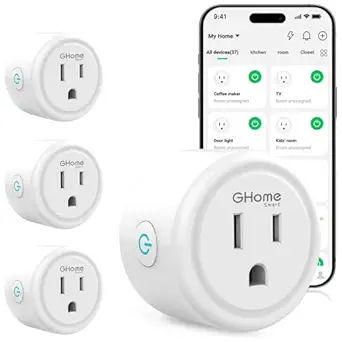
GHome Smart Plug with Wi-Fi and Voice Control
This GHome Smart Plug combines stable 2.4GHz Wi-Fi and Bluetooth, offering reliable performance for creators managing multiple devices. Its support for Alexa and Google Assistant through app setup makes it flexible, especially for studios with diverse device ecosystems. Unlike the Amazon or EIGHTREE plugs, GHome emphasizes group control and energy-saving automation, making it ideal for complex setups. It features programmable timers and remote access via popular apps like Smart Life, which can be a plus for creators juggling various projects. However, like others, it only supports 2.4GHz Wi-Fi, which could limit speed and stability in some environments. The need for app setup for voice control adds a layer of complexity, but overall, it offers a balance of automation features and reliable connectivity suited for dedicated studio environments.
Pros:- Supports both Wi-Fi and Bluetooth for stable connectivity
- Group control and programmable timers
- Remote access via multiple apps
- Compatible with Alexa and Google Assistant
Cons:- Limited to 2.4GHz Wi-Fi networks
- Requires app setup for voice assistant integration
Best for: Creators wanting advanced automation, group control, and broad device compatibility.
Not ideal for: Casual users or those seeking plug-and-play simplicity without app configuration.
- Connectivity:2.4GHz Wi-Fi & Bluetooth
- Max Load:10A, 1200W
- Certifications:ETL, FCC
- Control:Alexa, Google, Group & Timer
- App Compatibility:Smart Life, GHome, Tuya
- Size:Standard
Bottom line: This plug is suited for creators needing flexible automation and multi-device control in a stable, connected environment.
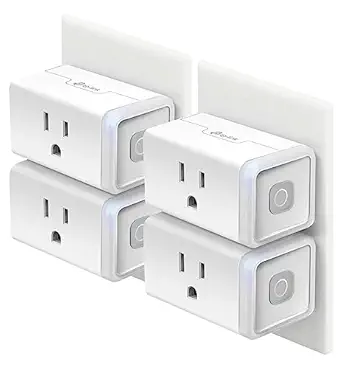
Kasa Smart Plug HS103P4 4-Pack with Alexa/Google Home Compatibility
The Kasa HS103P4 4-pack offers a reliable, well-established solution for controlling multiple devices remotely and automating routines. Its compatibility with Alexa, Google Assistant, and IFTTT broadens automation options, making it suitable for creators with varied studio equipment. Its 15A capacity supports most studio gadgets, and the no-hub-required setup simplifies deployment. Compared with the Amazon Smart Plug, Kasa’s app provides more advanced scheduling and grouping, which is vital for managing a complex studio environment. However, its requirement for 2.4GHz Wi-Fi and the lack of physical indicator lights can sometimes cause initial confusion during setup. This pack is ideal for creators wanting a multi-outlet solution with flexible automation but who are comfortable with app-based control.
Pros:- Four-pack for multi-device control
- Supports Alexa, Google, and IFTTT for automation
- High 15A capacity for studio equipment
- No hub required for setup
Cons:- Requires 2.4GHz Wi-Fi, no 5G support
- No physical indicator lights on plugs
Best for: Studio owners needing multiple outlets with automation, voice control, and scheduled routines.
Not ideal for: Users seeking plugs with physical indicators or working exclusively on 5G Wi-Fi networks.
- Quantity:4
- Amperage:15A
- Compatibility:Alexa, Google, IFTTT
- Wi-Fi:2.4GHz only
- Certifications:UL
- Control:Voice, App, Schedules
Bottom line: This multi-pack delivers dependable control and automation for busy creator studios with multiple devices.
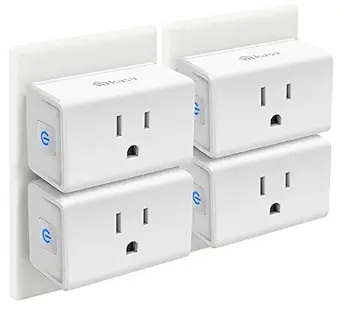
Kasa Smart Plug Mini 15A (EP10P4) – White
This ultra-compact 4-pack stands out for its ability to work seamlessly with Alexa, Google Home, and Samsung SmartThings, making it a flexible choice for creating a connected studio environment. Compared with the Amazon Basics Smart Plug, which is more limited to Alexa only, the Kasa Mini offers broader compatibility and easier integration into diverse smart setups. Its small form factor allows multiple plugs to fit into tight spaces, though it is limited to a 15A max load, which may restrict high-power equipment usage. The setup process is straightforward via the Kasa app, and the UL certification adds a layer of safety. However, the reliance on 2.4GHz Wi-Fi alone means less stability in congested networks, and it lacks a dedicated hub for advanced automation. This makes the Kasa Mini ideal for creators seeking reliable, multi-platform control without complex wiring, but not suitable for high-current devices or those needing dual-band Wi-Fi support.
Pros:- Works with Alexa, Google Home, and Samsung SmartThings for maximum flexibility
- Easy setup via the Kasa app without a hub
- UL certified with flame-retardant materials for safety
- Compact size fits into tight spaces
Cons:- Limited to 2.4GHz Wi-Fi, which can cause connectivity issues in crowded networks
- No built-in hub for advanced automation
- Maximum load of 15A restricts use with high-power devices
Best for: Studio owners who need multiple, easy-to-integrate smart plugs compatible with various voice assistants and home systems.
Not ideal for: Users with high-power studio equipment or complex smart home setups requiring dual-band Wi-Fi or hub integration.
- Max Load:15A
- Wi-Fi Requirement:2.4GHz only
- Pack Quantity:4 plugs
- Certifications:UL, RoHS, FCC, IC
- Operating Temperature Range:32°F to 104°F
- Voice Assistants:Alexa, Google Home, Samsung SmartThings
Bottom line: This pick suits creators needing versatile, multi-platform control across multiple outlets without high current demands.
Kasa Smart Plug Ultra Mini 15A, White
This single-pack model is a simplified option that excels in ease of use with Alexa and Google Home, making it ideal for creators who want quick setup and basic automation. While it shares the same 2.4GHz Wi-Fi limitation as the multi-pack, its UL certification and 15A capacity provide safety and power flexibility for typical studio devices like lamps, fans, or small equipment. Its straightforward app control and scheduling features make it accessible for beginners, but it doesn’t offer the multi-platform compatibility or advanced automation features found in more integrated systems like Linkind Matter. Its compact design is a plus, yet the absence of a hub means it relies solely on your phone for full functionality, which may be limiting during network outages. This plug makes sense for creators prioritizing simplicity and reliable voice control over complex automation or multi-device setups.
Pros:- Works seamlessly with Alexa and Google Home
- Simple setup and scheduling features
- UL certified for safety
- Compact and unobtrusive design
Cons:- Limited to 2.4GHz Wi-Fi, affecting network stability
- No hub or advanced automation options
- Only supports single device use, not multi-outlet control
Best for: Solo creators or small studio setups needing a reliable, easy-to-control smart plug with voice assistant support.
Not ideal for: Power users or those with extensive smart home systems requiring multiple device control or dual-band Wi-Fi support.
- Amperage:15A
- Wi-Fi Compatibility:2.4GHz only
- Certifications:UL Certified
- App Compatibility:Kasa app
- Voice Assistants:Alexa, Google Home
- Pack Quantity:1
Bottom line: Best suited for individuals seeking straightforward voice-controlled automation without the fuss of complex integrations.
Amazon Basics Smart Plug (4-Pack) – Works with Alexa Only
This 4-pack offers a cost-effective way to control multiple studio devices via Alexa, making it especially suitable for creators who primarily use Amazon’s ecosystem. Its simple setup process and remote control via the Alexa app provide immediate convenience, and its compact design ensures that adjacent outlets remain accessible. Unlike the Linkind Matter plug, which supports multiple platforms, this Amazon Basics option is limited to Alexa, which might restrict flexibility in more diverse smart home environments. Its 2.4GHz Wi-Fi requirement is standard, but the lack of multi-platform support means it’s less adaptable for creators using Siri or Google Assistant. Additionally, the 4-pack may be excessive if only a few outlets need automation, but it’s ideal for larger studio setups or multi-room control. This plug is a straightforward, budget-friendly choice for Alexa-centric creators who want multiple outlets in one purchase.
Pros:- Easy Alexa setup with zero-touch control
- Remote operation from anywhere via Alexa app
- Compact design preserves outlet space
- Cost-effective 4-pack bundle
Cons:- Limited to Alexa, no Google or Siri support
- Requires smartphone for full control
- Excessive for single-room use
Best for: Creators fully invested in Alexa and needing multiple outlets for studio devices on a budget.
Not ideal for: Users seeking broader voice platform compatibility or more advanced automation features.
- Compatibility:Alexa only
- Wi-Fi Type:2.4 GHz
- Hub Required:No
- Quantity:4-Pack
- Color:White
Bottom line: A practical, budget-friendly solution for Amazon Alexa users needing multiple controlled outlets in their studio space.

How We Picked
These smart plugs were evaluated based on performance reliability, compatibility with popular voice assistants, ease of setup, build quality, and value for creators. We prioritized devices that offer straightforward installation and seamless integration with existing studio gear, ensuring they help automate without adding complexity. Features like timers, remote control, and group control were essential, as they directly impact workflow efficiency. The ranking also considers user reviews and safety certifications, making sure each product is trustworthy for demanding creative environments.Factors to Consider When Choosing Best Smart Plugs For Creator Studios
Selecting the right smart plug for your creator studio depends on several key factors. It’s important to match the device’s compatibility with your existing smart system, whether that’s Alexa, Google, or Apple. Power capacity matters if you’re controlling high-wattage equipment like studio lights or audio gear. Ease of setup and app usability can significantly reduce frustration, especially if you’re automating multiple devices. Price versus feature set is another consideration—spending more can unlock advanced automation, but many affordable options now deliver excellent reliability. Lastly, consider physical size and design to ensure the plug fits your space without obstructing adjacent outlets or devices.Compatibility With Your Smart Ecosystem
Matching your smart plug with your existing voice assistant or smart home ecosystem ensures smooth automation. If you already use Alexa, choosing a plug like the Amazon Smart Plug or Kasa models offers effortless voice control. Google Assistant users should look for plugs explicitly compatible with Google Home, while Apple fans benefit from options like the Linkind Matter Smart Plug. Mismatched systems can lead to frustration, so confirming compatibility before purchase is key to a seamless setup.
Power Capacity and Size
Studio environments often involve high-wattage equipment, so verifying a plug’s power rating is essential. Many standard smart plugs support up to 15A, enough for most lights and small devices, but some high-power gear might require a more robust model. Additionally, size matters if outlets are close together or in tight spaces; mini or ultra-compact designs help prevent blocking adjacent outlets. Overlooking these factors might mean needing a second extension or risking device incompatibility.
Ease of Use and Setup
A straightforward setup process saves time and reduces frustration—especially when managing multiple devices. Look for plugs with clear instructions, reliable app interfaces, and quick Wi-Fi connectivity. Devices with physical buttons for manual control can offer peace of mind if network issues arise. Ease of automation, like preset timers or grouping, can significantly streamline your creative workflow without adding complexity.
Automation Features and Control Options
Advanced automation features, such as scheduling, remote access, and group control, make studio management more efficient. Timers help automate lighting or power cycling, saving you from manual toggling during shoots or recordings. Grouping multiple outlets allows synchronized control over several devices, which is invaluable in a busy studio. Consider whether you prefer app-based control, voice commands, or both—some models excel in one area more than the other.
Price and Long-Term Value
While budget options are tempting, investing in a slightly more expensive smart plug can provide added reliability, better compatibility, and extra features. Cheaper models may lack advanced automation or have less durable build quality, leading to potential failures over time. Consider your studio’s scale and automation needs—spending more upfront can reduce hassle later, especially if you rely on consistent, hands-free control for your creative projects.
Frequently Asked Questions
Can I control multiple smart plugs with a single voice command?
Yes, most smart plug systems support grouping or creating scenes that allow you to control multiple outlets with a single voice command. For example, you can set up a scene in your app that turns off all studio lights at once. Voice assistants like Alexa and Google Assistant enable you to activate these groups easily, simplifying your workflow during recording or editing sessions. However, ensure your chosen smart plugs support grouping or scene creation for this convenience.
Are smart plugs safe to use with high-power studio equipment?
Most smart plugs rated for 15A are suitable for controlling studio lights and similar gear, but always verify the maximum load capacity specified by the manufacturer. Using a plug beyond its rated capacity can cause overheating or damage. For high-power equipment, consider models explicitly designed for higher wattage or industrial-grade plugs. Safety certifications like ETL or FCC provide added assurance of compliance and reliability.
Will these smart plugs work if my Wi-Fi is unstable?
Smart plugs typically rely on a stable Wi-Fi connection for remote control and automation. An unstable network can cause delays or disconnects, especially during automation routines. To mitigate this, ensure your studio Wi-Fi has strong coverage and consider using a dedicated network or mesh system for better stability. Some plugs with local control options or manual buttons can still operate without Wi-Fi, providing backup control in case of connectivity issues.
Do I need a hub for these smart plugs to work?
Most modern smart plugs, including those in this roundup, operate over Wi-Fi without requiring a separate hub. This simplifies setup and reduces costs, making them ideal for studio environments where quick installation matters. However, some advanced models or those supporting specific ecosystems might need a hub for full functionality. Always check the product specifications to confirm whether a hub is necessary.
How do I choose between a mini or standard-sized smart plug?
Mini or ultra-compact smart plugs are ideal when outlets are close together or space is limited, preventing blocking adjacent sockets. Standard-sized plugs often support higher power capacities and may include additional features like larger buttons or better heat dissipation. Your choice depends on your studio’s outlet arrangement and the power needs of your devices—compact models are convenient, but ensure they meet your wattage requirements.
Conclusion
For creators seeking a reliable, easy-to-use option that integrates seamlessly with Alexa, the Amazon Smart Plug makes a strong case as the best overall pick. If compatibility across multiple ecosystems is key, the Linkind Matter Smart Plug offers broad support, including Apple Home and Google. Budget-conscious creators will find the Amazon Basics Smart Plug a solid value, especially for simple automation. For those who want advanced features like group control and timers, the Govee Smart Plug stands out. Beginners should prioritize ease of setup, while power users should consider models with higher wattage capacity and automation flexibility. Ultimately, your choice depends on your existing smart setup and automation needs.