
When speed matters, act quickly by adjusting your camera settings—use a narrower aperture, shoot in RAW, and enable image stabilization. Keep your lens and camera cool with a lens hood and avoid direct sunlight. Focus manually using live view for accuracy. Move to shaded areas or cooler spots if possible. Quickly change angles and focus to minimize heat haze effects. To learn more about maximizing clarity under these conditions, keep exploring effective strategies.
Key Takeaways
- Shoot during cooler times like early mornings or late afternoons to minimize heat haze effects.
- Use fast lenses with narrower apertures and image stabilization to quickly capture sharp images.
- Employ manual focus and live view to achieve precise focus despite thermal distortion.
- Keep equipment cool and shielded from direct sunlight to prevent additional thermal distortion.
- Prioritize rapid composition and quick shots to reduce exposure time in heat haze conditions.
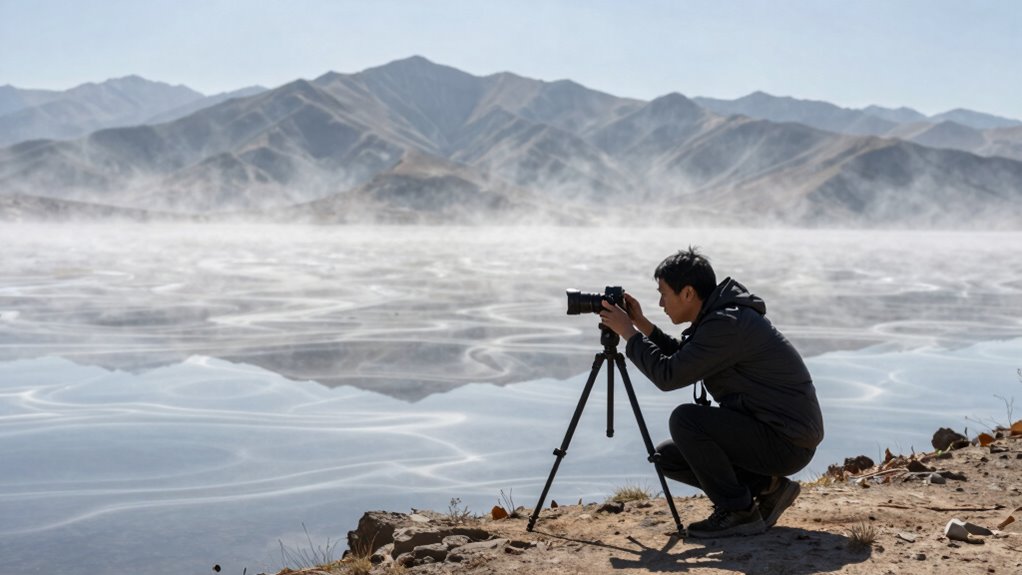
When heat haze blurs your view, it can be frustrating to get clear shots or see distant objects sharply. Heat haze is a common challenge in hot environments, caused by thermal distortion and atmospheric interference. These phenomena create a shimmering effect, making it difficult to focus and capture sharp images. But don’t let it slow you down—there are ways to work around heat haze, especially when speed is crucial.
First, understand that thermal distortion results from temperature differences between the ground and the air above it. This causes light to bend unpredictably, creating the distortion you see. Atmospheric interference compounds this, scattering light and further blurring your view. To minimize these effects, timing your shots during the cooler parts of the day can help. Early mornings or late afternoons often have less atmospheric interference, reducing heat haze’s impact.
When speed matters, you need quick, effective solutions. Using a lens with a narrower aperture can improve image sharpness by reducing the amount of atmospheric interference that reaches your sensor. A higher-quality telephoto lens with image stabilization can also help you get steady shots even when conditions aren’t ideal. Shooting in raw format gives you more flexibility during post-processing to sharpen images and reduce haze effects.
If you’re working with a camera that has a focus assist feature or live view, utilize these tools to fine-tune your focus quickly. Autofocus might struggle in heat haze, so manual focus can be more reliable if you can see the distant objects clearly enough to adjust. To further mitigate thermal distortion, try to keep your camera and lens as cool as possible. Using a lens hood can shield your equipment from direct sunlight, helping maintain focus and reducing internal heat buildup that can worsen thermal distortion. Additionally, understanding the impact of atmospheric interference can help you anticipate and adjust for blurring caused by atmospheric conditions. Knowing how thermal distortion affects the way light bends can also guide you in selecting the best shooting angles and timing. You can also consider using specialized filters designed to combat haze and atmospheric effects, which can be particularly effective in certain conditions.
Post-processing is also a valuable tool. Applying dehazing filters or contrast adjustments in photo editing software can help restore some clarity to images affected by heat haze. However, prevention is often better than correction, so adjusting your shooting strategy to account for atmospheric interference and thermal distortion will save you time and improve your results in the moment.
In high-pressure situations where every second counts, focus on quick composition and settings adjustments that minimize the effects of heat haze. Move to shaded or cooler areas if possible, or wait for a brief lull in atmospheric interference. With these techniques, you can work around heat haze effectively, capturing sharp, clear images even when speed is essential.

Canon RF 100-500mm f/4.5-7.1L is USM Lens – Full-Frame Telephoto Zoom Lens with Image Stabilization & Fast Autofocus for Wildlife (4112C002) + 64GB Memory Card
Canon USA Authorized. Items Include: Canon RF 100-500mm f/4.5-7.1L IS USM Lens – Full-Frame Telephoto Zoom Lens with…
As an affiliate, we earn on qualifying purchases.
As an affiliate, we earn on qualifying purchases.
Frequently Asked Questions
Can Digital Tools Reduce Heat Haze Effects in Photos?
Yes, digital tools can reduce heat haze effects in photos. You can use digital enhancement techniques with software correction to improve clarity and sharpness. Programs like Adobe Photoshop or Lightroom offer tools that help minimize haze, enhancing contrast and detail. By adjusting clarity, dehaze sliders, or contrast settings, you can substantially reduce heat haze effects, making your images clearer without needing to retake shots in challenging conditions.
What Are the Best Times of Day to Avoid Heat Haze?
You should shoot early in the morning or late afternoon when the Sun position is lower, reducing heat haze. During these times, the air temperature is cooler, which minimizes atmospheric turbulence that causes haze. Avoid midday shooting when the Sun is directly overhead, as higher temperatures and the Sun’s position increase heat haze. Planning your shoots around these times helps you capture clearer images with less haze interference.
Does Weather Forecasting Help Predict Heat Haze Conditions?
Weather forecasting is your best tool to predict heat haze conditions, which can be as unpredictable as a tornado in a tea cup. By analyzing weather patterns and atmospheric stability, forecasts help you anticipate when heat haze might distort images or visibility. This knowledge lets you plan your shoot or flight more effectively, avoiding wasted time and ensuring you get the sharp, clear results you need despite the sun’s relentless glare.
Are There Specific Camera Settings to Mitigate Heat Haze?
You can reduce heat haze effects by using specialized camera filters like polarizers, which cut down glare and improve clarity. Adjust your exposure settings—lowering the ISO and increasing shutter speed helps minimize haze distortion. Additionally, consider using neutral density filters to control light levels, allowing you to capture sharper images. These tweaks work together to improve image quality when heat haze threatens to blur your shots.
How Does Heat Haze Impact Long-Distance Viewing or Observation?
Ever wonder how heat haze impacts your long-distance viewing? It causes optical distortion and atmospheric interference, making distant objects appear blurry or shimmering. This interference reduces clarity, making it harder to observe details clearly. You might notice a shimmering effect or flickering, which hampers accurate observation. To improve, consider using specialized lenses, adjusting viewing angles, or waiting for cooler times of the day to minimize heat haze effects.

58mm Set of 2 Camera Lens Hoods and 1 Lens Cap – Rubber (Collapsible) + Tulip Flower – Sun Shade/Shield – Reduces Lens Flare and Glare – Blocks Excess Sunlight (58 mm, Rubber Hood + Tullip Hood + Cap)
✅ ESSENTIAL DSLR CAMERA ACCESSORY ►This set contains 2 rubber camera lens hoods that are compatible with all…
As an affiliate, we earn on qualifying purchases.
As an affiliate, we earn on qualifying purchases.
Conclusion
When heat haze tries to blur your vision, remember it’s like trying to see through a shimmering mirage—challenging but not impossible. Stay patient, adjust your focus, and use the tips you’ve learned to cut through the distortion. With a steady hand and a clear mind, you’ll navigate the heat’s illusion just as a skilled pilot cuts through clouds. Don’t let heat haze be the roadblock—turn it into just another obstacle you overcome with confidence.

Duluvulu 4K Digital Camera for Photography Autofocus, 2026 Latest 48MP Vlogging Camera for YouTube with SD Card, 2 Batteries, 3" 180°Flip Screen Compact Travel Camera for Teens with 16X Zoom,Black
4K DIGITAL CAMERA WITH AUTOFOCUS: The newest 4K digital camera for photography captures videos in 4K resolution and…
As an affiliate, we earn on qualifying purchases.
As an affiliate, we earn on qualifying purchases.
dehazing photo filter
As an affiliate, we earn on qualifying purchases.
As an affiliate, we earn on qualifying purchases.