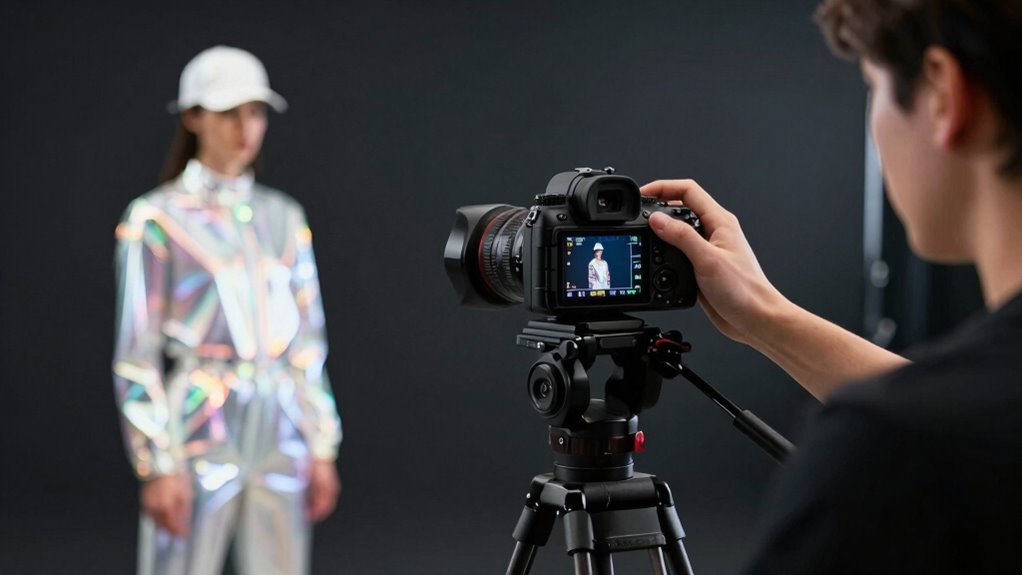

To expose video with bright uniforms and dark backgrounds without complicating your workflow, start by controlling lighting with softboxes or diffusers to evenly illuminate your subject while preventing overexposure. Use low ISO, adjust your aperture for the right depth, and set shutter speed to match your frame rate. Monitor exposure with zebras and waveforms, and fine-tune lighting or camera settings as needed. Staying organized and practicing quick adjustments will streamline your process—keep exploring to master each step.

Get sports gear delivered free — and shop member deals
- Fast, free delivery on millions of items
- Access to Prime Big Deal Days deals on October 6–7
- Prime Video, Amazon Music and more included
Key Takeaways
- Use controlled, even lighting with softboxes and flags to separately illuminate uniforms and suppress background spill.
- Set camera ISO low, use spot metering on uniforms, and manually adjust exposure to prevent highlights from blowing out.
- Monitor exposure in real-time with zebras and waveform tools, adjusting lighting or camera settings as needed.
- Shoot in flat or log profiles to maximize post-production flexibility for balancing bright uniforms and dark backgrounds.
- Aim for a balanced setup on set to minimize editing work, ensuring proper exposure from the start.

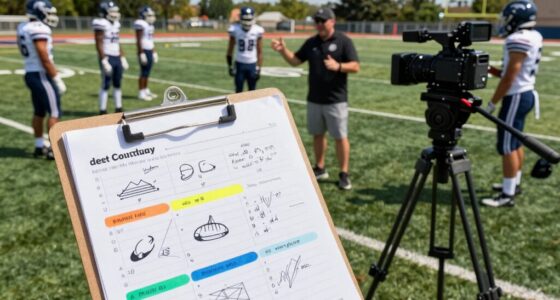
When filming scenes with bright uniforms against dark backgrounds, proper exposure is vital to achieve a balanced and professional look. You need to pay close attention to your lighting techniques and camera settings to guarantee the uniforms don’t blow out and the background remains dark. Start by controlling your lighting environment. Use lights that evenly illuminate your subject, but avoid overexposing the uniforms. Employ softboxes or diffusers to minimize harsh highlights that can cause white patches on bright clothing. Keep the background underlit or use flags and gobos to prevent spill light from illuminating the dark background. This way, you create a clear separation between your subject and the backdrop.
Next, adjust your camera settings deliberately. Begin with your ISO; keep it as low as possible to reduce noise and maintain detail in both the bright uniforms and dark background. Use your camera’s aperture to control depth of field, but be cautious—an overly wide aperture might underexpose the background or cause the uniforms to overexpose. Set your shutter speed to twice your frame rate to achieve natural motion blur without overexposing your highlights. When working with bright uniforms, your camera’s metering mode becomes essential. Spot metering on the subject’s uniform can help you lock in the right exposure for clothing, but you might need to compensate manually to preserve detail without blowing out highlights.
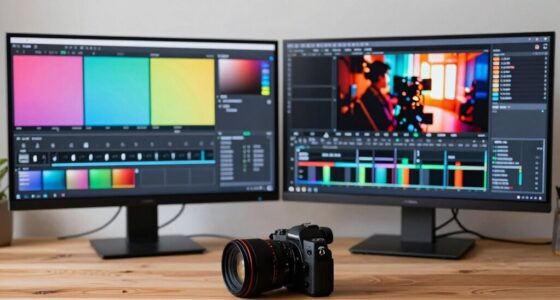
To further refine exposure, harness your camera’s zebras or waveform monitor. Zebras set at 100% can help you identify areas of overexposure on the uniforms, allowing you to make real-time adjustments. If parts of the uniform are blown out, reduce your light intensity or adjust your camera settings accordingly. Conversely, if the background appears too bright, consider adding negative fill or flags to darken it. It’s a balancing act, so review your footage on a calibrated monitor to guarantee the uniforms stay bright without losing detail, and the background remains dark. Additionally, understanding your camera’s exposure tools can streamline your workflow and help you make quicker adjustments on set. Employing proper lighting techniques can also significantly improve your results and minimize post-production work, saving you time and effort.
Finally, shoot in a flat or log profile if available. This gives you more latitude in post-production to fine-tune exposure and contrast without sacrificing image quality. Overall, mastering lighting techniques and understanding your camera settings will help you expose video effectively for bright uniforms against dark backgrounds without complicating your workflow. With practice, you’ll develop an intuitive sense of how to make these adjustments quickly on set, guaranteeing your scenes look polished and professional.
As an affiliate, we earn on qualifying purchases.
Frequently Asked Questions
How Do I Balance Exposure Between Foreground and Background in Post-Production?
To balance exposure between foreground and background in post-production, start with good on-set lighting to maximize dynamic range. During color grading, use masks and adjustments to brighten the darker background without overexposing bright uniforms. Carefully tweak shadows, highlights, and contrast, ensuring both elements retain detail. This approach helps you achieve a balanced look, making your footage visually cohesive while maintaining image quality across different exposure levels.
What Camera Settings Are Best for Capturing Bright Uniforms and Dark Backgrounds?
Think of your camera settings as the brushstrokes to your masterpiece. Use manual mode with a low ISO (around 100-400) to prevent overexposure on bright uniforms. Set your aperture wide (f/2.8-f/4) for depth and clarity, while adjusting shutter speed to match your frame rate. Use camera angles to emphasize contrast. Post-production, color grading enhances the separation, making your bright uniforms pop against dark backgrounds seamlessly.
How Can I Prevent Overexposure of Bright Uniforms During Filming?
To prevent overexposure of bright uniforms, you should adjust your camera’s exposure settings, like lowering the ISO and increasing shutter speed, to better handle the uniform color and background contrast. Use your camera’s histogram or zebras to monitor brightness levels, ensuring the uniforms don’t blow out while maintaining the dark background’s detail. Keep a close eye on lighting, and consider using ND filters if necessary for consistent exposure.
What Lighting Setups Optimize Exposure for Both Bright Uniforms and Dark Backgrounds?
You should use a three-point lighting setup with controlled lighting modifiers to optimize exposure for both bright uniforms and dark backgrounds. Position key lights to illuminate the uniforms evenly, while backlights or rim lights help separate subjects from dark backgrounds. Use color grading to fine-tune contrast and brightness, ensuring a balanced look. This approach keeps your workflow efficient, producing consistent results without sacrificing image quality or creativity.
How Do I Correct Exposure Issues Caused by Mixed Lighting Conditions?
To fix exposure issues caused by mixed lighting, start with proper camera settings and shoot in a high dynamic range (HDR) mode if possible. Use color grading in post-production to balance the exposure differences between bright uniforms and dark backgrounds. Adjust shadows and highlights carefully, ensuring you maintain natural skin tones and background details. This approach helps you manage exposure discrepancies without complicating your workflow, resulting in a polished, professional look.
camera zebras and waveform monitor
As an affiliate, we earn on qualifying purchases.
As an affiliate, we earn on qualifying purchases.
Conclusion
By mastering the balance between exposing for bright uniforms and dark backgrounds, you guarantee your footage remains clear, detailed, and visually striking. Proper exposure isn’t just about avoiding over or underexposure; it’s about controlling light, managing contrast, and maintaining consistency. Focus on exposing correctly, controlling your settings, and adjusting your workflow. When you do, you won’t just capture images—you’ll capture the essence, the mood, and the story behind every shot, making your footage truly stand out.
professional video lighting diffuser
As an affiliate, we earn on qualifying purchases.
As an affiliate, we earn on qualifying purchases.
As an affiliate, we earn on qualifying purchases.
NFL season / tailgating Picks
team gear
As an affiliate, we earn on qualifying purchases.