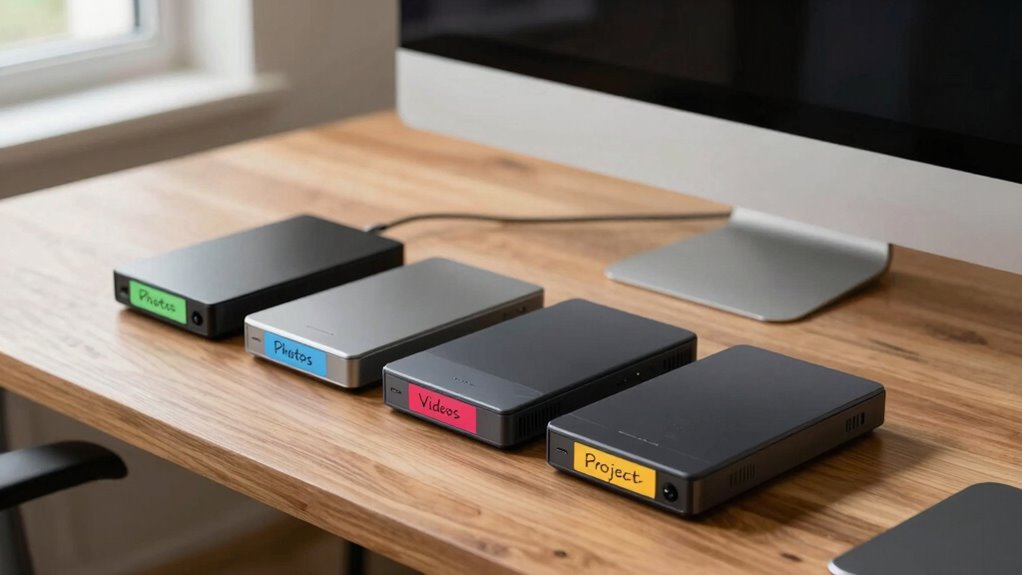

To label drives so you never guess again, create a clear and consistent system based on your work style—like project, client, or date. Use descriptive labels such as “ClientA_Designs_March2023,” and incorporate visual cues like colors or icons for quick identification. Stay uniform with your naming conventions and regularly update labels as projects evolve. Keep your system simple, organized, and intuitive—if you want to master this, there’s more to discover below.

Get sports gear delivered free with Prime
- Fast, free delivery on millions of items
- Prime Video, Amazon Music and more included
- Member-only deals all year
Key Takeaways
- Develop a consistent naming convention that includes project, date, client, or file type for quick recognition.
- Use descriptive, specific labels instead of vague titles to instantly identify drive contents.
- Incorporate visual cues like color-coding or icons to differentiate drives at a glance.
- Regularly review and update labels to reflect project progress and avoid outdated information.
- Keep labels simple, standardized, and structured to facilitate effortless navigation and retrieval.
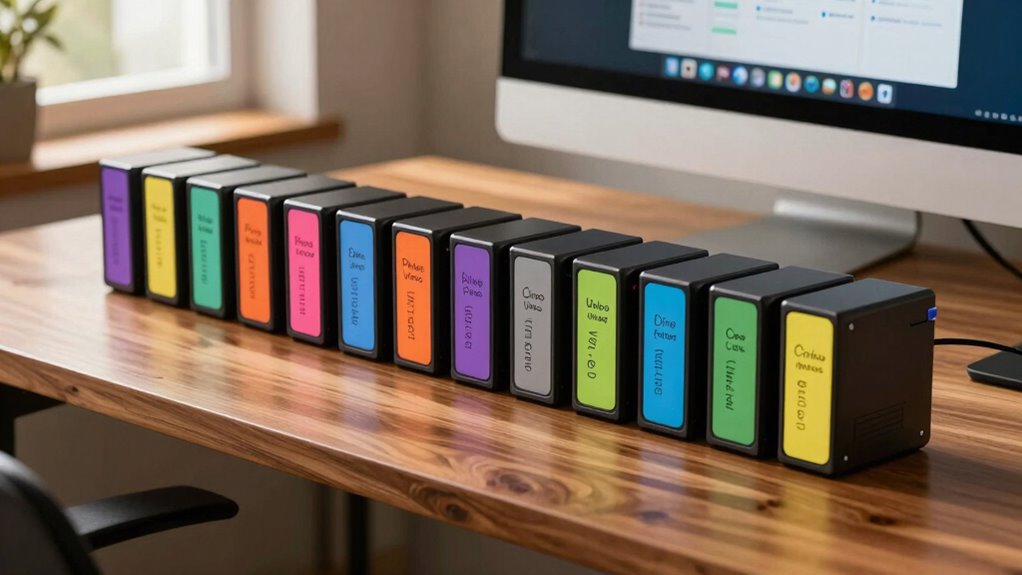
If you’ve ever opened a drive and hesitated to find the files you need, you know how confusing unorganized storage can be. Without proper data organization, it’s easy to waste time searching through folders or guessing what’s stored where. That’s why effective drive labeling is a game-changer. When you label drives clearly and consistently, you streamline storage management, making it easier to locate files and maintain order.
Start by choosing a logical labeling system. Decide whether you want to organize drives by project, date, client, or file type. This decision sets the foundation for a smooth data organization process. For example, if you’re managing multiple projects, label drives with the project name or code. If your work revolves around clients, include client initials or names. This way, when you glance at your drives, you immediately understand their purpose without digging into each one.
Choose a clear labeling system—by project, date, client, or file type—to easily identify drive contents at a glance.
Be specific with your labels. Instead of vague titles like “Work” or “Backup,” use descriptive labels such as “ClientA_Designs_March2023” or “Photoshoot_Backup_June2022.” Specific labels prevent confusion and reduce the need to open drives repeatedly. It’s also helpful to incorporate dates or version numbers if relevant, so you can quickly identify the most recent or relevant data.
Using consistent naming conventions across all drives is vital. Decide on a format—such as [Project]_YYYYMMDD or [Client]_Type—and stick to it. Consistency helps you recognize patterns and locate files faster, especially when managing multiple drives over time. It also keeps your storage management tidy, avoiding chaos when labels become inconsistent or overly complicated. Establishing a standardized naming structure ensures that your system remains intuitive and efficient. Additionally, incorporating metadata into labels can further enhance your ability to search and filter drives effectively.
In addition to labeling drives, consider using color-coding or icons for visual cues. For instance, assign a specific color to backup drives or project-specific drives. Visual cues make it even easier to identify drive purposes at a glance, further enhancing your data organization. Remember, the goal is to minimize guesswork, so the more intuitive your labeling system, the better.
Finally, regularly review and update your drive labels. As projects evolve or new data accumulates, old labels might become outdated. Keeping your labeling system current guarantees your storage remains organized, making your workflow smoother and more efficient. With proper drive labeling, you take control of your storage management, save time, and work smarter—no more guessing where your files are.
As an affiliate, we earn on qualifying purchases.
Frequently Asked Questions
What Are the Best Label Materials for Durability?
For durable labeling, you should opt for materials like laminated paper, polyester, or vinyl, which excel in material longevity. These materials withstand moisture, scratches, and fading, making them ideal for frequent handling or harsh environments. Use strong adhesive labels or engraved metal tags to guarantee longevity. Incorporate clear, bold fonts and consistent labeling techniques for easy identification, ensuring your labels stay intact and legible over time, even in tough conditions.
How Often Should I Update Drive Labels?
You should update drive labels whenever you change the content or storage purpose, ideally every few months, to follow drive label standards and maintain clarity. Regularly reviewing labels aligns with labeling best practices, ensuring you avoid confusion or misplaced data. Keep your labels current to reflect any updates accurately, making it easier to identify drives quickly and stay organized, especially as your storage needs evolve.
Can I Use Color Coding Effectively?
Yes, you can use color coding effectively by applying color psychology principles to enhance clarity. Use consistent colors for specific categories—like blue for work, red for urgent files, and green for backups—aligning with labeling best practices. This visual cue speeds up identification and reduces errors, especially when you update labels regularly. Just make certain your color scheme remains intuitive and is explained somewhere accessible to keep your drive organization efficient.
Are There Digital Alternatives to Physical Labels?
Yes, digital labeling is your savior! Instead of physical labels, you can use online cataloging tools that instantly organize and identify your drives with a click. Imagine a world where your drives are labeled with a few keystrokes, and everything is just a search away. Digital labeling and online cataloging make it effortless to keep track, saving you time and frustration, like having a personal assistant for your storage!
How Do I Organize Labels for Multiple Drives?
To organize labels for multiple drives effectively, develop a clear drive label system based on your needs, like project type or date. Use consistent organization strategies, such as color-coding or numbered labels, to quickly identify drives. Keep a master list or digital record of labels to avoid confusion. Regularly review and update your drive label system to maintain ideal organization and guarantee you can easily locate any drive when needed.
As an affiliate, we earn on qualifying purchases.
Conclusion
By labeling your drives clearly and consistently, you’ll save time and avoid frustrating guesswork. Did you know that data loss due to misplaced or mislabeled drives costs businesses thousands annually? With simple labeling habits, you can prevent this chaos, stay organized, and work smarter. So, take a few minutes now to label your drives properly—you’ll thank yourself later when everything’s easy to find and secure. Keep it organized, and never guess again!
As an affiliate, we earn on qualifying purchases.
external hard drive label stickers
As an affiliate, we earn on qualifying purchases.
As an affiliate, we earn on qualifying purchases.
Fall Picks
fall essentials
As an affiliate, we earn on qualifying purchases.