To choose Wi-Fi systems for your creator office without overbuying, start by evaluating your bandwidth needs based on the number of devices and tasks like streaming or file transfers. Opt for a mesh network if your space is large or complex, but a basic router may work for smaller setups. Make sure the system supports your devices and offers strong security features. With a little guidance, you can find the perfect fit for your workspace. Keep exploring for more tips!

Get sports gear delivered free with Prime
- Fast, free delivery on millions of items
- Prime Video, Amazon Music and more included
- Member-only deals all year
Key Takeaways
- Assess the number of devices and required tasks to determine appropriate bandwidth needs for your creator office.
- Opt for a mesh network for larger spaces to eliminate dead spots and ensure seamless connectivity.
- Ensure compatibility with all devices and support for various wireless standards to avoid integration issues.
- Prioritize Wi-Fi systems with WPA3 encryption and strong security features to protect sensitive data and privacy.
- Familiarize yourself with troubleshooting steps and keep firmware updated to maintain network performance.
When it comes to setting up Wi-Fi in your office, choosing the right system can make all the difference in productivity and connectivity. You want a network that meets your needs without overspending or overcomplicating things. Start by evaluating your bandwidth requirements. Think about how many devices will connect to the network and what tasks they’ll perform. If you’re streaming videos, transferring large files, or running multiple applications simultaneously, you’ll need more bandwidth. A basic system might suffice for browsing the web, but for a creator office, you’ll want something robust.
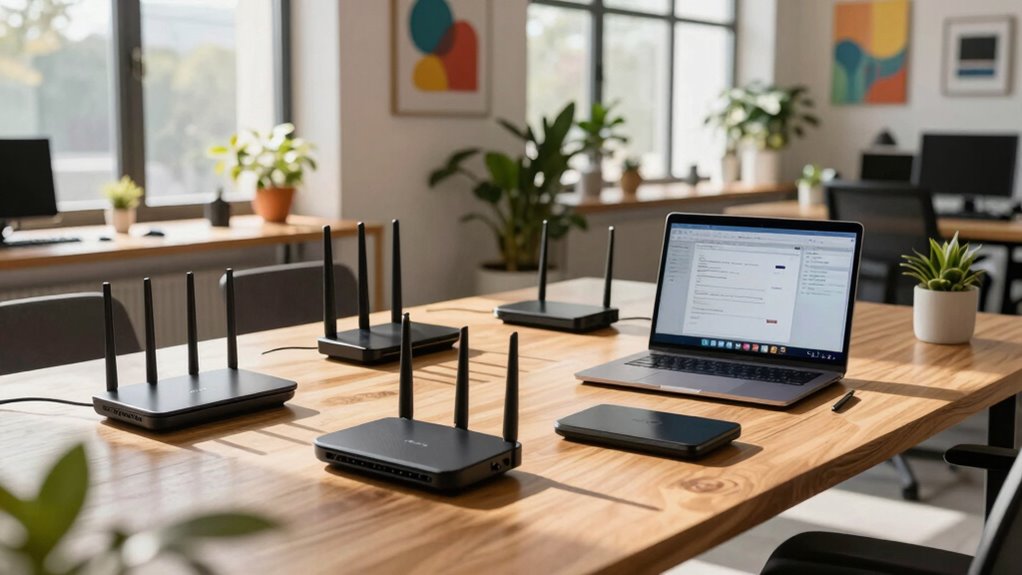
Next, consider whether a mesh network is the right fit for your space. Mesh networks are great for larger offices or those with tricky layouts, as they provide seamless coverage without dead spots. These systems use multiple nodes that work together to blanket your entire area in Wi-Fi. If your office has various coverage areas that need attention, a mesh network could be the solution. However, if your space is smaller and straightforward, a traditional router might be all you need, saving you from unnecessary expenses. Being aware of wireless coverage can help you determine what kind of system best suits your environment. Additionally, understanding network scalability can assist in choosing a system that can grow with your needs. It’s also worth noting that some systems support wireless standards that ensure compatibility with a wide range of devices. Knowing about wireless interference can help you select a system less prone to disruptions from other electronics.
Consider a mesh network for larger or complex office layouts to ensure seamless Wi-Fi coverage throughout the space.
It’s also important to keep in mind that some Wi-Fi systems support advanced features like Wi-Fi 6, which can improve performance and future-proof your network as your needs grow.
Now, let’s talk about device compatibility. Make certain your chosen system can support all the devices you plan to connect. Whether it’s laptops, tablets, or smart devices, you want to make sure everything works harmoniously. Before making a purchase, check the specifications to see if the system meets your device requirements.
Network security is another essential factor. You want to protect your data and maintain privacy, especially if you’re handling sensitive information. Look for systems that offer robust security features like WPA3 encryption. This helps safeguard your network from unauthorized access and potential breaches.
It’s wise to familiarize yourself with some troubleshooting tips, too. No system is flawless, and you’ll want to be prepared when issues arise. Knowing how to reboot your router or check for firmware updates can save you time and frustration down the line.
As an affiliate, we earn on qualifying purchases.
Frequently Asked Questions
How Do Different Wi-Fi Standards Affect Performance?
Different Wi-Fi standards greatly affect performance. For instance, higher Wi-Fi frequencies like 5GHz offer faster speeds but shorter range, while 2.4GHz covers more distance but can face signal interference. You’ll need to evaluate your bandwidth requirements and device compatibility, especially if multiple devices are connected simultaneously. Take range factors into account, as well, to guarantee all areas of your office receive a strong signal without compromising performance.
Can I Use My Existing Router With a New System?
Yes, you can use your existing router with a new system, provided there’s router compatibility. Check the specifications of both to guarantee they integrate seamlessly. By connecting your new system to the existing router, you’ll enhance your network without the need for a complete overhaul. Just verify the new system supports the same standards as your current router, and you’ll enjoy improved performance and coverage without overspending on unnecessary equipment.
What Is the Ideal Internet Speed for Creative Work?
For creative work, you’ll want at least 25 Mbps for basic tasks, but 50-100 Mbps is ideal, especially if you’re using collaboration tools or video conferencing. This speed guarantees smooth uploads and downloads, making it easier to share large files without interruptions. If multiple team members are working simultaneously, consider even higher speeds to keep everyone connected and productive. Prioritize a reliable connection to enhance your creative workflow.
How Often Should I Upgrade My Wi-Fi System?
You should consider upgrading your Wi-Fi system every three to five years. Imagine your connection slowing down just when you need it most—frustrating, right? As technology evolves, your system’s lifespan diminishes, and outdated hardware can bottleneck performance. Keep an eye on your needs and advancements in technology; if you’re consistently experiencing issues or your devices start lagging, it might be time to rethink your upgrade frequency and invest in a better system.
What Security Features Should I Look for in Wi-Fi Systems?
When you’re choosing a Wi-Fi system, look for strong network encryption like WPA3 to protect your data. You’ll want to make sure it offers guest access, allowing visitors to connect without compromising your main network. Also, consider systems with automatic security updates to keep your network safe against new threats. By prioritizing these features, you’ll maintain a secure and efficient environment for your creative work without worrying about unauthorized access.
best router for creator workspace
As an affiliate, we earn on qualifying purchases.
As an affiliate, we earn on qualifying purchases.
Conclusion
When selecting a Wi-Fi system for your creator office, focus on your specific needs to avoid overspending. For instance, if you run a small video production team, a mesh system with a solid mid-range router could cover your space without the unnecessary features of high-end models. By evaluating your team’s size and internet demands, you’ll guarantee reliable connectivity that enhances productivity without breaking the bank. Choose wisely, and your office will thrive!
As an affiliate, we earn on qualifying purchases.
high bandwidth Wi-Fi system for multiple devices
As an affiliate, we earn on qualifying purchases.
As an affiliate, we earn on qualifying purchases.
NFL season / tailgating Picks
team gear
As an affiliate, we earn on qualifying purchases.