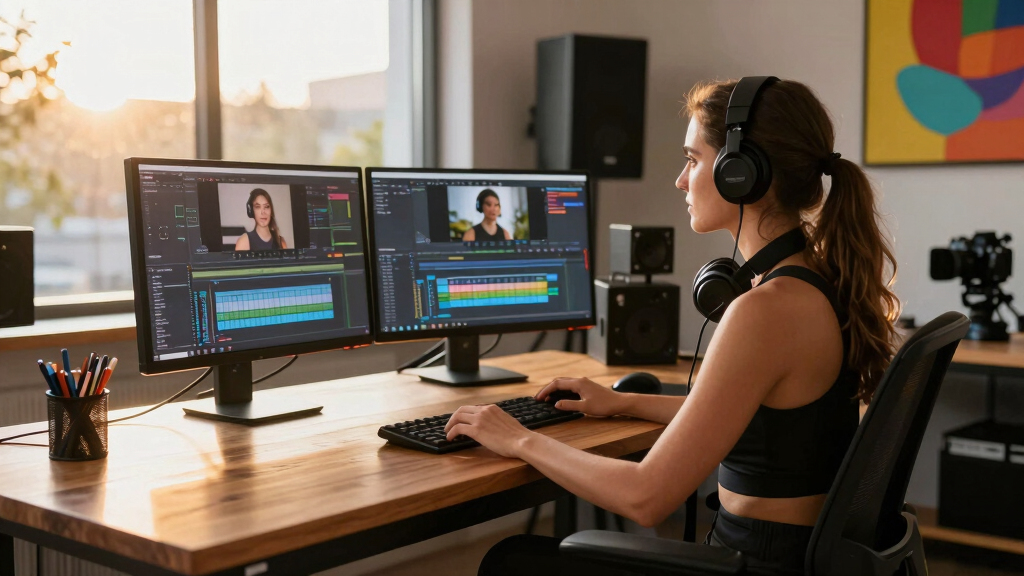

Choosing the best desk setup for a creator editing studio involves balancing space, ergonomics, and functionality. The EUREKA ERGONOMIC Aero 72 Inch Gaming Desk stands out for its expansive surface and RGB lighting, ideal for large setups. The FLEXISPOT 79″ Dual Motor Electric Standing Desk offers smooth height adjustments for ergonomic comfort, perfect for long editing sessions. However, tradeoffs include cost and space requirements—large desks can be expensive and overwhelming for smaller rooms. Continue reading for a detailed breakdown of the best options tailored to different needs and budgets.
Key Takeaways
- The top-ranked desks excel in balancing size, adjustability, and cable management for a creator studio setup.
- Large, expansive desks like the Eureka Aero and Flexispot often offer better workspace but come with higher costs and space considerations.
- Standing desks are favored for ergonomic reasons but may require additional accessories for optimal comfort.
- Built-in power outlets and cable management features significantly streamline workflow and reduce clutter.
- Price variation reflects differences in size, adjustability, build quality, and added features—buyers should prioritize based on their specific needs.
| EUREKA ERGONOMIC Aero 72 Inch Gaming Desk with Keyboard Tray and RGB Lighting |  | Best Overall for Spacious, Ergonomic Creator Studios | Dimensions: 72″ W x 24″ D x 30″ H | Weight Capacity: 400 Pounds | Color: Black | VIEW LATEST PRICE | See Our Full Breakdown |
| FLEXISPOT 79″x32″ Dual Motor Electric Standing Desk, White |  | Best for Adjustable, Multi-Monitor Creator Studios | Color: White Top + White Frame | Dimensions: 79″ x 32″ | Weight Capacity: 198 lbs | VIEW LATEST PRICE | See Our Full Breakdown |
| Need 63-Inch Large Computer Desk with Black Metal Frame and Teak Finish |  | Best for Traditional, Durable Studio Setups | Color: Teak & Black | Material: E1 Standard Wood, 1.2mm Metal Frame | Dimensions: 63″ L x 23.7″ W x 29.5″ H | VIEW LATEST PRICE | See Our Full Breakdown |
| Armocity Music Studio Desk Production Workstation – 47″ Recording Studio Desk with Power Outlet |  | Best for Compact, Tech-Integrated Studio Setup | Color: Rustic Brown (top), Black (base) | Dimensions: 47″ width | Included Components: Raised stand, pull-out keyboard tray, USB ports, outlet plugs | VIEW LATEST PRICE | See Our Full Breakdown |
| Armocity Music Studio Desk with Built-in Power Outlets – Black |  | Best for Versatile, All-in-One Studio Station | Style Shape: Rectangular | Color: Black | Leg Style: Z-shaped | VIEW LATEST PRICE | See Our Full Breakdown |
| Armocity Music Studio Desk with Power Outlet – White |  | Best for Integrated Power and Ergonomics | Color: White | Shelf Size: 47 inches | Power Features: 3 USB ports, 2 AC outlets | VIEW LATEST PRICE | See Our Full Breakdown |
| Eureka Ergonomic 72″ Gaming Desk with Keyboard Tray, Walnut Wood |  | Best for Spacious Dual Monitor and Streaming Setups | Dimensions: 72″W x 24″D x 30″H | Weight Capacity: 400 lbs | Color: Walnut Wood | VIEW LATEST PRICE | See Our Full Breakdown |
| ErGear Electric Height Adjustable Standing Desk (48 x 24 Inches, Black) |  | Best for Adjustable Ergonomic Posture | Dimensions: 48″W x 24″D | Height Range: 28.35″ to 46.46″ | Material: Alloy steel frame, low-VOC laminated finish | VIEW LATEST PRICE | See Our Full Breakdown |
More Details on Our Top Picks
EUREKA ERGONOMIC Aero 72 Inch Gaming Desk with Keyboard Tray and RGB Lighting
This desk stands out for its expansive 72-inch surface, offering ample space for multiple monitors, lighting, and accessories—ideal for creators who need a large, organized workspace. Compared with the FLEXISPOT 79″x32″ Dual Motor Electric Standing Desk, it prioritizes ergonomic features and customization, though it requires assembly and carries a higher price. The built-in cable management and RGB lighting add a personalized touch, while the ergonomic keyboard tray helps reduce wrist strain during long editing sessions. Its wing-shaped design enhances peripheral space, making it perfect for multi-monitor setups. However, its size demands considerable room and it’s more complex to set up than simpler desks. This pick makes the most sense for creators with a dedicated, spacious studio who want both style and function.
Pros:- Spacious wing-shaped surface accommodates multiple monitors and gear
- Ergonomic keyboard tray with mouse pad reduces wrist strain
- Customizable RGB lighting and built-in cable management
Cons:- Requires assembly, tools not included
- Premium features come with a higher price tag
Best for: Creators who need a large, ergonomic setup with integrated lighting and organizational features
Not ideal for: Small-space creators or those seeking a minimalistic, budget-friendly option
- Dimensions:72″ W x 24″ D x 30″ H
- Weight Capacity:400 Pounds
- Color:Black
- Finish Types:Carbon Fiber, RGB Lighting
- Included Components:Keyboard Tray, Cup Holder, Headphone Hooks, Cable Management Grommets
- Certifications:California Toxic Substance Standards Compliant
Bottom line: Ideal for creators with ample space who want a stylish, feature-rich studio desk.
FLEXISPOT 79″x32″ Dual Motor Electric Standing Desk, White
This desk excels in providing smooth, quiet height adjustments thanks to dual motors, making it a top choice for creators who switch between sitting and standing. Compared to the Armocity Music Studio Desk with Built-in Power Outlets, it offers a larger surface and more stable, heavy-duty construction, though it lacks built-in organizational features. The broad 79×32-inch top comfortably hosts multiple monitors, audio equipment, and accessories, supporting an ergonomic posture across long editing sessions. Its modern, clean aesthetic fits well in polished studio environments. The size, however, requires significant floor space and the price may be higher than fixed desks. This model makes the most sense for creators prioritizing height flexibility and spaciousness without sacrificing stability.
Pros:- Dual motor system offers quiet, smooth height adjustments
- Spacious surface supports multiple monitors and gear
- Heavy-duty 198 lbs capacity ensures stability
Cons:- Large footprint may be impractical for tight spaces
- No integrated organizational or cable management features
Best for: Creators who need height adjustability and a large, stable work surface for multi-monitor setups
Not ideal for: Small studios or users with limited floor space who prefer fixed-height desks
- Color:White Top + White Frame
- Dimensions:79″ x 32″
- Weight Capacity:198 lbs
- Material:Steel Frame, Powder Coated Finish
- Brand:FLEXISPOT
- Model Number:E3W-2080
Bottom line: Perfect for creators who want a flexible, large workspace with effortless height changes.
Need 63-Inch Large Computer Desk with Black Metal Frame and Teak Finish
This desk offers a classic, durable build with a teak finish and straightforward design, providing a stable platform for editing and gaming. Compared with the Armocity Music Studio Desk with Power Outlet, it emphasizes simplicity and durability over built-in tech features. Its 63-inch length supports dual monitors and essential equipment, supported by a sturdy 1.2mm metal frame. The waterproof, anti-scratch surface makes it resilient against daily wear. Assembly is quick with just eight screws, making it user-friendly. Still, its bulk may be cumbersome in small spaces, and the limited color options might not match all studio aesthetics. This desk makes the most sense for creators who value reliability and a traditional look over integrated tech features.
Pros:- Ample space for dual monitors and equipment
- Durable 1.2mm thick metal frame supports up to 220 lbs
- Easy assembly with minimal hardware
Cons:- May be bulky for small or cluttered rooms
- Limited color options despite multiple choices
Best for: Creators seeking a durable, easy-to-assemble desk with a classic aesthetic
Not ideal for: Minimalist or space-constrained studios where footprint is a concern
- Color:Teak & Black
- Material:E1 Standard Wood, 1.2mm Metal Frame
- Dimensions:63″ L x 23.7″ W x 29.5″ H
- Weight Capacity:220 lbs
- Assembly Time:5 minutes
- Model Number:AC3BB-160
Bottom line: A sturdy, straightforward choice for creators who prioritize durability and ease of setup.
Armocity Music Studio Desk Production Workstation – 47″ Recording Studio Desk with Power Outlet
This studio desk offers integrated power outlets and USB ports, making it highly functional for audio and video production. Compared with the larger FLEXISPOT 79″x32″ desk, it caters specifically to studio environments with a raised monitor stand and multiple layers, maximizing space for equipment. Its 47-inch width might feel limited for some, but the built-in outlets streamline cable clutter and improve workflow. The sturdy metal legs and raised stand support ergonomic positioning, reducing neck strain during long editing or recording sessions. The need for assembly and lack of a warranty are minor inconveniences, and the smaller surface may not suit users with extensive equipment. This desk is best for creators with a compact studio setup who want integrated power solutions and efficient space use.
Pros:- Integrated power outlets and USB ports reduce cable clutter
- Adjustable monitor height for ergonomic comfort
- Multi-layer design maximizes equipment storage
Cons:- Requires assembly, tools not included
- No warranty offered
Best for: Audio/video creators with limited space needing built-in power and multiple tiers
Not ideal for: Large-scale editing setups or those requiring extensive surface area
- Color:Rustic Brown (top), Black (base)
- Dimensions:47″ width
- Included Components:Raised stand, pull-out keyboard tray, USB ports, outlet plugs
- Material:Metal legs with distressed wood finish
- Warranty:No warranty
- Assembly Required:Yes
Bottom line: A practical, space-efficient choice for small studios with high-tech needs.
Armocity Music Studio Desk with Built-in Power Outlets – Black
This desk combines a sleek black finish with a Z-shaped metal leg design, offering excellent stability and maximum legroom. Compared to the Need 63-Inch Large Computer Desk, it emphasizes integrated power outlets and a raised monitor stand, making it ideal for audio production and editing. The three-tier layout provides ample space for monitors, laptops, and audio gear, while the built-in outlets reduce cable clutter. Its assembly is straightforward but may require an electric screwdriver for faster setup, and the limited warranty offers less peace of mind. The absence of extensive cable management features beyond Velcro tape means some additional organization might be necessary. It suits creators seeking a sturdy, tech-friendly workspace that maximizes space and stability.
Pros:- Integrated power outlets and USB ports reduce cable clutter
- Ergonomic monitor height with raised stand
- Sturdy Z-shaped legs for stability
Cons:- Requires assembly, possibly needing an electric screwdriver
- Limited cable management beyond Velcro tape
Best for: Music producers and audio editors needing integrated power and lots of workspace
Not ideal for: Users who prefer minimalistic desks or lack space for a Z-shaped design
- Style Shape:Rectangular
- Color:Black
- Leg Style:Z-shaped
- Included Components:Raised Stand, Pull-out Keyboard Tray, Built-in Power Outlets
- Assembly Required:Yes
- Warranty Type:Limited Manufacturer Warranty
Bottom line: A reliable, feature-rich studio desk for creators who need built-in power and stability.
Armocity Music Studio Desk with Power Outlet – White
This desk stands out for creators who prioritize a dedicated music or editing setup with convenient power access. Its built-in 3 USB ports and 2 AC outlets eliminate the need for cluttered extension cords, making it ideal for maintaining a clean workspace. The 47-inch shelf provides ample room for dual monitors, and its raised design promotes ergonomic positioning for prolonged editing sessions. Compared with the Eureka Gaming Desk, this option sacrifices RGB lighting and gaming aesthetics for a focus on practical power solutions and stability. The main tradeoff is that it requires assembly and doesn’t specify weight capacity, which could be a concern for heavier equipment. Overall, it suits creators seeking an organized, ergonomic studio with integrated power access.,”
Pros:- Integrated power outlets and USB charging for clutter-free setup
- Ergonomic design with adjustable monitor height
- Ample workspace with three layers for multiple devices
Cons:- Requires assembly, which could be time-consuming
- No explicit weight capacity limits, posing potential stability concerns
Best for: Music producers, home studio creators, or editors needing integrated power solutions and ergonomic monitor positioning.
Not ideal for: Gamers or streamers who prioritize RGB lighting and aesthetic features over integrated power and studio-focused design.
- Color:White
- Shelf Size:47 inches
- Power Features:3 USB ports, 2 AC outlets
- Material:Metal legs and composite surface
- Assembly Required:Yes
- Weight Capacity:Not specified
Bottom line: This desk is best suited for creators who need a stable, ergonomic workspace with built-in power features, but it’s less ideal for those seeking aesthetic gaming elements.
Eureka Ergonomic 72″ Gaming Desk with Keyboard Tray, Walnut Wood
This large, stylish desk makes a strong impression for creators who need room for dual monitors and streaming equipment, especially streamers or gaming-focused editors. Its 72-inch walnut finish provides a warm, inviting aesthetic while offering extensive surface area for multiple devices. The pull-out keyboard tray enhances ergonomic wrist positioning, while RGB lighting and cable management improve aesthetics and organization. Compared to the Armocity Music Studio Desk, this model emphasizes gaming and streaming features over built-in power outlets, relying on external power sources. The main drawback is that it requires assembly and lacks built-in power, which may hinder setups with multiple devices. This pick is ideal for creators who want a spacious, visually appealing workspace with plenty of room for peripherals.,”
Pros:- Generous 72-inch surface for dual monitors and streaming gear
- Pull-out keyboard tray for ergonomic wrist support
- RGB lighting and cable management for a clean, vibrant setup
Cons:- Requires assembly, which can be complex due to size
- No built-in power outlets, needing external power sources
Best for: Streamers, gaming content creators, or dual-monitor editors seeking a large, ergonomic workspace with aesthetic lighting.
Not ideal for: Small studio setups or creators who need integrated power outlets, as this desk relies on external power sources and offers no built-in charging solutions.
- Dimensions:72″W x 24″D x 30″H
- Weight Capacity:400 lbs
- Color:Walnut Wood
- Included Components:Keyboard Tray, 2 Monitor Shelves with RGB Lights
- Cable Management:Holes included
- Warranty:1-Year Limited
Bottom line: This desk is perfect for creators prioritizing space, aesthetics, and ergonomic comfort, but less suited for those needing integrated power solutions.
ErGear Electric Height Adjustable Standing Desk (48 x 24 Inches, Black)
This standing desk provides a flexible height range from 28.35″ to 46.46″, making it well-suited for creators who want to switch between sitting and standing during long editing or streaming sessions. Its quiet electric lift motor and four memory presets streamline the adjustment process, saving time and maintaining ergonomic consistency. The steel frame offers solid stability, and the use of low-VOC materials supports a healthier workspace environment. Compared with the Armocity Music Studio Desk, this model emphasizes ergonomic versatility over workspace organization, lacking a dedicated monitor shelf or integrated power outlets. The main tradeoff is that it requires two people for assembly, and its 176-pound weight limit may be restrictive for multi-screen heavy setups. This desk is ideal for creators seeking a height-adjustable solution that promotes healthier posture.,”
Pros:- Smooth electric height adjustment with memory presets
- Durable steel frame with stable lifting columns
- Low-VOC materials support healthier indoor air quality
Cons:- Requires two people for assembly, adding setup complexity
- Limited weight capacity may restrict heavy multi-monitor setups
Best for: Video editors, streamers, or creators who prioritize ergonomic flexibility and standing options over fixed setup configurations.
Not ideal for: Heavy multi-monitor setups or creators who need built-in power outlets, as the weight limit and lack of integrated power features might be limiting.
- Dimensions:48″W x 24″D
- Height Range:28.35″ to 46.46″
- Material:Alloy steel frame, low-VOC laminated finish
- Weight Capacity:176 pounds
- Motor Type:Quiet electric lift motor
- Memory Presets:4
Bottom line: This desk excels for creators seeking ergonomic flexibility and quick height adjustments but may fall short for those with heavy multi-screen configurations or power needs.
How We Picked
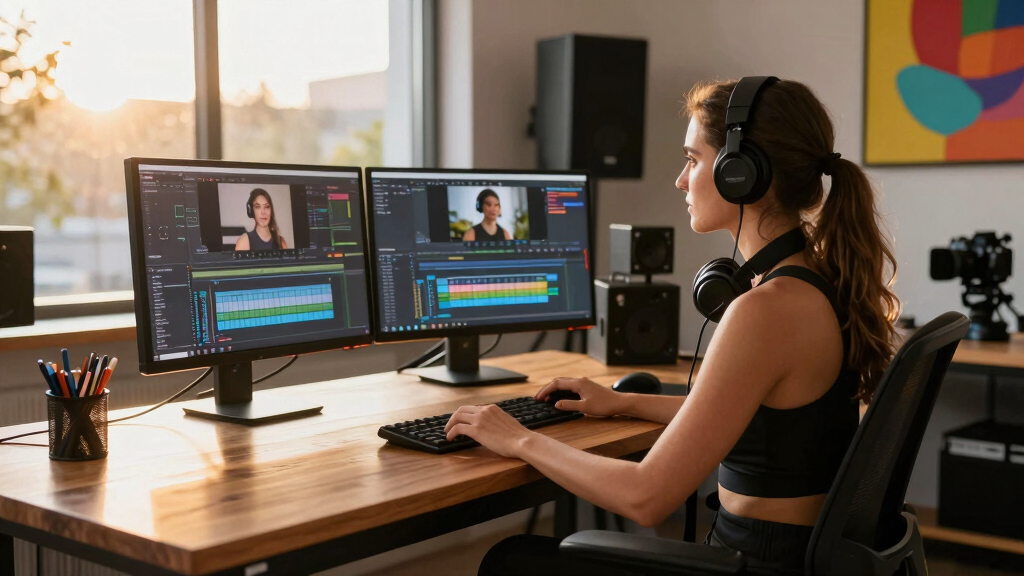
Our selection process focused on core factors that impact a creator’s editing environment: workspace size, ergonomic flexibility, build quality, cable management, and overall value. We prioritized desks that accommodate multi-monitor setups, provide height adjustability, and include features like power outlets or lighting. Cost was a secondary consideration, ensuring options for different budgets. The ranking reflects how well each desk balances these elements to support a productive and comfortable editing studio, with a clear distinction between premium features and budget-friendly solutions.Factors to Consider When Choosing Best Desk Setups For Creator Editing Studios
When assembling a desk setup for a creator editing studio, several key factors determine the right choice. Each studio’s needs differ based on space, workflow, and budget, so understanding these factors helps in making an informed decision. Beyond basic size, consider ergonomic features, cable management, and additional functionalities that can enhance productivity and comfort. Avoid common pitfalls like underestimating space for accessories or choosing desks without sufficient adjustability, which can lead to discomfort and clutter over time.Size and Layout
The dimensions of your desk directly impact your ability to organize your equipment comfortably. Larger desks provide more space for multiple monitors, speakers, and accessories, which is vital for a creator editing studio. However, bigger isn’t always better—measure your room to avoid overcrowding and ensure easy movement. Consider L-shaped or modular options if you need flexible configurations that can adapt as your setup evolves.
Ergonomics and Adjustability
Ergonomic comfort helps prevent fatigue during long editing sessions. Standing desks or desks with adjustable heights are excellent choices for optimizing your posture. Pay attention to the range of height adjustments and the ease of changing positions. Desks with programmable height settings can further streamline your workflow, especially if multiple users share the space or if you switch between sitting and standing frequently.
Cable Management and Power Access
Cluttered cables not only look messy but can also hinder workflow and safety. Desks with built-in cable management features, such as grommets, trays, or channels, make a noticeable difference. Power outlets integrated into the desk surface reduce the need for extension cords and keep essential devices within reach. Investing in these features can significantly improve your setup’s cleanliness and functionality.
Build Quality and Material
Durability matters when your desk supports expensive equipment. Look for sturdy frames, high-quality surfaces, and finishes that resist scratches and spills. Heavier materials like solid wood or metal frames often last longer but may add to the weight and cost. Balancing durability with affordability is key—especially if you plan to upgrade or expand your studio over time.
Budget and Additional Features
While premium desks offer advanced features like lighting, motorized height adjustments, or extensive cable management, they come at a higher price. On a tighter budget, focus on essential qualities—size, stability, and basic ergonomic features—and add accessories as needed. Remember, sometimes investing in a slightly more expensive desk pays off in long-term comfort and efficiency, especially if you spend many hours editing daily.
Frequently Asked Questions
How much space do I need for a creator editing studio desk?
Ideally, your desk should have enough space for multiple monitors, speakers, and essential accessories while leaving room to move comfortably. For most creators, a desk measuring at least 60 inches wide provides ample room for a dual-monitor setup and other equipment. However, if your studio includes large peripherals or you need a dedicated space for drawing or other creative work, opting for a larger desk—around 72 inches or more—may be beneficial. Always measure your room and existing gear before choosing a size to prevent overcrowding.
Are standing desks worth the investment for creators?
Standing desks can offer significant ergonomic benefits by reducing strain during long editing sessions. They allow you to switch between sitting and standing, which can help improve posture and circulation. However, they often come with a higher price tag and require additional accessories like anti-fatigue mats or monitor arms for maximum comfort. If you spend many hours at your desk, this investment can enhance productivity and reduce discomfort over time, making it a worthwhile consideration.
What features should I prioritize in a studio desk for editing?
Prioritize adjustable height mechanisms, cable management, and sufficient surface area for your monitors and accessories. Features like built-in power outlets and lighting can streamline your workflow, but they are secondary to stability and size. A sturdy frame ensures your equipment remains safe during intense editing sessions. Think about your specific needs—if you work with large screens, prioritize width; if you need ergonomic flexibility, focus on adjustability. Making a list of must-have features helps in narrowing down options effectively.
Is a modular desk better than a fixed-size desk?
Modular desks offer the flexibility to customize your setup and adapt as your needs change. They can be expanded or rearranged, making them ideal for growing studios or multi-purpose spaces. Fixed desks, however, tend to be more stable and often come with higher build quality at a lower cost. Your choice depends on whether you value flexibility or stability—if you plan to upgrade your gear frequently or change room layouts, a modular design makes more sense.
How important is material quality for a creator studio desk?
Material quality directly affects the durability and longevity of your desk. High-quality materials like solid wood or metal frames resist wear and damage better than cheaper particleboard or laminate surfaces. Since creator studios often involve heavy equipment, a sturdy desk reduces wobbling and accidental damage. While premium materials cost more upfront, they tend to be more reliable over time, especially for busy editing environments where stability is critical.
Conclusion
For those building a professional, high-efficiency studio, the EUREKA ERGONOMIC Aero 72 Inch Gaming Desk offers expansive space and robust features, making it the best overall pick. Budget-conscious creators will find the ErGear Electric Height Adjustable Standing Desk provides essential adjustability without breaking the bank. For newcomers or those seeking ergonomic versatility, the FLEXISPOT 79″ Dual Motor Electric Standing Desk combines size and smooth height adjustment. If your focus is on specific needs like music production or multi-purpose use, models from Armocity with built-in outlets tailor to those scenarios. Ultimately, your choice should align with your space, workflow, and budget—prioritize what will keep you comfortable and productive in your editing studio.