When working with mixed lighting, you should understand how different light sources affect color temperature and white balance. Use your camera’s Kelvin slider to manually adjust warmth or coolness, aiming for a natural look. Presets like daylight or tungsten can help, but often manual tweaks give better results. Recognizing the light’s influence helps you make smarter choices, ensuring your photos look accurate and vibrant. Keep exploring, and you’ll discover even more ways to perfect your white balance skills.
Key Takeaways
- Recognize different light sources and their color temperatures to anticipate color casts.
- Use manual Kelvin adjustments to fine-tune white balance for mixed lighting conditions.
- Switch between presets as a starting point, then refine with custom white balance settings.
- Understand that higher Kelvin values produce cooler tones, while lower values yield warmer tones.
- Prioritize visual review and adjustment to achieve natural color balance in complex lighting scenes.
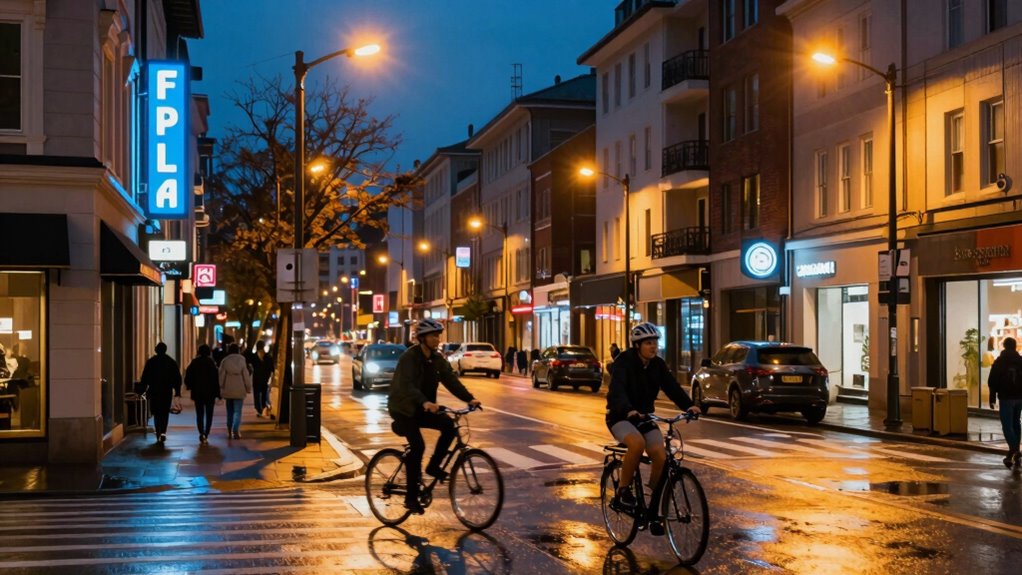
Have you ever struggled to get accurate colors in a photo taken under mixed lighting conditions? If so, you’re not alone. When your scene involves different light sources—like daylight streaming through a window, indoor incandescent bulbs, or fluorescent lighting—the challenge is balancing the color temperature to produce a natural-looking photo. Your camera’s white balance setting becomes vital here. It’s your tool for adjusting how colors are rendered, allowing you to compensate for the varied light source variations affecting your shot.
Understanding how color temperature impacts your images is key. Light source variations change the warmth or coolness of the light. For example, daylight typically has a higher color temperature, around 5500K to 6500K, which appears cooler or bluer. Incandescent bulbs, on the other hand, emit warmer, reddish tones with a lower color temperature, roughly 2700K to 3000K. Fluorescent lights often fall somewhere in between but can introduce greenish hues that complicate color accuracy. When these sources mix, your camera struggles to assign a single white balance setting that accurately represents all of them, resulting in color casts—an unwanted tint over your photo. Recognizing the influence of mixed lighting on your images can help you better anticipate the necessary adjustments.
Light source variations alter warmth and coolness, causing color casts in mixed lighting conditions.
To navigate this, you need to understand how different white balance presets or manual adjustments can help. Many cameras offer auto white balance (AWB), which tries to analyze the scene and set the best compromise. However, in mixed light scenarios, AWB often produces inconsistent results because it attempts to balance conflicting color temperatures simultaneously. Switching to a preset—like daylight, tungsten, or fluorescent—can sometimes help, but often you’ll need to fine-tune the white balance manually. By adjusting the Kelvin temperature slider, you can tell your camera to favor warmer tones or cooler ones, depending on your desired outcome. Knowing the color temperature helps you make more informed choices when setting your white balance, ultimately leading to more accurate color reproduction. Additionally, understanding white balance and its relationship to color temperature helps you make more confident adjustments during editing. Recognizing how different light sources influence color rendering can also guide you to better color correction techniques.

Macolink White Balance Grey Cards 18% Gray Cards Custom Color Calibration DSLR/SLR/Evil Camera Checker for Digital Photography Video (3.35" X 2.2")
The gray card can let you get right white balance in seconds and always have the perfect exposure.
As an affiliate, we earn on qualifying purchases.
As an affiliate, we earn on qualifying purchases.
Frequently Asked Questions
How Does White Balance Affect the Overall Mood of a Photo?
White balance directly influences the mood of your photo by adjusting the color temperature, which shifts the emotional tone. Warmer tones create feelings of warmth, comfort, or intimacy, while cooler tones evoke calmness or somberness. By choosing the right white balance setting, you control how viewers interpret the scene’s atmosphere, ensuring your photo conveys the intended emotion and enhances the overall mood effectively.
Can White Balance Be Adjusted After Capturing the Image?
You can definitely adjust white balance after capturing an image. Think of it as turning back the clock to perfect your shot. Using editing software, you can tweak the color temperature and select preset options to match the mood you want. This flexibility lets you correct or enhance your photo’s warmth or coolness, ensuring your final image aligns with your creative vision, no matter how tricky the lighting conditions were at the moment.
What Equipment Is Best for Shooting in Mixed Lighting Conditions?
You should use a camera with adjustable white balance settings and manual controls for mixed lighting. Lighting techniques like using gels or reflectors can help balance color temperatures. Set your camera to a custom white balance or Kelvin mode, adjusting camera settings to match the dominant light source. This approach guarantees accurate color reproduction, giving you more control over the final image in challenging lighting conditions.
How Do I Prevent Color Casts When Using Mixed Light Sources?
Think of controlling color casts like tuning a musical instrument; if one string is off, everything sounds wrong. To prevent unwanted color shifts, match your camera’s white balance to the dominant light source or use a custom setting. Adjust for light temperature differences, and consider gels or filters for tricky situations. This way, you keep your color temperature consistent, ensuring your images look natural without distracting color casts.
Is Auto White Balance Reliable in Complex Lighting Situations?
Auto white balance can be unreliable in complex lighting situations because it relies on sensor calibration that may not accurately interpret mixed light sources. To improve results, use a gray card to set a custom white balance, ensuring consistent color accuracy. This approach helps your camera better understand the lighting conditions, reducing color casts and achieving more natural colors in challenging environments.

H128 Handheld Thermal Camera, 240 x 240 TISR Resolution, 24h Battery Life Thermal Imaging Camera, 25 Hz Infrared Camera with Temperature Alarm, -4℉~ 842℉ Temp Range, IP65 Protection Level
Enhanced Clarity with 240×240 TISR Resolution: Equipped with TISR technology, the H128 infrared camera elevates your thermal imaging…
As an affiliate, we earn on qualifying purchases.
As an affiliate, we earn on qualifying purchases.
Conclusion
Now that you understand the nuances of white balance choices for mixed light, you’re better equipped to master your photography’s color magic. Think of it as tuning a guitar—you’ll find the perfect pitch by adjusting each string until everything harmonizes. With a little practice, you’ll confidently navigate tricky lighting scenarios, turning them into opportunities to create stunning, true-to-life images. Embrace the challenge, and let your camera’s settings be your symphony conductor.

Small Grey White Balance Card 18% and Grey Reference Reflector Board with Carrying Bag Photography Card Custom Calibration Camera Checker Video, DSLR and Film
Mini Three-color calibrated reference cards: with Non reflective and waterproof surface, matte finish for scratch resistant. Card size:3.3×2.1…
As an affiliate, we earn on qualifying purchases.
As an affiliate, we earn on qualifying purchases.
![Lightdow 12 x 12 Inch (30 x 30 cm) White Balance 18% Gray Reference Reflector Grey Card with Carry Bag [Folded Version]](https://m.media-amazon.com/images/I/31GeGGNhEvL._SL500_.jpg)
Lightdow 12 x 12 Inch (30 x 30 cm) White Balance 18% Gray Reference Reflector Grey Card with Carry Bag [Folded Version]
Gray side: Reflectance 17.8%; Density 0.74
As an affiliate, we earn on qualifying purchases.
As an affiliate, we earn on qualifying purchases.