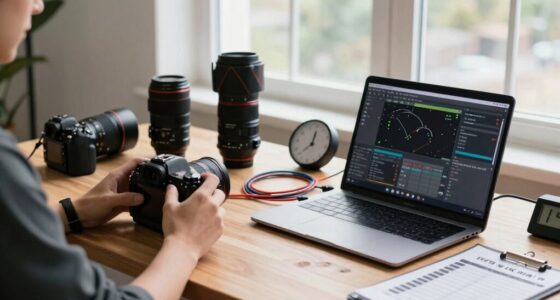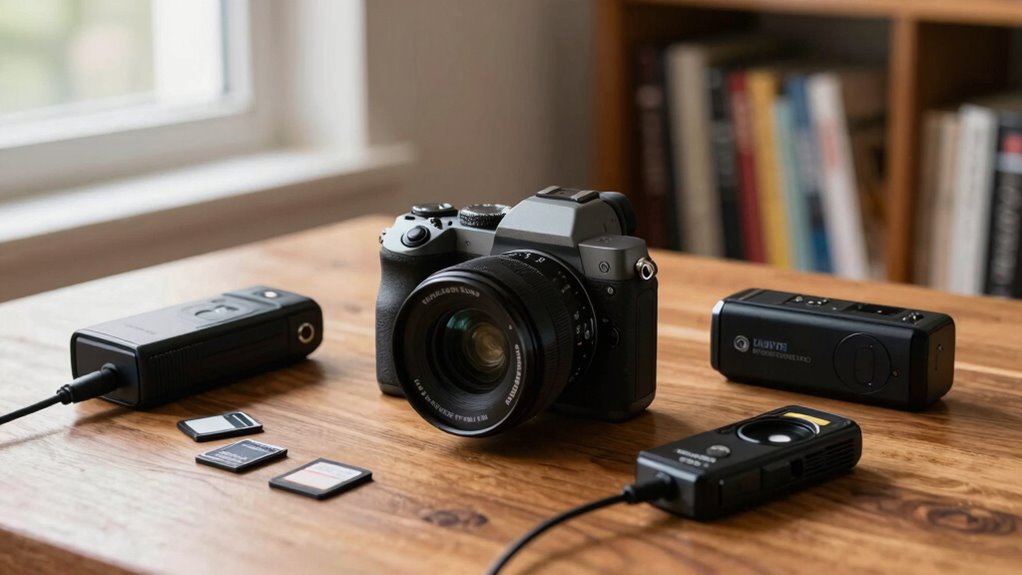

When choosing an external recorder for your mirrorless camera, focus on your budget and specific needs. Assess how often you’ll use it and identify essential features without getting sidetracked by extras. Check compatibility with your camera’s formats and connectivity options like HDMI or SDI. Don’t forget to take into account portability for on-location shoots versus studio use. Making these choices wisely now can save you money later, and there’s more to explore on optimizing your decision.
Key Takeaways
- Assess your specific needs and frequency of use to set a realistic budget for the recorder.
- Prioritize essential features that align with your projects to avoid unnecessary upgrades.
- Ensure compatibility with your camera’s outputs and supported recording formats for seamless integration.
- Research brand compatibility and user reviews to avoid potential issues with your specific camera model.
- Consider the recorder’s weight and size for portability, especially if you’ll be shooting on location frequently.

When you’re looking to enhance your mirrorless camera’s capabilities, choosing the right external recorder can make all the difference. With so many options available, it’s easy to feel overwhelmed. But by focusing on a few key aspects, you can avoid overbuying. Start by considering your budget. External recorders can range from affordable to high-end models, so it’s vital to set a price range that aligns with your needs. Think about how often you’ll use it and what features are truly necessary for your projects.
Next, take a close look at the recording formats supported by the recorder. Different formats offer various levels of quality and compression. If you’re shooting high-resolution video, you’ll want a recorder that supports formats like ProRes or DNxHD for better post-production flexibility. Make sure the recorder you choose matches your camera’s capabilities, ensuring you’re not investing in features you won’t utilize. Additionally, understanding the recording formats available can help you select a device that meets your quality requirements and workflow preferences. Being aware of format support can also help you future-proof your setup as new standards emerge. Knowing the video standards that your workflow requires can further assist in making an informed decision. To ensure seamless integration, check if the recorder supports industry-standard codecs, which can enhance compatibility across different editing platforms.
Evaluate the recording formats your external recorder supports to ensure optimal quality and compatibility with your high-resolution video needs.
Connectivity options also play an important role in your decision. Most mirrorless cameras use HDMI or SDI outputs for video. Check if the recorder you’re considering has the appropriate inputs that match your camera. Additionally, look for features like timecode sync, which can be invaluable in multi-camera setups. This not only simplifies synchronization in post but also enhances your workflow considerably.
Brand compatibility shouldn’t be overlooked either. Some recorders work seamlessly with specific camera brands and models. Research whether the recorder you’re eyeing has been tested with your mirrorless camera. This can save you a lot of headaches down the road, ensuring everything works as it should. Reading reviews and user experiences can also shed light on compatibility issues.
Portability factors are another important consideration. If you’re planning to shoot on location, a lightweight and compact recorder can make your setup much easier to manage. Conversely, if you’re primarily working in a studio, a heavier model with more features might be worth the investment. Think about your usage scenarios: will you be traveling a lot, or will you mostly be shooting from a fixed location?
Ultimately, the right external recorder should enhance your filming experience without unnecessary features that drive up the price. Additionally, understanding the compatibility of the recorder with your gear can prevent costly mistakes. By focusing on your budget, recording formats, connectivity options, brand compatibility, and portability, you’ll find a recorder that fits your needs perfectly without overbuying.

Atomos Ninja RAW: ProRes/ProRes RAW Monitor-Recorder with Camera Control for HDMI & mirrorless Cameras
- Bright HDR Touchscreen: 1500nit, 5-inch display
- Camera Control: Manage start/stop, ISO, shutter, aperture, white balance
- ProRes Recording: Record in Apple ProRes or ProRes RAW
As an affiliate, we earn on qualifying purchases.
As an affiliate, we earn on qualifying purchases.
Frequently Asked Questions
What Brands Are Most Compatible With My Mirrorless Camera?
When considering brands for your mirrorless camera, focus on compatibility factors like connection types and codec support. Brands like Atomos and Blackmagic are highly recommended due to their versatility and user-friendly interfaces. You’ll want to check if they support your camera’s output formats. Additionally, brands like Ninja and Video Devices offer reliable options that integrate well with most mirrorless systems. Always read reviews to guarantee you’re making a smart purchase without overspending.
How Do I Know if I Need 4K Recording?
You’ll know you need 4K recording if you want higher resolution and more detail in your videos. Consider the 4K benefits, like better cropping options and enhanced visual quality. If you’re shooting for platforms that support 4K, it’s essential. However, think about your recording limitations; larger file sizes can strain your storage and editing process. If you’re just starting or shooting casual content, 1080p might be sufficient for your needs.
Can I Use External Recorders for Live Streaming?
Sure, you can use external recorders for live streaming! Just imagine juggling flaming torches while riding a unicycle—it’s thrilling but requires the right tools. External recorders bring live streaming benefits like superior quality and added features. However, watch out for compatibility concerns; not all recorders play nice with every camera. So, check compatibility first, then enjoy the show you create without burning out your budget or sanity!
What Storage Capacity Do I Need for Video Recording?
When it comes to storage capacity for video recording, you’ll want to take into account the resolution and frame rate you’re using. For 1080p, a 64GB card often suffices, but for 4K, aim for at least 128GB or more. Make certain your storage speed matches your recording needs, especially with high-bitrate file formats like ProRes or RAW. This’ll prevent dropped frames and guarantee smooth playback, keeping your footage of the highest quality.
Are There Budget-Friendly Options That Still Offer Quality?
Sure, you could spend a fortune on fancy recorders, but why not snag some affordable alternatives that won’t leave your wallet gasping for air? Look for budget-friendly options that offer essential features like 4K recording and solid audio inputs. You’ll find gems that deliver quality without the price tag of a small car. After all, who needs a gold-plated recorder when you can get great results for less?

KQoolShuai Mini Spy Camera Pen 1080P Full HD Video Recorder with 64GB Card, USB Charging, Security Surveillance Camera
- Video Resolution: 1080P Full HD recording
- Included Storage: 64GB memory card included
- Power Source: USB rechargeable
As an affiliate, we earn on qualifying purchases.
As an affiliate, we earn on qualifying purchases.
Conclusion
When it comes to choosing external recorders for your mirrorless camera, remember that “less is often more.” Focus on what you truly need for your projects, whether it’s higher resolution, better audio, or longer recording times. Don’t get swept up in the latest features that you won’t use. By understanding your specific requirements, you can find the perfect recorder without overbuying, ensuring you get great value while enhancing your filmmaking experience.

Guermok Video Capture Card, 4K USB3.0 HDMI to USB C, 1080P 60FPS & 2K 30FPS
- High-Resolution Video Capture: Supports 1080P 60FPS and 4K@30Hz input
- Low Latency Streaming: Ensures ultra low latency for gaming and recording
- Plug and Play Design: No drivers or external power needed
As an affiliate, we earn on qualifying purchases.
As an affiliate, we earn on qualifying purchases.

Meoilkolnm Mini Body Camera with Audio and Video Recording 1080P 64GB Motion Detection Video Recorder Wearable POV Camcorder with Magnetic Pocket Portable DV for Cycling,Pets,Walking,Travaling
- High-Definition Video: Supports 1080p FHD recording and photos
- Compact and Lightweight: Measures 1.25×1.1×3.58 inches, weighs 1.22 oz
- Magnetic Clip Design: Easy to attach to clothing, helmets, or bikes
As an affiliate, we earn on qualifying purchases.
As an affiliate, we earn on qualifying purchases.