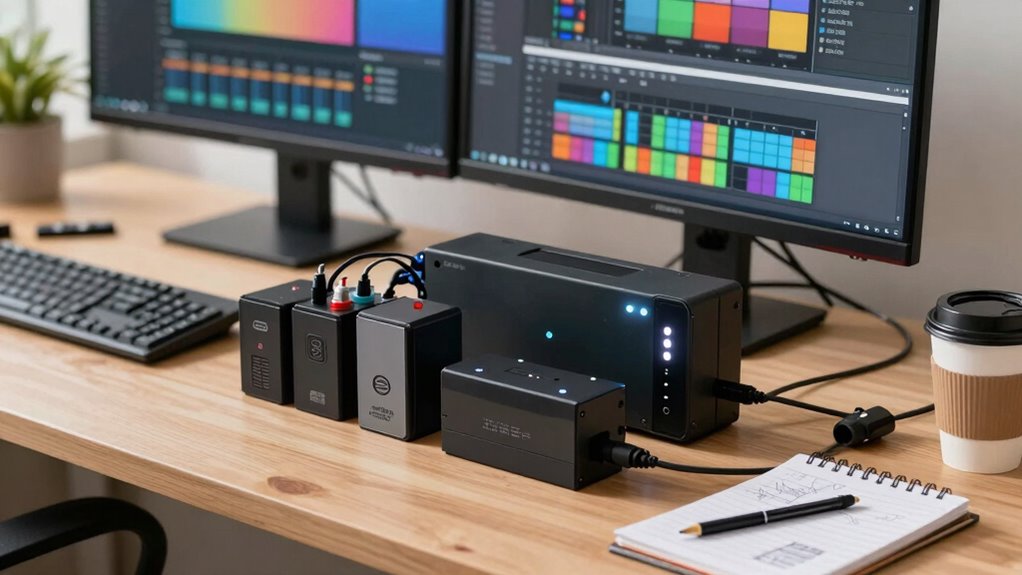

To choose a UPS battery backup for your editing workstation without overbuying, first calculate the total wattage of your equipment. Select a model that meets your power needs while considering future upgrades. Look for units with adequate runtime to save your work during outages. Compact models can save space, but balance functionality and size. Finally, research reliable brands and check warranty options. There’s more to explore about ensuring you get the best fit for your setup.

Get sports gear delivered free with Prime
- Fast, free delivery on millions of items
- Prime Video, Amazon Music and more included
- Member-only deals all year
Key Takeaways
- Calculate total wattage of your editing equipment to determine the appropriate UPS capacity without excess investment.
- Evaluate runtime needs to ensure the UPS allows enough time for saving work and safe shutdowns during outages.
- Consider the form factor of the UPS to maintain workspace efficiency while meeting power requirements.
- Research reliable brands with good customer support and warranty options to avoid future issues.
- Follow installation guidelines and regularly monitor the UPS battery status to ensure optimal performance and reliability.

When you’re deep in the editing zone, the last thing you want is a power outage disrupting your workflow. Choosing the right UPS battery backup for your editing workstation can mean the difference between losing hours of work and maintaining productivity. Start by understanding your power capacity needs. Calculate the total wattage of your equipment, including your computer, monitors, and any additional peripherals. This’ll help you select a UPS that can handle your setup without overbuying.
Choosing the right UPS battery backup ensures your editing workflow remains uninterrupted, protecting your work from unexpected power outages.
Next, consider the runtime options. You don’t want a backup that only lasts a few minutes during a blackout. Look for devices that offer sufficient runtime to save your work and shut down your system safely. Many UPS units provide different runtime options based on the load. Make sure you choose one that aligns with your needs, guaranteeing you can finish your tasks without panic.
Form factor is also important. Some UPS units are compact and can fit neatly under your desk, while others are more substantial. Think about your workspace and how much room you have for a UPS. A smaller form factor might save space but could come with trade-offs in power capacity or runtime.
Brand reliability can’t be overlooked. Do a bit of research on the brands available and read reviews. Reliable brands often come with better customer support and warranties, which can save you headaches down the road. When you’re comparing prices, don’t just look at the sticker price; consider the features offered. A cheaper unit might lack necessary features like surge protection or could have higher maintenance needs, which could cost you more in the long run.
Installation tips can make the process smoother. Most UPS units come with straightforward manuals, but checking online for installation videos can provide additional clarity. Confirm you choose a location that allows easy access for maintenance needs, as you’ll want to routinely check the battery status and replace it when necessary. Additionally, understanding the importance of indoor air quality can help you create a healthier workspace that supports your focus and productivity.
Another key factor is battery maintenance, which is crucial for ensuring your UPS remains reliable over its lifespan. Finally, look for models that include surge protection. This is essential to safeguard your equipment from voltage spikes. With the right UPS, you’ll protect your editing workstation and keep your creative flow uninterrupted, all while making sure you don’t overspend.
Products Worth Considering

Garmin Approach R10 Portable Golf Launch Monitor

Garmin Approach G82 Portable Golf Launch Monitor and GPS Handheld

Garmin Index BPM Smart Blood Pressure Monitor
As an affiliate, we earn on qualifying purchases.
Frequently Asked Questions
How Long Do UPS Battery Backups Typically Last?
UPS battery backups typically last between 3 to 5 years, depending on usage and maintenance. To maximize battery lifespan, you should guarantee your system operates efficiently, avoiding unnecessary strain on the unit. Regularly check the power efficiency of your devices and replace batteries as needed. By keeping an eye on these factors, you can extend the life of your UPS and guarantee reliable performance during critical editing tasks.
Can I Use a UPS for Gaming Setups?
Absolutely, you can use a UPS for gaming setups! Imagine your gaming performance soaring to new heights while your power protection shields you from sudden outages. It’s like having an unbreakable shield around your gaming world, ensuring you never miss a critical moment. With a UPS, you’ll keep your rig running smoothly, even when the power flickers. So, gear up and enjoy uninterrupted gaming sessions, knowing your setup’s safe and sound!
Are There Maintenance Requirements for UPS Systems?
Yes, there are maintenance requirements for UPS systems. To guarantee your battery lifespan is ideal, regularly check the battery and replace it every 3-5 years, depending on usage. Keep your UPS clean and dust-free, and make sure it’s in a cool, dry location. Run self-tests monthly to confirm functionality. Following these maintenance tips will help you avoid costly downtime and keep your equipment running smoothly. Don’t neglect these simple steps!
What Happens if a UPS Battery Is Overcharged?
If a UPS battery’s overcharged, it can greatly shorten its lifespan. Overcharging leads to excessive heat, which damages the battery cells and reduces their efficiency. You might notice a drop in performance or even complete failure. To avoid this, make sure your power management settings are optimized, preventing overcharge conditions. Regularly check your UPS system’s status to maintain battery health and extend its usable life.
How Do I Recycle Old UPS Batteries Safely?
Recycling old UPS batteries is like planting a seed for a greener future. To dispose of them safely, find local recycling programs that accept batteries, as they guarantee proper handling. Check with your community’s waste management or search online for nearby battery disposal facilities. Many retailers also offer recycling options. Never throw them in regular trash; doing so can harm the environment. Proper disposal keeps you and your surroundings safe!
Conclusion
When it comes to selecting UPS battery backups for your editing workstation, remember that more isn’t always better. While it’s tempting to overbuy for peace of mind, matching your needs with the right capacity can save you money and space. Think about your equipment’s power requirements and the potential runtime you’ll need during outages. By doing your homework, you can strike the perfect balance between protection and practicality, ensuring your creative flow never skips a beat.