To quickly grasp editing motorsport photos for speed and drama, focus on using color grading to boost energy and mood, like warming up tones for heat or cooling them for tension. Add motion blur selectively to emphasize movement, keeping the subject sharp for impact. Combine these techniques thoughtfully to create a dynamic, intense image. With practice, you’ll learn how each adjustment enhances storytelling—if you keep exploring, you’ll master these powerful editing skills.

Get sports gear delivered free — and shop member deals
- Fast, free delivery on millions of items
- Access to Prime Big Deal Days deals on October 6–7
- Prime Video, Amazon Music and more included
Key Takeaways
- Master color grading techniques to enhance mood, atmosphere, and emotional impact in motorsport photography.
- Use motion blur selectively on backgrounds and wheels to convey high speed while keeping the main subject sharp.
- Combine color grading with motion blur for dramatic, visually compelling images that tell a story.
- Practice comparing before-and-after edits to improve understanding of how techniques influence speed and drama.
- Experiment continuously with editing tools to develop a keen eye for conveying motion, emotion, and adrenaline.
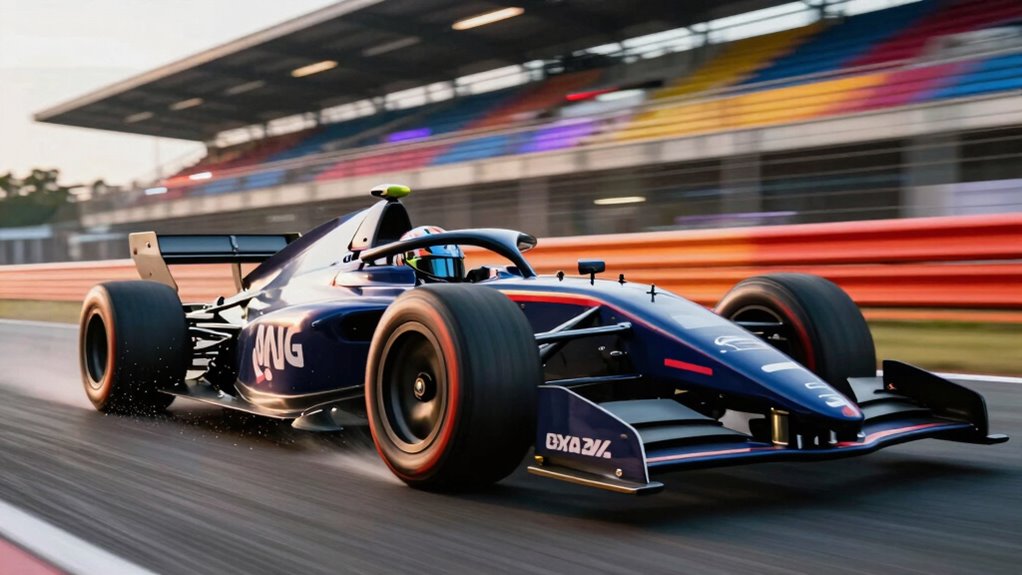
Capturing the thrill of motorsport is only the first step; to truly convey speed and drama, you need to master editing techniques that bring your photos to life. When you’re working with fast-moving subjects, your goal is to create an image that feels alive and intense. Color grading is one of the most powerful tools at your disposal. It allows you to enhance the mood and atmosphere, making the scene more vibrant or gritty depending on the story you want to tell. For example, boosting warm tones can evoke heat and energy, while cooler shades can create a sense of high-speed precision or tension. Adjusting contrast and saturation can also help make elements pop, emphasizing the motion and power of the cars.
Master color grading and motion blur to transform motorsport photos into vivid, adrenaline-fueled stories.
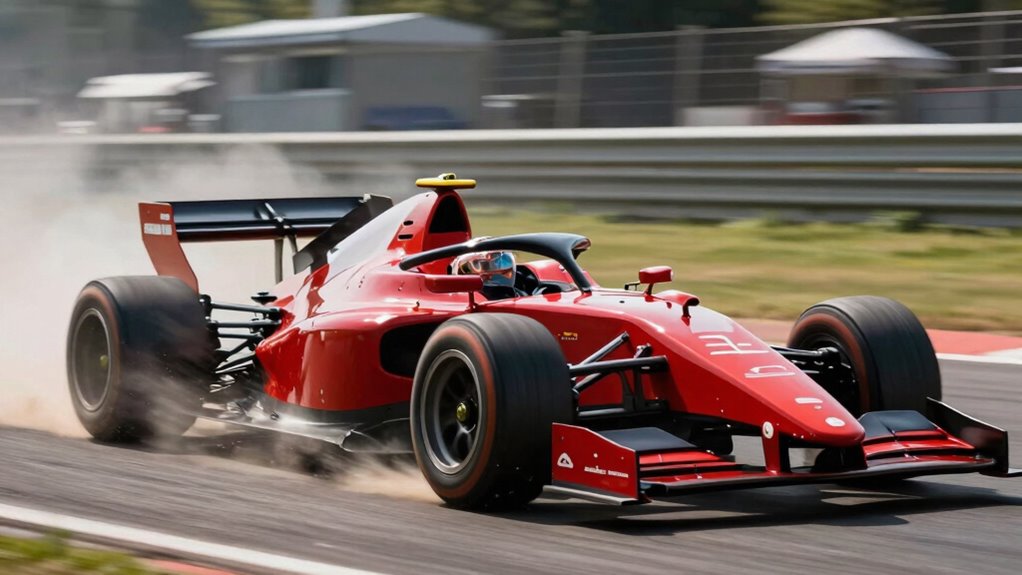
Motion blur is another essential element for conveying speed. When you’re editing, adding a slight motion blur to the background or the wheels can dramatically increase the sense of movement. This technique mimics what your eyes see when a vehicle whizzes past — the surroundings streak by, emphasizing rapid motion. You can apply motion blur selectively to parts of the image, such as the background, to keep the main subject sharp and in focus. This contrast between sharpness and blur directs the viewer’s eye directly to the car or driver, heightening the sense of speed without sacrificing detail. Additionally, understanding editing techniques can help you develop a more cohesive and impactful final image.
As you refine your photos, consider how color grading complements motion blur. For instance, if you’ve added a strong blue tint to the shadows, applying a complementary warm hue to the blurred background can create visual tension that enhances the drama. The key is balancing these effects so that they amplify each other without overwhelming the image. Don’t be afraid to experiment with different techniques—sometimes a subtle touch can make a huge difference. Remember, the goal is to evoke emotion and excitement, making viewers feel as if they’re right there on the track. Additionally, understanding color theory can further help you craft visually compelling edits that resonate emotionally with viewers. Developing an eye for visual storytelling can also elevate your editing skills, allowing your images to communicate a narrative beyond just speed.
Finally, always review your edits by comparing before and after versions. This helps you see if your adjustments truly boost the sense of speed and drama. With practice, you’ll develop a keen eye for how color grading and motion blur work together, enabling you to craft motorsport images that aren’t just snapshots but powerful stories of velocity and adrenaline.
motorsport photo editing software
As an affiliate, we earn on qualifying purchases.
As an affiliate, we earn on qualifying purchases.
Frequently Asked Questions
What Camera Settings Are Best for Capturing Fast-Moving Motorsport Action?
To capture fast-moving motorsport action, set your camera to a fast shutter speed—around 1/1000 sec or higher—to freeze motion. Use good camera stabilization to avoid blur, especially when handholding. Opt for a telephoto lens with a wide aperture to focus sharply on the cars and create a dramatic background. Adjust ISO as needed for proper exposure, and keep your lens selection versatile for different distances and angles.
How Do You Choose the Best Moments to Photograph During a Race?
You should focus on moments when race timing peaks, like the final lap or a dramatic overtaking. For example, position yourself at spectator angles that capture the cars’ acceleration and intense expressions. Anticipate action by studying the track layout and driver tendencies. Keep your camera ready, and stay alert to capture the thrill when the cars are at their fastest, ensuring you photograph the most dynamic, compelling moments.
What Are Common Challenges in Editing Motorsport Photos?
You’ll often face challenges like balancing color correction to enhance the vibrant race atmosphere without oversaturation, and noise reduction to clean up grainy shots taken in low light or fast motion. Managing these issues requires careful adjustments to preserve detail and drama, ensuring the cars’ speed and energy stand out. By addressing these common editing hurdles, you’ll create dynamic, professional-looking motorsport photos that truly capture the excitement of the race.
How Can I Improve the Sharpness of My Racing Photos?
Think of your photos as engines roaring with potential—you just need to tune them right. To improve sharpness, reduce unnecessary motion blur by adjusting shutter speed and use sharpening tools in post-processing. Enhance details through careful color grading, which brings out the textures and speed. These tweaks turn your racing shots into crystal-clear images that capture every adrenaline-filled moment, making viewers feel like they’re right on the track.
What Editing Software Is Most Effective for Motorsport Photography?
You should try software like Adobe Lightroom or Photoshop, which excel in motorsport photography. They offer powerful tools for color grading, helping you enhance the intensity and drama of your shots. Additionally, they allow you to adjust settings based on lens selection, so you can optimize images captured with different lenses. These programs give you the control needed to make your racing photos pop with speed and excitement.
color grading tools for photography
As an affiliate, we earn on qualifying purchases.
As an affiliate, we earn on qualifying purchases.
Conclusion
Now, with your editing skills sharpened, you can transform still images into adrenaline-fueled stories. The roar of engines and blur of motion become vivid, dramatic moments on the screen. Speed and intensity collide in every pixel, capturing the thrill and drama of racing. Your editing becomes the bridge—turning raw, static shots into dynamic, heart-pounding scenes. Embrace the power of your craft, and let your photos race to life with every click.
motion blur plugin for Photoshop
As an affiliate, we earn on qualifying purchases.
As an affiliate, we earn on qualifying purchases.
As an affiliate, we earn on qualifying purchases.
NFL season / tailgating Picks
team gear
As an affiliate, we earn on qualifying purchases.