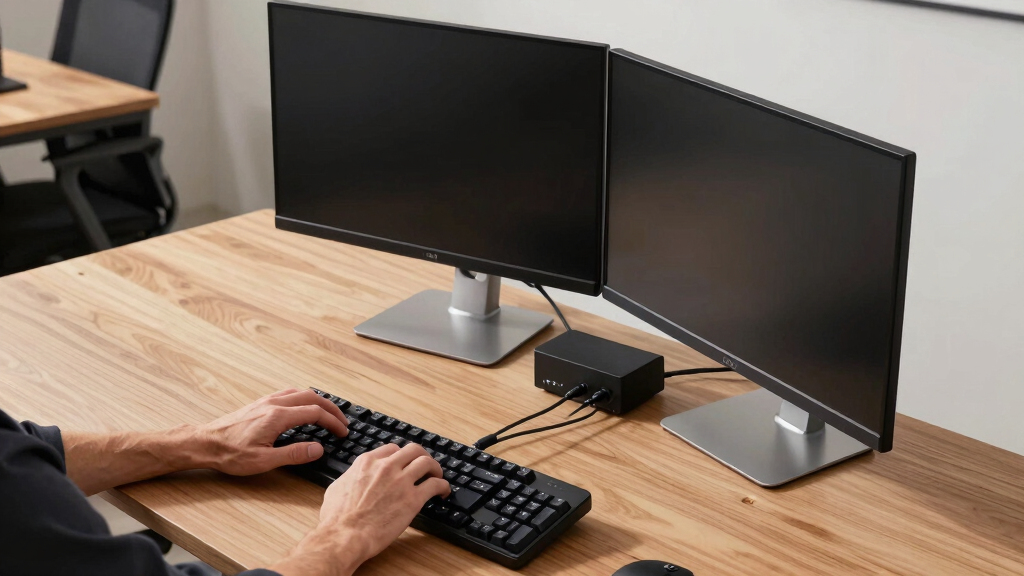

Finding the best docking station for a dual monitor creator setup requires balancing multiple factors like connectivity, power delivery, and build quality. The Anker 8-in-1 USB-C Hub stands out for its versatile port selection, while the Acer Premium 13-in-1 Dock offers robust support for high-resolution displays and multiple peripherals. These choices highlight the main tradeoffs: more features often mean higher cost or larger size, while budget options may lack certain ports or power capacity. Continue reading for a detailed comparison tailored to creators needing reliable, high-performance docking solutions.
Key Takeaways
- The best docks balance multiple 4K monitors with sufficient power delivery for demanding creator workloads.
- Port variety and support for high-resolution displays are key differentiators among top picks.
- Build quality and compatibility with a wide range of systems influence long-term value and usability.
- Higher wattage power delivery and multi-port support come with increased size and price, requiring tradeoffs.
- Universal compatibility and security features matter for professional setups, especially in collaborative environments.
| Anker 8-in-1 USB-C Hub with Dual HDMI and 85W Power Delivery |  | Best Overall for Versatile Dual Display Support | Hardware Interface: USB-C | Ports: 2 HDMI, 3 USB-A, 1 Ethernet, 1 SD card reader | Power Delivery: 85W (requires 100W charger) | VIEW LATEST PRICE | See Our Full Breakdown |
| Acer Premium 13-in-1 Docking Station with 110W PD, Triple Monitor Support (Dual 4K HDMI & DP), Gigabit Ethernet, Security Lock |  | Best for Heavy Multimonitor Setups with Security Features | Type: 13-in-1 Docking Station | Power Adapter: 110W PD | Display Output: Triple 4K via 2x HDMI + 1x DP | VIEW LATEST PRICE | See Our Full Breakdown |
| TobenONE DisplayLink Triple Monitor Docking Station with 120W Power Adapter |  | Best for Maximum Display and Connectivity Flexibility | Ports: 3x HDMI, 3x DP, 2x USB-C, 4x USB 3.2, SD/TF | Power Output: 100W laptop charging (96W certified) | Display Support: Triple/Quad 4K@60Hz | VIEW LATEST PRICE | See Our Full Breakdown |
| WAVLINK 10Gbps Laptop Docking Station with Dual HDMI, Gigabit Ethernet, and 100W PD for Windows Systems |  | Best for Fast Data Transfer and Windows Users | Data Transfer Rate: 10Gbps | Ports: 2x HDMI, 3x USB-A/C, Gigabit Ethernet | Power Delivery: 100W PD (85W for laptop) | VIEW LATEST PRICE | See Our Full Breakdown |
| Acer 9-in-1 USB-C Docking Station with Dual HDMI Ports and 4K@60Hz Support |  | Best Budget-Friendly Dual 4K Display Dock | VIEW LATEST PRICE | See Our Full Breakdown | |||
| TobenONE Dual 4K MacBook Docking Station with 16 Ports and 100W Charging |  | Best for MacBook Creators Who Need Seamless Dual 4K Support | HDMI Ports: 2 | USB Ports: 7 (including 1x 20W USB-C fast-charge port) | Ethernet Speed: 2.5Gbps | VIEW LATEST PRICE | See Our Full Breakdown |
| USB-C Docking Station with Triple Monitor Support, Dual 4K HDMI/DP Ports, 8 USB A/C Ports, Gigabit Ethernet & 100W Power Adapter |  | Best for Windows Creators Needing Flexible Triple 4K Display Support | Display Ports: 3 (2 HDMI, 1 DP) | Max Display Resolution: 4K@60Hz | USB Ports: 8 (various types) | VIEW LATEST PRICE | See Our Full Breakdown |
More Details on Our Top Picks
Anker 8-in-1 USB-C Hub with Dual HDMI and 85W Power Delivery
This Anker hub stands out for delivering reliable dual 4K display support via HDMI ports, making it ideal for creators who prioritize clarity. Compared with the WAVLINK dock, it offers a more streamlined setup, but with the tradeoff of limited display support on macOS—only mirrored at 4K@30Hz. Its 85W power delivery is sufficient for most laptops, yet it requires a separate 100W charger, adding to clutter. The broad compatibility across Windows, ChromeOS, and macOS makes it versatile, though Linux users will find it incompatible. Its compact aluminum design and multiple ports create a tidy workspace, but the dual 4K@30Hz limitation on Macs could hinder some workflows.
Pros:- Supports dual 4K displays via HDMI ports
- Provides 85W pass-through charging for laptops
- Multiple connectivity options including Ethernet and SD card reader
- Compact aluminum build with broad OS compatibility
Cons:- Requires a separate 100W PD charger and USB-C cable
- Limited to mirrored display at 4K@30Hz on macOS
Best for: Dual-monitor creators using Windows, ChromeOS, or macOS who need a compact, all-in-one hub with decent power delivery.
Not ideal for: Linux users or those requiring 4K@60Hz on macOS, since it only supports mirrored displays at 30Hz on Mac systems.
- Hardware Interface:USB-C
- Ports:2 HDMI, 3 USB-A, 1 Ethernet, 1 SD card reader
- Power Delivery:85W (requires 100W charger)
- Display Support:Dual 4K@30Hz (macOS mirrored), single 4K@60Hz
- Data Transfer Rate:5120 Mbps (USB 3.1)
- Compatibility:Windows 10/11, ChromeOS, macOS (no Linux)
Bottom line: This pick is best for users who want a portable, multi-connection hub that supports dual 4K displays across most major OSs, with some limitations on Mac performance.
Acer Premium 13-in-1 Docking Station with 110W PD, Triple Monitor Support (Dual 4K HDMI & DP), Gigabit Ethernet, Security Lock
This Acer dock excels in supporting three monitors simultaneously—two via HDMI and one through DisplayPort—making it suited for demanding creators who need expansive screen real estate. Unlike the TobenONE dock, which only offers triple HDMI, this model adds DisplayPort for greater flexibility with high-resolution displays. Its 110W power adapter allows for sustained charging during intensive tasks, a step above the 85W offered by the Anker hub. The inclusion of a security lock makes it appealing for shared or public workspaces. However, its reliance on laptops with native USB-C, GPU, and compatibility features means users must verify system support. The rear-only USB-C port limits expandability, and Mac users may find display options restricted to mirroring without external configuration.
Pros:- Supports triple 4K displays via HDMI and DisplayPort
- Includes a 110W PD power adapter for full laptop charging
- Security lock slot for theft prevention
- Consolidates multiple ports for cleaner workspace
Cons:- Limited to systems with compatible GPU and USB-C support
- Rear USB-C port only supports data, not video
Best for: Creators with multiple high-resolution monitors who value security features and need reliable power delivery on Windows or select Mac systems.
Not ideal for: Mac users without Thunderbolt support or those with incompatible GPU setups, since it relies heavily on system compatibility for triple monitor support.
- Type:13-in-1 Docking Station
- Power Adapter:110W PD
- Display Output:Triple 4K via 2x HDMI + 1x DP
- Ports:USB-C (data), USB-A, Gigabit Ethernet, SD/TF card
- Security:Integrated lock slot
- Compatibility:Windows, select Macs
Bottom line: Ideal for professionals who need a secure, triple-monitor setup with robust power and port options on Windows or high-end Macs.
TobenONE DisplayLink Triple Monitor Docking Station with 120W Power Adapter
This TobenONE dock leads in supporting three 4K monitors via HDMI and DisplayPort, appealing to creators who need extensive peripheral options. Its 120W power supply allows for simultaneous charging of the laptop and devices, surpassing many competitors. The extensive port selection, including USB-C, Ethernet, and SD/TF slots, makes it an all-in-one hub for complex setups. Unlike the WAVLINK or Acer, it supports both MacBooks and Windows laptops with a high level of compatibility. Yet, the need for driver installation and the larger physical footprint might be drawbacks for those with space constraints or seeking a plug-and-play solution. Linux users are excluded, limiting its audience somewhat.
Pros:- Supports triple 4K displays via HDMI and DP
- 120W power adapter charges laptop and devices simultaneously
- Extensive port options including USB-C, Ethernet, SD/TF
- Compatible with MacBook, Windows, and Chromebooks
Cons:- Requires driver installation for full functionality
- No Linux support
- Physical size may be bulky for tight spaces
Best for: Power users and creators who need maximum monitor real estate coupled with extensive peripheral connectivity on both Mac and Windows platforms.
Not ideal for: Users who prefer plug-and-play setups or operate within Linux environments, as driver installation is required and compatibility is limited there.
- Ports:3x HDMI, 3x DP, 2x USB-C, 4x USB 3.2, SD/TF
- Power Output:100W laptop charging (96W certified)
- Display Support:Triple/Quad 4K@60Hz
- Compatibility:MacBooks, Windows, Chrome OS
- Size:Bulky
- Warranty:Standard
Bottom line: This dock is best suited for creators needing maximum display support and peripheral options across multiple OS platforms with high power demands.
WAVLINK 10Gbps Laptop Docking Station with Dual HDMI, Gigabit Ethernet, and 100W PD for Windows Systems
The WAVLINK dock emphasizes high-speed data transfer with 10Gbps USB-C and USB-A ports, making it excellent for creators who frequently move large files. Its dual HDMI outputs support 4K displays, similar to the Anker model, but with a focus on faster connectivity. The 85W power delivery is slightly less than some competitors, yet still sufficient for most laptops, provided an appropriate charger is used. Designed exclusively for Windows, it lacks compatibility with macOS, unlike the Acer or TobenONE. Its aluminum enclosure and wired Ethernet add to its stability, but users must supply a compatible charger, and resolution options depend on system support.
Pros:- Supports dual 4K displays via HDMI
- High-speed 10Gbps USB-C/A ports for rapid data transfer
- Includes gigabit Ethernet for wired network stability
- Provides 85W charging, suitable for most laptops
Cons:- Not compatible with macOS
- Charger not included, requiring a 20V/5A power supply
- Limited resolution options if system doesn’t support DP1.4+DSC
Best for: Windows-based creators needing fast data transfer and dual 4K display support in a reliable, wired setup.
Not ideal for: Mac users or those looking for plug-and-play options, since it is incompatible with macOS and requires external power supply considerations.
- Data Transfer Rate:10Gbps
- Ports:2x HDMI, 3x USB-A/C, Gigabit Ethernet
- Power Delivery:100W PD (85W for laptop)
- Compatibility:Windows 10+
- Material:Aluminum
- Charger Required:Yes, 20V/5A
Bottom line: Best suited for Windows users who prioritize fast data transfer and reliable dual 4K display capability, with some setup requirements.
Acer 9-in-1 USB-C Docking Station with Dual HDMI Ports and 4K@60Hz Support
This Acer dock offers a straightforward solution for dual monitor setups with support for 4K@60Hz via HDMI ports, making it an appealing choice for budget-conscious creators. Compared to the Anker or WAVLINK models, it simplifies connectivity with a focus on dual HDMI and basic USB-A ports, but lacks the extensive port variety of higher-end docks. Its 100W PD charging capability keeps laptops powered during intensive work sessions, although it requires a compatible USB-C port with DP Alt Mode, which isn’t always present on older or less capable systems. Setup is generally plug-and-play for supported devices, but some users might encounter resolution limitations or need additional configuration on macOS.
Pros:- Supports dual 4K@60Hz monitors via HDMI
- Includes multiple USB ports and SD card slots
- Provides 100W PD charging for laptops
- Affordable and straightforward setup
Cons:- Requires a compatible USB-C port with DP Alt Mode
- Limited port variety compared to higher-end docks
- May need additional configuration for macOS
Best for: Budget-conscious creators seeking reliable dual 4K display support on modern Windows or macOS laptops with USB-C with DP Alt Mode.
Not ideal for: Power users requiring multiple ports or advanced features, as it provides a more basic connectivity suite and depends on compatible USB-C ports.
Bottom line: An excellent budget pick for dual 4K display setups on compatible modern laptops, with some limitations on port variety and compatibility.
TobenONE Dual 4K MacBook Docking Station with 16 Ports and 100W Charging
This TobenONE dock excels at providing professional MacBook users with dual 4K@60Hz displays, making it ideal for creators who need crisp visuals and reliable connectivity. Compared to the USB-C Docking Station with Triple Monitor Support, it offers a more tailored experience for M1/M2/M3/M4 MacBooks, with dedicated support for high-resolution monitors and a 100W pass-through charger that keeps your laptop powered without clutter. The 16 ports cover nearly every accessory, including fast Ethernet and a dedicated USB-C fast-charge port, streamlining complex workflows. However, its compatibility is limited to specific MacBook models, and it lacks an SD card reader, which could be limiting for photographers or videographers using newer M4 chips. Overall, this dock makes the most sense for MacBook creators prioritizing high-resolution dual monitors and streamlined charging, but not for Windows users or those needing SD card slots.
Pros:- Supports dual 4K@60Hz monitors for sharp, fluid visuals
- Includes 100W pass-through charging, eliminating extra power bricks
- 16 total ports for comprehensive device connectivity
- 2.5Gbps Ethernet for fast wired internet
Cons:- Limited to specific MacBook models, excluding Windows systems
- No built-in SD card reader for newer M4 models
- Compatibility restrictions reduce versatility for mixed-device setups
Best for: MacBook professionals and creators who depend on dual 4K displays and seamless charging.
Not ideal for: Windows users or creators with non-Pro/Max MacBooks, due to limited compatibility and absence of SD card slots.
- HDMI Ports:2
- USB Ports:7 (including 1x 20W USB-C fast-charge port)
- Ethernet Speed:2.5Gbps
- Power Supply:100W GaN
- Weight:351 grams (12.4 oz)
- Dimensions:4.7″ L x 2.9″ W x 2.3″ H
Bottom line: This dock is perfect for MacBook users who prioritize high-resolution dual displays and streamlined power delivery, but it’s less suitable for Windows users or those needing SD card support.
USB-C Docking Station with Triple Monitor Support, Dual 4K HDMI/DP Ports, 8 USB A/C Ports, Gigabit Ethernet & 100W Power Adapter
Compared with the TobenONE dock, this USB-C station offers support for three monitors, including two HDMI and one DisplayPort, making it better suited for multi-screen workflows on Windows laptops. Its support for triple 4K@60Hz displays provides more extensive workspace options, which is valuable for complex editing or data analysis setups. The 8 USB ports, gigabit Ethernet, and SD/TF card slots give it a versatile edge, especially for creators who connect multiple peripherals and external storage devices. The inclusion of a 100W power adapter ensures stable performance, similar to the TobenONE but with broader compatibility. However, the need for your laptop’s Type-C port to support full features can be a limiting factor, and the dock’s bulkiness makes it less ideal for compact desks. This pick is best for Windows users with multi-monitor needs, willing to accommodate a larger device for maximum connectivity.
Pros:- Supports three monitors at 4K@60Hz for expansive workspace
- 15 total ports including USB A/C, Ethernet, and card slots
- Includes a 100W power adapter for reliable operation
- Fast 10Gbps data transfer speeds enhance peripheral performance
Cons:- Requires laptop’s USB-C port to support full features, which isn’t always guaranteed
- Bulkier design may be cumbersome for small desks
- Limited extend mode support on Mac OS reduces cross-platform flexibility
Best for: Windows creators requiring triple 4K monitor support and extensive peripheral connectivity.
Not ideal for: MacBook users or those with limited desk space, due to compatibility and size considerations.
- Display Ports:3 (2 HDMI, 1 DP)
- Max Display Resolution:4K@60Hz
- USB Ports:8 (various types)
- Ethernet Speed:1000Mbps
- Power Adapter:100W AC
- Data Transfer Rate:10Gbps
Bottom line: This dock is ideal for Windows users who need triple 4K displays and maximum peripheral support, but less suited for compact setups or MacBook environments.
How We Picked
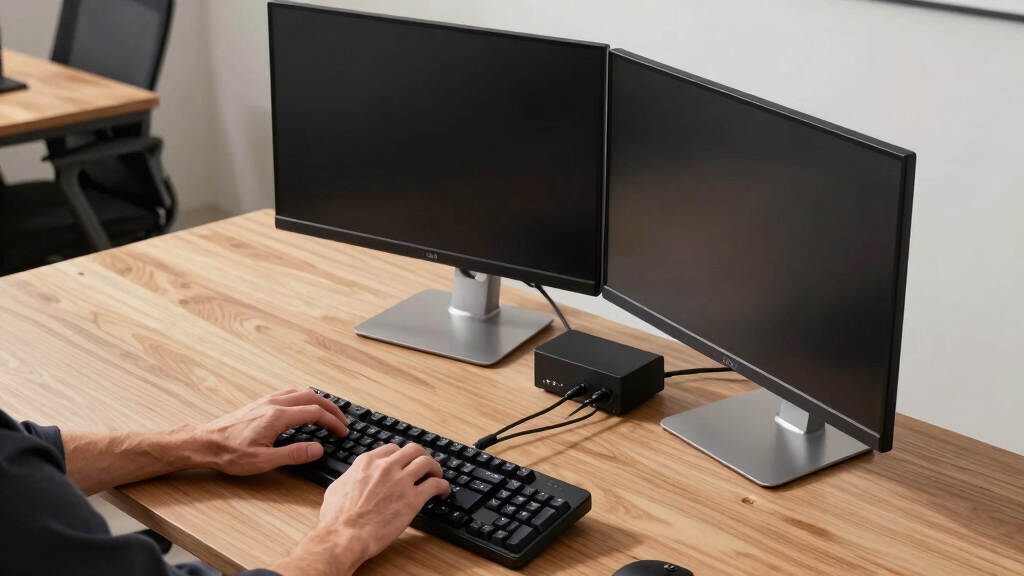
I evaluated each docking station based on performance, build quality, connectivity options, power delivery capacity, and compatibility with popular creator systems. Priority was given to docks that support dual 4K monitors at 60Hz, offer reliable power delivery, and include a broad range of ports for peripherals. Ease of use, security features, and overall value also influenced the rankings. Products that excelled across these criteria, especially those suited for professional creator environments, ranked higher, while budget-friendly options with fewer features placed lower.Factors to Consider When Choosing Best Docking Stations For Dual Monitor Creator Setups
Choosing the right docking station for a dual monitor creator setup involves understanding key technical and practical considerations. A versatile dock must support high-resolution displays, deliver enough power for demanding laptops, and connect seamlessly with various peripherals. Beyond specifications, compatibility, size, and future-proofing are crucial. Making the right choice can prevent bottlenecks, reduce clutter, and streamline your workflow, but it requires balancing your specific needs against budget constraints.Monitor Support and Video Output
For creators, supporting dual 4K monitors at 60Hz is typically non-negotiable for clear, smooth visuals. Not all docks can reliably handle two 4K displays simultaneously, especially at high refresh rates. Look for docks with HDMI 2.0 or DisplayPort 1.4 support, as these are more future-proof and compatible with high-end monitors. Avoid docks with only 1080p support if you need crisp, professional-quality visuals, but be aware that higher-resolution support can increase cost and size.
Power Delivery and Charging
Power delivery (PD) is vital for keeping your laptop charged without cluttering your desk with extra cables. For creator setups, 85W or higher PD is recommended to handle power-hungry devices like high-performance laptops. Lower wattage docks might save money but can lead to slower charging or drained batteries during intensive work. Confirm your laptop’s power needs and choose a dock that can meet or exceed that for seamless operation.
Connectivity and Ports
Beyond video outputs, consider the range of ports you need—USB-A, USB-C, Ethernet, SD card slots, audio jacks, etc. A dock with multiple USB ports helps connect peripherals like external drives, cameras, and audio interfaces. For creators working with large files or multiple devices, docks with 10 or more ports provide flexibility. However, more ports often mean increased size and complexity, so prioritize what aligns with your workflow.
Build Quality and Compatibility
A well-built dock made from durable materials will withstand daily use and travel. Compatibility is equally important—ensure the dock supports your operating system and connects reliably with your laptop brand. Some docks are optimized for Windows, others for Mac, and some are universal. Security features, like Kensington locks, can be valuable in shared workspaces. Investing in quality can prevent connectivity issues and extend the product’s lifespan.
Size, Design, and Future-Proofing
Size and aesthetics matter, especially if your workspace is limited or you prefer a clean setup. Compact docks save space but may sacrifice ports or power capacity. Consider future needs—if you plan to upgrade your monitors or peripherals, choose a dock with extra capacity or compatibility for newer standards like Thunderbolt 4. A slightly larger but more versatile dock can be a worthwhile investment for long-term use.
Frequently Asked Questions
Can a dock support dual 4K monitors at 60Hz reliably?
Yes, many high-end docks are specifically designed to support dual 4K displays at 60Hz. Look for models with DisplayPort 1.4 or HDMI 2.0 support, which can handle the bandwidth required for high-resolution, high-refresh-rate output. Compatibility with your laptop’s video output ports is also essential. Choosing a dock with proven support for dual 4K at 60Hz ensures your visual clarity remains sharp during demanding creative tasks.
Is higher wattage power delivery always better for a dock?
Higher wattage power delivery allows faster charging and supports more power-hungry laptops and peripherals. For most creator setups, 85W or more is recommended. However, if your device requires less power, a dock with lower wattage can save space and cost. Over-specifying can sometimes lead to unnecessary expense, but under-specifying risks slow charging or battery drain during intensive use. Match the dock’s PD capacity to your device’s needs for optimal performance.
Are there compatibility issues I should watch out for?
Compatibility varies between docks and systems. Some docks work better with Windows, others with Mac, and some are universal. Check manufacturer specifications for supported operating systems and ensure your laptop’s ports align with the dock’s inputs. Firmware updates and driver support can also influence reliability. Reading user reviews for your specific laptop model can help identify potential issues before purchase.
Should I prioritize ports over compact design?
It depends on your workflow. If you rely on multiple peripherals, prioritize docks with ample ports, even if they are larger. Conversely, if desk space is limited, a more compact dock might be preferable, but ensure it still offers essential connectivity. Sometimes, a slightly larger dock with more ports provides better long-term value, especially if you plan to expand your setup or upgrade peripherals later.
Is build quality more important than features?
Build quality directly impacts durability and reliability, especially for frequent travelers or shared workspaces. A sturdy, well-made dock reduces the risk of connection issues or physical damage. While features are important, investing in a high-quality product with reliable connections and materials often results in better long-term performance. Balancing features with build quality ensures your setup remains efficient and dependable over time.
Conclusion
For most creators seeking a reliable, versatile setup, the Acer Premium 13-in-1 Docking Station offers a strong balance of performance, port variety, and durability, making it the best overall choice. Those on a tighter budget or needing a compact solution might prefer the Anker 8-in-1 USB-C Hub, which delivers essential features at a lower price. For professionals who demand the highest performance and future-proofing, the TobenONE DisplayLink Triple Monitor Docking Station provides ample power and support for multiple high-res displays. Beginners or casual users should focus on docks with straightforward connectivity, while power users should prioritize models with higher wattage and expansive port options for a seamless, long-term setup.