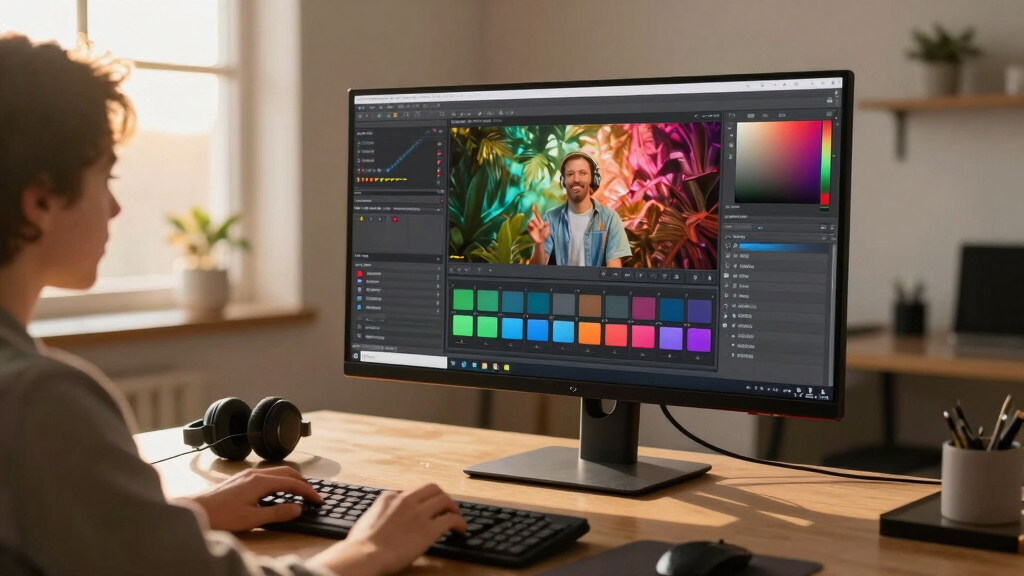

For video editors, an ultra wide monitor can dramatically improve workflow by providing a broader canvas for timelines, color grading, and multitasking. The best options balance screen real estate, color accuracy, and refresh rates, but come with tradeoffs in price and setup complexity. The CRUA 49″ White Curved Monitor stands out for its expansive size and high resolution, perfect for immersive editing. Meanwhile, the LG 38WR85QC-W offers a curved Nano IPS display with HDR support for precise color work. Budget constraints and workspace size are common challenges, so continue reading for a detailed breakdown of the top choices and what to consider before buying.
Key Takeaways
- The largest screens, like the CRUA 49″ models, provide unmatched workspace but can be prohibitively expensive and require substantial desk space.
- Color accuracy and HDR support are critical for professional video editing, making IPS panels with high sRGB and DCI-P3 coverage preferable.
- Refresh rates above 100Hz are less critical for editing but can benefit video preview smoothness; most models focus on resolution and color.
- Curved screens improve immersion and reduce eye strain, especially on ultra wide formats, but may not suit all workspace setups.
- Price varies widely; premium models often include advanced features like HDR 600, USB-C with high wattage, and factory calibration, justifying higher costs.


More Details on Our Top Picks
CRUA 49″ White Curved Monitor | DQHD(5120 * 1440), 120Hz, 1500R, 32:9, AMD FreeSync, 120% sRGB, Height Adjustable Ultra-Wide Screen Computer Monitors, HDMI 2.1 & DP 1.4, Wall Mount Install
This CRUA 49-inch curved monitor stands out for its expansive 32:9 ultra-wide aspect ratio and 1500R curvature, making it ideal for immersive video editing workflows that benefit from extensive timeline views and multiple panels. Its DQHD resolution (5120×1440) rivals dual 27-inch 1440p setups, offering sharp detail without the pixel density compromise of smaller screens. Compared with the Samsung 34″ ultrawide, it provides more screen real estate, though it does come with a tradeoff in size and desk space requirements. The 120Hz refresh rate and AMD FreeSync support ensure smooth playback during editing and previewing videos, especially useful for fast-paced content. Its wide color coverage (120% sRGB) delivers vibrant, accurate colors necessary for color grading tasks. The adjustable stand and wall mount options enhance ergonomics and space efficiency. However, the large size demands a sizable desk, and the high-end features come at a premium price. This monitor makes the most sense for professional video editors who need maximum workspace without sacrificing image quality, and for those comfortable with a larger footprint.
Pros:- Extensive 49-inch ultra-wide with immersive curvature
- High resolution (5120×1440) for detailed editing workspace
- 120Hz refresh rate with AMD FreeSync ensures smooth playback
- 120% sRGB color coverage for accurate, vibrant colors
Cons:- Requires a large desk and significant space
- Higher price point compared to smaller or less feature-rich monitors
Best for: Professional video editors who need extensive screen real estate and vibrant color accuracy for detailed color grading.
Not ideal for: Small home offices or users with limited desk space who prefer more compact setups or less expensive options.
- Screen Size:49 inches
- Resolution:5120×1440
- Refresh Rate:120Hz
- Color Coverage:120% sRGB
- Curvature:1500R
- Ports:HDMI 2.1 & DP 1.4
Bottom line: This monitor is perfect for professionals who need maximum screen real estate and color fidelity for intensive video editing.
This Dell S2725QC makes the list for offering a 27-inch 4K display with a 120Hz refresh rate, providing crisp, detailed visuals ideal for color-sensitive video editing. Its IPS panel ensures wide viewing angles and accurate color reproduction, crucial for grading and fine-tuning footage. Compared to the larger CRUA, it offers a more space-efficient form factor, though with less screen real estate. Its 99% sRGB coverage guarantees vibrant, true-to-life colors, while the HDR readiness adds depth to video previews. The integrated speakers and ergonomic stand add convenience, and the USB-C port simplifies connectivity with modern laptops, delivering power and data over a single cable. Its price offers strong value, but the smaller screen size limits multitasking compared to larger monitors. This monitor suits beginners or those working in more constrained spaces who need high-resolution detail and color accuracy without the size premium.
Pros:- Sharp 4K resolution with vibrant IPS panel
- High 120Hz refresh rate for smooth video playback
- Excellent color coverage (99% sRGB) and HDR support
- USB-C with power delivery simplifies desk setup
Cons:- Limited screen size for multitasking
- Premium features come at a higher price relative to smaller size
Best for: Entry-level or space-constrained video editors who want 4K clarity and color accuracy at a reasonable price.
Not ideal for: Professional editors requiring extensive real estate for multitasking or complex timelines, who may prefer larger screens.
- Screen Size:27 inches
- Resolution:3840×2160
- Refresh Rate:120Hz
- Color Coverage:99% sRGB
- Contrast Ratio:1500:1
- Ports:USB-C, HDMI
Bottom line: This monitor offers a compelling balance of 4K clarity, color accuracy, and space efficiency for dedicated video editing in smaller or budget-conscious setups.
LG 38WR85QC-W 38″ Curved UltraWide WQHD Monitor with Nano IPS, VESA DisplayHDR 600, 144Hz, USB-C 90W
This LG 38-inch curved ultrawide is tailored for intense multitasking and high-precision video editing, combining WQHD+ resolution (3840×1600) with Nano IPS technology for exceptional color accuracy and clarity. Its 144Hz refresh rate and 1ms G-Sync compatible response time cater to fast-paced editing and video previewing, especially for high-frame-rate content. Compared to the CRUA and Dell, it offers a larger, more immersive workspace with a broader aspect ratio, ideal for managing multiple timelines, windows, and tools seamlessly. The VESA DisplayHDR 600 supports vibrant HDR content, while the USB-C port provides 90W power delivery and data transfer, reducing cable clutter. The ergonomic stand allows precise adjustments for long editing sessions. Its high price reflects its premium features, making it best suited for professional workflows that demand both size and color fidelity. However, its size requires a dedicated, spacious desk.
Pros:- Ultra-wide 38-inch curved display for immersive editing
- Nano IPS technology with VESA DisplayHDR 600 for color accuracy
- High 144Hz refresh rate with 1ms response time
- USB-C with 90W power for minimal cable clutter
Cons:- High price for a large, premium monitor
- Requires substantial desk space due to size
Best for: Professional video editors and content creators who need expansive, color-accurate screens with fast refresh rates for high-quality previews.
Not ideal for: Casual or budget-conscious users who do not require ultra-wide workspace or are limited in desk space.
- Screen Size:38 inches
- Resolution:3840×1600
- Refresh Rate:144Hz
- Color Gamut:98% DCI-P3
- HDR:VESA DisplayHDR 600
- Ports:USB-C (90W), HDMI, DisplayPort
Bottom line: This monitor is ideal for professionals who need an expansive, highly accurate workspace with fast performance in high-end video editing.
CUNPU 27 Inch 4K 70Hz Monitor, UHD (3840 * 2160) IPS Ultra-Slim Bezel Monitor for Photo Video Editing, ΔE < 2, 100% DCI-P3, 1.07B+ Colors, PIP-PBP, Adaptive Sync, DP/HDMI, Black
This 49-inch curved monitor stands out for its expansive 32:9 aspect ratio and 1500R curvature, offering an immersive experience ideal for video editing workflows that benefit from ultra-wide real estate. Its DQHD resolution (5120×1440) provides crisp detail across the entire screen, surpassing typical 27-inch options like the LG 27GX704A-B when it comes to workspace. The 144Hz/165Hz refresh rate paired with AMD FreeSync ensures smooth playback during editing or streaming, though it’s primarily designed for gaming, which makes it less suited for color-critical tasks compared to OLED options. Its 120% sRGB color coverage delivers vibrant, accurate colors, but might fall short of the 98.5% DCI-P3 coverage of the OLED LG for professional color grading. The adjustable stand and multiple connectivity options, including HDMI 2.1 and DisplayPort 1.4, allow flexible setup. However, the large size may be overkill for small desks and could involve higher power consumption and setup complexity.
Pros:- Extremely wide 32:9 aspect ratio for multitasking and expansive timelines
- High resolution (5120×1440) for detailed editing workspace
- Strong refresh rate and adaptive sync for smooth video playback and streaming
Cons:- Large physical size may not fit compact desks or studio spaces
- Color accuracy, while good, may not match OLED or professional-grade monitors
Best for: Video editors and content creators who need maximum screen real estate for multitasking and cinematic workflows.
Not ideal for: Color grading professionals requiring perfect color accuracy and uniformity, as the panel’s color fidelity isn’t calibrated for critical color work.
- Screen Size:49 inches
- Resolution:5120×1440
- Refresh Rate:144Hz/165Hz
- Panel Type:VA (Curved)
- Color Coverage:120% sRGB
- Connectivity:HDMI 2.1 & DP 1.4
Bottom line: This monitor is best for users who prioritize workspace size and multitasking over absolute color precision.
This 27-inch OLED monitor is distinguished by its fast 240Hz refresh rate and ultra-quick 0.03ms response time, making it a compelling choice for gamers and high-motion content editing where speed matters. Compared with the Dell 27 Plus 4K, the LG’s OLED panel offers superior contrast and black levels, with 98.5% DCI-P3 coverage providing vibrant, lifelike colors perfect for cinematic editing. Its VESA DisplayHDR True Black 400 enhances dark scene details, although the glossy finish may cause reflections unsuitable for brightly lit environments. Connectivity options include dual HDMI 2.1 and DisplayPort, supporting next-gen hardware. While G-SYNC compatibility adds smoothness, it’s not officially certified, which can be a concern for professional editors. The adjustable stand and eye-care features help long sessions, but the high price and risk of burn-in with OLED panels are potential downsides.
Pros:- Exceptional contrast with deep blacks and vibrant colors
- Ultra-fast 0.03ms response time supports high-motion editing
- High 240Hz refresh rate for smooth playback and gaming
Cons:- Glossy finish can cause glare in bright rooms
- OLED panels are susceptible to burn-in with static content
Best for: Video editors who want vibrant, high-contrast visuals with the flexibility for fast-paced gaming and cinematic work.
Not ideal for: Colorists and professionals needing absolute color accuracy and panel consistency, as OLEDs may show slight variations or risk burn-in over time.
- Screen Size:27 inches
- Resolution:2560×1440
- Refresh Rate:240Hz
- Response Time:0.03ms
- Panel Type:OLED
- Color Coverage:98.5% DCI-P3
Bottom line: This monitor excels for users seeking speed and vivid visuals, blending gaming performance with high-quality video editing.
This 27-inch 4K IPS monitor offers a sharp 3840×2160 resolution with a 99% sRGB coverage, making it well-suited for color-accurate editing and professional workflows. Its 120Hz refresh rate with AMD FreeSync ensures smooth playback, although it’s less tailored for high-speed gaming compared to the LG OLED. The IPS panel provides wide angles and consistent color, rivaling OLED in color fidelity, but with less contrast and deeper blacks. Its integrated speakers and sleek design with ultra-thin bezels make it a versatile, all-around choice for editing, streaming, and everyday use. The 1500:1 contrast ratio is decent but cannot match OLED’s deep blacks. While ideal for general editing, it may lack the punch needed for cinematic grading that OLED panels deliver, and its brightness isn’t as high as HDR-specific displays.
Pros:- High 4K resolution with sharp detail
- Excellent color accuracy with 99% sRGB coverage
- IPS panel offers consistent colors and wide viewing angles
Cons:- Lower contrast and blacks compared to OLED monitors
- Refresh rate capped at 120Hz, less ideal for fast-paced gaming
Best for: Video editors and professionals who prioritize accurate colors and high resolution for detailed work.
Not ideal for: High-speed gaming or HDR workflows that demand peak contrast and very high brightness levels.
- Screen Size:27 inches
- Resolution:3840×2160
- Refresh Rate:120Hz
- Panel Type:IPS
- Color Coverage:99% sRGB
- Contrast Ratio:1500:1
Bottom line: This monitor is a solid choice for professional editing where color fidelity and resolution are paramount, but not for high-contrast HDR workflows.
Gawfolk 32 Inch 4K UHD Curved 1500R Computer Monitor, Ultra-Clear (3840×2160p) Screen, 100% sRGB, 178° Viewing Angle, DisplayPort, HDMI, Compatible with Wall Mounting 100 * 100MM – Black
This 32-inch curved monitor features a 1500R curvature designed for immersive viewing, making it suitable for editing, multimedia, and general creative work. Its 4K UHD resolution (3840×2160) ensures sharp details, comparable to the Dell 27 Plus, but with a larger screen area for multitasking and timeline management. The 100% sRGB coverage and 178° viewing angles provide accurate and consistent colors across wide perspectives, ideal for color-sensitive editing. The monitor’s curved design enhances immersion and reduces edge distortion, but it might not be ideal in bright environments due to its glossy finish. Connectivity options include DisplayPort and HDMI, supporting multiple devices. While it offers excellent color and clarity, it lacks high refresh rates or HDR than more gaming-focused models, making it more suited for creative workflows than fast-paced gaming or HDR grading.
Pros:- Curved 1500R design for immersive editing experience
- 4K resolution with sharp details
- Full sRGB coverage for accurate color reproduction
Cons:- Glossy finish may cause reflections in bright rooms
- Lacks high refresh rate or advanced HDR features
Best for: Content creators and editors seeking an immersive, color-accurate display with a curved form factor.
Not ideal for: Fast-paced gaming or HDR professionals who need higher contrast and brightness levels for dark scene editing.
- Screen Size:32 inches
- Resolution:3840×2160
- Curvature:1500R
- Color Coverage:100% sRGB
- Viewing Angle:178°
- Connectivity:HDMI & DisplayPort
Bottom line: This monitor is best for creative professionals who want a large, immersive display with excellent color accuracy for editing and multimedia tasks.
Alienware 34 Curved Gaming Monitor – AW3425DWM
The Alienware AW3425DWM stands out for its 34-inch WQHD curved panel with a 1500R radius, creating an immersive experience ideal for video editors who benefit from a wide field of view. Compared with the LG 38WR85QC-W, which offers higher HDR600 support and Nano IPS color accuracy, this model emphasizes faster response times and a 180Hz refresh rate, making it better suited for fast-paced editing workflows where responsiveness matters. Its 95% DCI-P3 coverage ensures vibrant colors, though it might fall short for those needing precise, high-dynamic-range grading. Eye fatigue is addressed with low blue light modes, but the curved design can be less practical for multi-monitor setups. This monitor caters to video editors who prioritize speed and immersion over color precision or HDR depth.
Pros:- Fast 180Hz refresh rate and 1ms response time for smooth editing experience
- Deep curve (1500R) enhances immersion and reduces eye strain during long sessions
- Vibrant colors with 95% DCI-P3 coverage and VESA DisplayHDR 400 certification
Cons:- Limited HDR capability compared to some professional-grade monitors like LG 38WR85QC-W
- Curve may be less practical for multi-monitor setups or flat workspace preferences
- Higher price point for gaming-oriented features not always necessary for editing
Best for: Video editors involved in fast-paced workflows or gaming content who want a responsive, immersive display.
Not ideal for: Color-critical grading professionals who require ultra-precise color accuracy and higher HDR support.
- Display Size:34 inches
- Resolution:WQHD (3440 x 1440)
- Refresh Rate:180Hz
- Response Time:1ms
- Color Coverage:95% DCI-P3
- HDR Certification:VESA DisplayHDR 400
Bottom line: This monitor is best suited for video editors who want speed, responsiveness, and immersive visuals, but not for those requiring ultra-precise color grading or high HDR levels.

How We Picked
The monitors in this roundup were selected based on their suitability for professional or enthusiast video editing. Key evaluation factors included screen size and resolution, color accuracy (covering sRGB and DCI-P3 standards), refresh rate, and HDR support, as these directly impact editing precision and workflow efficiency. Build quality, ergonomic features, and connectivity options like USB-C are also considered, as they influence daily usability. To rank these options, I prioritized models that strike a balance between performance and price, with special attention to those offering calibration-ready displays and wide color gamuts. The goal was to identify monitors that provide a real advantage for video editing tasks without unnecessary extras for casual users.Factors to Consider When Choosing Best Ultra Wide Monitors For Video Editing
Choosing the best ultra wide monitor for video editing involves more than size and resolution. It’s essential to consider color accuracy, calibration options, and connectivity, as these directly influence your editing quality and workflow. Additionally, ergonomic features and build quality can affect comfort during long editing sessions. Understanding tradeoffs, such as cost versus features, helps ensure you select a display that meets your specific needs. Here are key factors to keep in mind before making your purchase.Color Accuracy and Gamut
For professional video editing, color accuracy is paramount. Look for models that cover at least 99% of sRGB and ideally include high DCI-P3 coverage, which ensures your colors are true to life. Factory calibration or calibration options are a bonus, allowing you to fine-tune the display for critical work. Avoid monitors with limited color gamuts, as they can distort your color grading and affect your final output.
Resolution and Screen Size
Ultra wide monitors typically range from 34 to 49 inches, with resolutions from QHD (3440×1440) to DQHD (5120×1440). Higher resolutions offer sharper images and more workspace, but also require more powerful graphics hardware. Consider your desk space and workflow; if you work on detailed color grading or multiple timelines, a larger and higher-resolution display provides significant advantages. Conversely, smaller or lower-resolution models might be more manageable for limited spaces or less demanding tasks.
HDR and Brightness
High Dynamic Range (HDR) support, especially HDR 600 or higher, enhances contrast and color depth, making it easier to spot details during editing. Brightness levels above 400 nits are recommended for HDR workflows, but also check for local dimming features that improve contrast. Keep in mind that HDR alone doesn’t guarantee color accuracy; pairing HDR with high color gamut coverage is key for professional-grade work.
Connectivity and Ergonomics
Flexible connectivity options like USB-C with sufficient wattage (90W or more) streamline your workflow by reducing cable clutter and enabling single-cable setups. Ergonomic features such as height adjustment, tilt, and swivel are essential for comfort during long editing sessions. A curved screen can reduce eye strain and improve immersion, but ensure your workspace can accommodate the monitor’s curvature and size.
Price and Value
Premium features like high color accuracy, HDR support, and extensive connectivity come at a cost. Balance your budget against your editing needs: for professional work, investing in a high-end model can save time and improve results. For hobbyists or those new to video editing, mid-range monitors with decent color coverage and good ergonomics might suffice. Beware of overly cheap options that compromise essential features like color fidelity and build quality.
Frequently Asked Questions
Is a curved monitor better for video editing?
Curved monitors can reduce eye strain and enhance immersion, especially on ultra wide screens. They help keep the entire display at a consistent distance from your eyes, which can be advantageous when working on detailed color grading or timelines. However, some users prefer flat screens for more precise framing, especially in multi-monitor setups. Ultimately, the choice depends on your workspace and personal preference, but curved screens generally offer a more comfortable experience for extended editing sessions.
Do I need HDR support for video editing?
HDR support can be valuable if you work with HDR content, as it allows for more accurate color and contrast representation. However, HDR alone doesn’t guarantee color accuracy; look for monitors with high color gamut coverage and factory calibration. For standard SDR editing, HDR features are less critical, but having some HDR capability can future-proof your setup. Consider your workflow and whether your editing software supports HDR workflows before choosing an HDR-capable monitor.
Is a 4K resolution necessary on an ultra wide monitor?
While 4K resolution provides sharp images and more detailed editing space, it also demands more powerful hardware and can increase costs. Many ultra wide monitors use QHD or DQHD resolutions, which are sufficient for most editing tasks and easier to drive at high refresh rates. If your work involves intricate color grading or high-resolution footage, a 4K ultra wide monitor offers perceptible benefits. Otherwise, a high-quality QHD or DQHD display can deliver excellent results at a lower price point.
What is the benefit of a high refresh rate for video editing?
Higher refresh rates, above 100Hz, primarily benefit motion smoothness and playback in video editing, especially during real-time previews and timeline scrubbing. They can also improve responsiveness when using the monitor for other tasks like gaming or fast-moving visual effects. For most editing workflows, a refresh rate of 100Hz or higher is sufficient, but those working with high frame rate footage or doing extensive motion graphics may appreciate the extra smoothness.
How important is factory calibration on a monitor?
Factory calibration ensures that the monitor displays colors accurately out of the box, which is vital for professional video editing. Monitors with calibration reports or built-in calibration tools give you confidence that your colors are true, reducing the need for extensive adjustments. For critical color work, investing in a monitor with good factory calibration or the ability to calibrate precisely can improve consistency across projects and devices. This feature is especially worth considering if color fidelity is a priority in your workflow.
Conclusion
For those seeking the best overall experience, the LG 38WR85QC-W offers a balanced mix of size, color accuracy, and HDR support suitable for most professional editors. Budget-conscious buyers aiming for great performance without breaking the bank should consider the CUNPU 27 Inch 4K, which provides excellent clarity and color coverage at a lower price point. For enthusiasts or professionals demanding top-tier features, the Alienware 34 Curved Gaming Monitor or CRUA 49″ models deliver expansive screens and impressive specs to match high-end editing needs. Beginners or those with limited space should focus on more manageable sizes with decent calibration, while pros should prioritize monitors with high gamut coverage and calibration options to ensure color precision across projects.