To keep colors consistent across cameras quickly, start with controlled, uniform lighting to minimize color shifts. Use the same light sources and set custom white balance on each camera with neutral gray or white references. Test and fine-tune white balance and exposure for accuracy, and verify results on calibrated monitors. Employ color calibration tools if available for better consistency. Mastering these steps saves time and guarantees your footage matches seamlessly—continue to discover more helpful tips.

Get sports gear delivered free with Prime
- Fast, free delivery on millions of items
- Prime Video, Amazon Music and more included
- Member-only deals all year
Key Takeaways
- Use a single, consistent light source and avoid mixing different lighting types during shooting.
- Calibrate each camera’s white balance with neutral gray or white references before filming.
- Perform test shots and compare on calibrated monitors to identify and correct color discrepancies promptly.
- Set custom white balance rather than relying on auto settings for more reliable color consistency.
- Utilize color calibration tools and verify across devices to maintain uniformity throughout the project.
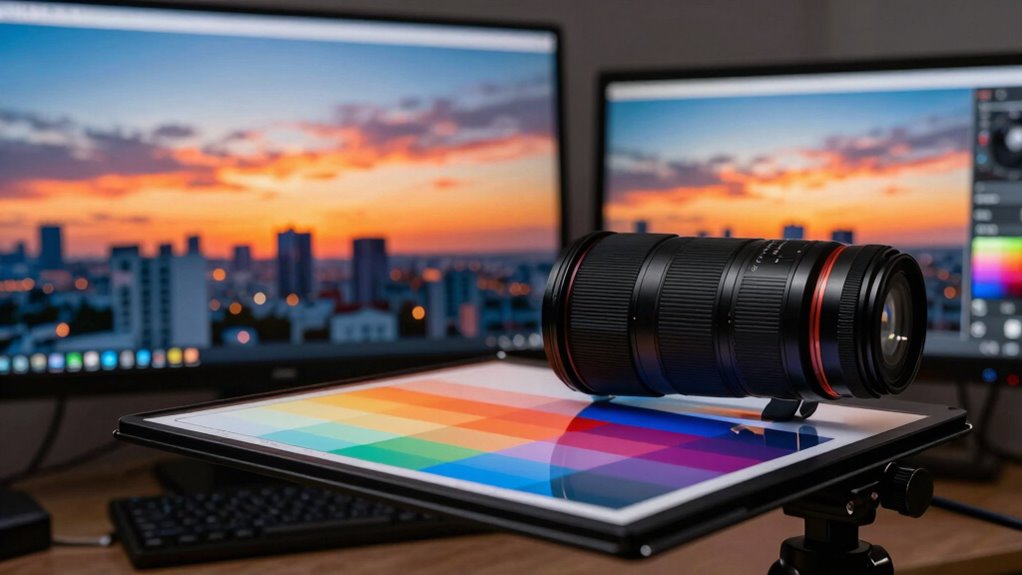
Ensuring consistent colors across different cameras can be challenging, especially when shooting in varied lighting conditions or with multiple devices. To keep your footage looking uniform, you need to pay attention to lighting adjustments and white balance calibration. These two steps are crucial for achieving color consistency without wasting time on post-production corrections.
Start by evaluating the lighting environment before you begin shooting. Natural light changes throughout the day, so if you’re working in a location with mixed lighting, you’ll want to make quick lighting adjustments to minimize color shifts. Use consistent light sources whenever possible, and avoid mixing different types of lighting, such as tungsten and LED, which can cause color discrepancies. If you can’t control the lighting, make note of the conditions so you can adjust your camera settings accordingly later. Lighting consistency plays a vital role in maintaining uniform colors across devices.
Evaluate your lighting environment beforehand and use consistent sources to prevent color shifts during filming.
White balance calibration is the key to ensuring your cameras interpret colors the same way. Most cameras have an auto white balance setting, but it’s often unreliable in inconsistent lighting. Instead, set a custom white balance for each camera. Use a neutral gray card or a white reference object in the scene, then follow your camera’s instructions to calibrate white balance manually. This process ensures each camera interprets the neutral tones identically, providing a solid baseline for color matching.
Once you’ve calibrated the white balance, double-check your settings by capturing test shots under the same lighting conditions. Compare these images side by side on a calibrated monitor or screen to verify that the colors look consistent across devices. If discrepancies still exist, fine-tune the white balance settings or adjust the exposure and contrast as needed. Remember, small tweaks can make a significant difference in matching colors. Additionally, using color calibration tools can help achieve even greater accuracy in color matching across your devices. Proper white balance calibration is essential, especially when working with multiple cameras, to maintain color consistency throughout your project.
As an affiliate, we earn on qualifying purchases.
Frequently Asked Questions
How Often Should Camera Color Profiles Be Recalibrated?
You should recalibrate your camera’s color profiles every few months or whenever you notice color inconsistencies. Regular color calibration ensures your profile maintenance stays accurate, maintaining consistent colors across shots. Factors like lighting changes and camera aging can affect color accuracy, so staying proactive prevents issues. By scheduling routine calibrations, you avoid wasting time fixing color problems later, keeping your workflow efficient and your footage reliably color-accurate.
Can Different Brands of Cameras Achieve Perfect Color Matching?
You can achieve near-perfect color matching across different camera brands, but perfect consistency is challenging. For example, a professional shoot with Sony and Canon cameras required meticulous color calibration to match footage seamlessly. Brand compatibility impacts color calibration, as different sensors and color science vary. Using color calibration tools and matching profiles helps bridge this gap, but some minor discrepancies may stay. Proper calibration ensures your footage looks cohesive, regardless of camera brand.
What Are the Best Tools for Color Consistency Across Multiple Cameras?
You should use tools like X-Rite ColorChecker for calibration and DaVinci Resolve for color grading to guarantee color consistency across multiple cameras. Regularly employ calibration techniques, such as setting white balance and exposure, to match camera outputs. These tools and techniques help you streamline the process, making it easier to maintain consistent colors without wasting time. Consistent calibration and smart color grading are your best bets for professional results.
How Does Lighting Variation Affect Color Matching Between Cameras?
Lighting variation can considerably impact color matching between cameras, even if you use the same color temperature. When lighting isn’t consistent, colors appear different across shots, making it hard to match footage seamlessly. To combat this, guarantee lighting consistency by using the same light sources and setups. Adjust your camera settings accordingly, and monitor color temperature closely, so your footage maintains uniformity, no matter how many cameras you use.
Is It Possible to Automate Color Correction Across Multiple Devices?
Yes, you can automate color correction across multiple devices through color calibration and device synchronization. By using software that supports automated calibration tools, you guarantee each camera’s color profile aligns precisely. Regularly syncing device settings helps maintain consistency, especially when lighting conditions change. This process reduces manual adjustments, saves time, and ensures uniform color output across all cameras, making your workflow more efficient and your visuals more professional.
camera white balance calibration tool
As an affiliate, we earn on qualifying purchases.
As an affiliate, we earn on qualifying purchases.
Conclusion
Now, imagine your footage flowing seamlessly like a well-rehearsed symphony, each camera’s colors harmonizing perfectly. With a little setup and consistent calibration, your shots will mirror each other like reflections in a calm lake, no matter how many angles you shoot from. Keep your monitors calibrated, use color charts, and save your settings. Soon, your footage will look like a masterpiece painted with a single brush—vivid, unified, and mesmerizing.
As an affiliate, we earn on qualifying purchases.
lighting consistency for video recording
As an affiliate, we earn on qualifying purchases.
As an affiliate, we earn on qualifying purchases.
NFL season / tailgating Picks
team gear
As an affiliate, we earn on qualifying purchases.