If you’re new to filmmaking, choosing between log footage and standard profiles depends on your goals and experience. Log footage captures a wider dynamic range, giving you more flexibility in post-production, but it requires more grading skill and proper exposure. Standard profiles are easier and ready to use right away, making them ideal for quick projects. Want to discover how to get the best results from both options? Keep going to reveal useful tips.

Get sports gear delivered free with Prime
- Fast, free delivery on millions of items
- Prime Video, Amazon Music and more included
- Member-only deals all year
Key Takeaways
- Log footage offers greater dynamic range and flexibility for advanced color grading, ideal for creative projects.
- Standard profiles deliver ready-to-use images with minimal editing, suitable for quick turnaround and beginners.
- Proper exposure is essential in log footage to prevent highlight blowout or shadow detail loss.
- Log footage appears flat and dull straight out of camera, requiring grading to achieve a cinematic look.
- Beginners benefit from standard profiles for simplicity, while experienced editors can leverage log for creative control.
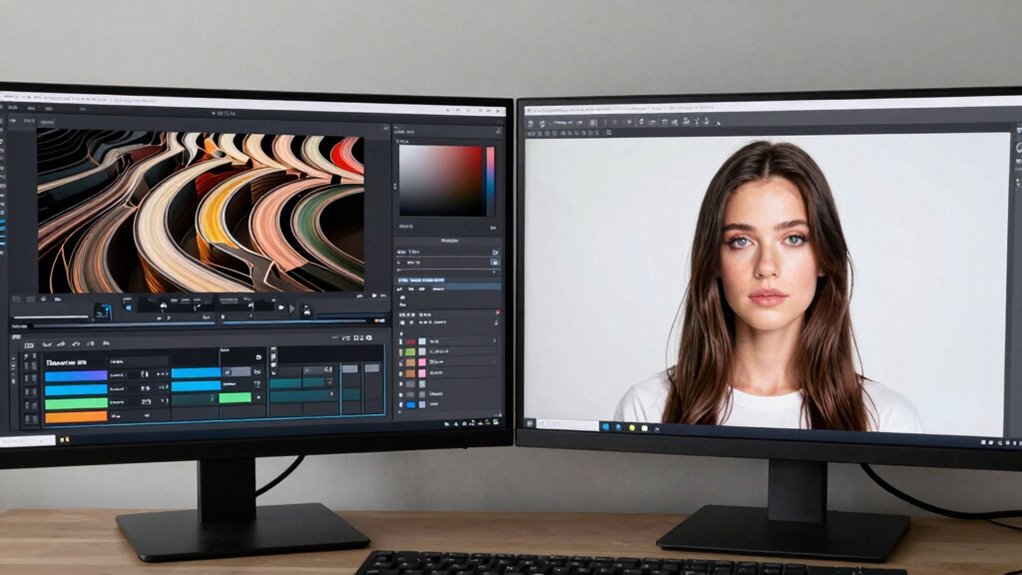
When you’re just starting out with filmmaking or videography, choosing the right color profile can feel overwhelming. There’s a lot to consider, especially between log footage and standard profiles. Your decision impacts not just how your footage looks straight out of the camera, but also how much you can push and pull during color grading. Understanding these differences helps you make smarter choices that save time and improve your final product.
Log footage is designed to maximize your camera’s dynamic range. dynamic range is the spectrum between the brightest highlights and the darkest shadows your camera can capture. When you shoot in log, your camera records a flatter, less contrasted image that preserves more details in both the highlights and shadows. This makes it easier to achieve a balanced, cinematic look during color grading because you have more information to work with. However, log footage often looks dull or washed out straight out of the camera, which can be confusing for beginners. You might feel tempted to shoot in standard profiles because they produce more visually appealing images immediately, but they often sacrifice some of that crucial dynamic range, limiting your flexibility during post-production.
Log footage captures a wider dynamic range, offering more detail and flexibility for professional-looking color grading.
Color grading becomes a vital step when working with log footage. Since log files are less contrasty and desaturated initially, you need to add contrast, saturation, and color during grading. This extra step allows for more creative control and produces a polished, professional finish. If you’re comfortable with editing software and willing to learn, log footage can be a powerful tool. Conversely, standard profiles tend to have baked-in contrast and color settings, meaning they require less editing and look good straight out of the camera. This is ideal for quick turnarounds or projects where your primary focus is capturing decent images with minimal fuss. Additionally, shooting in standard profiles can be advantageous for beginners who want to avoid the complexities of color grading until they gain more experience.
Another consideration is that understanding exposure techniques is crucial when working with log footage, as proper exposure ensures you maximize the benefits of the wider dynamic range. Proper exposure is especially important with log profiles because incorrect exposure can significantly diminish the footage’s quality and flexibility. Choosing between log footage and standard profiles depends on your goals and skill level. If you want maximum flexibility and are willing to invest time in learning color grading, log footage provides more room for creative expression. On the other hand, if you need fast results and prefer to keep things simple, standard profiles offer a straightforward approach. Keep in mind that shooting in log initially requires more careful exposure, as underexposure can lead to crushed shadows, and overexposure can cause blown highlights. Balancing exposure correctly is key to leveraging the full potential of log’s dynamic range.
In the end, understanding how each profile affects your footage helps you make smarter decisions based on your project needs. Whether you choose log or standard profiles, mastering their strengths will elevate your filmmaking and give you more control over your final look.
As an affiliate, we earn on qualifying purchases.
Frequently Asked Questions
Can I Switch Between Log and Standard Profiles During Shooting?
Yes, you can switch between log and standard profiles during shooting if your camera allows. Doing so gives you flexibility for on-the-fly decisions about color correction and exposure adjustments. Keep in mind that changing profiles may affect the consistency of your footage, so plan accordingly. Some cameras might require a restart or menu changes, so check your camera’s manual to guarantee smooth transitions without disrupting your workflow.
How Does Log Footage Affect Storage Space Requirements?
You might be surprised how log footage impacts your storage needs. Its less aggressive compression efficiency means larger file sizes, demanding more data management. As you shoot in log, you’ll notice your storage filling up faster, forcing you to plan ahead. This trade-off gives you greater flexibility in post-production, but it also means keeping a close eye on your data. Prepare for a balancing act between quality and storage limits.
Are There Specific Cameras Better Suited for Log Profiles?
Some cameras are better suited for log profiles because of their compatibility and profile customization options. You’ll find that higher-end cinema cameras, like those from RED, Canon, or Sony, often support advanced log profiles and allow extensive customization. These cameras give you more control over the footage, making them ideal for achieving a professional look. Always check your camera’s compatibility with log profiles and its ability to customize settings for maximum results.
How Do I Color Grade Log Footage Effectively?
To color grade log footage effectively, start by understanding its high Dynamic Range. Use your editing software to adjust contrast and lift shadows without losing detail. Apply color grading to enhance colors, but keep in mind the flat profile requires a creative approach to make images pop. Use scopes for precision, and always compare with your original footage to guarantee natural results while maximizing the benefits of log profiles.
What Are the Risks of Shooting in Log if I’M a Beginner?
Shooting in log as a beginner risks underexposing or overexposing your footage, making exposure adjustments in post-production software more challenging. You might struggle with color grading if your footage lacks proper contrast and detail. Additionally, log footage demands more precise exposure control during shooting. If you don’t master these basics, it can lead to increased editing time and less natural-looking results. Practice with exposure adjustments to build confidence before using log profiles.
As an affiliate, we earn on qualifying purchases.
Conclusion
Now that you understand the differences, imagine the possibilities—you’re just one step away from transforming your footage into something extraordinary. Will you stick with the familiar standard profiles or take the leap into log footage, revealing a new level of control? The choice is yours, and the right decision could change your entire approach to filmmaking. Are you ready to push your craft further? The next shot might just be your best yet.
color grading software for videography
As an affiliate, we earn on qualifying purchases.
As an affiliate, we earn on qualifying purchases.
As an affiliate, we earn on qualifying purchases.
NFL season / tailgating Picks
team gear
As an affiliate, we earn on qualifying purchases.