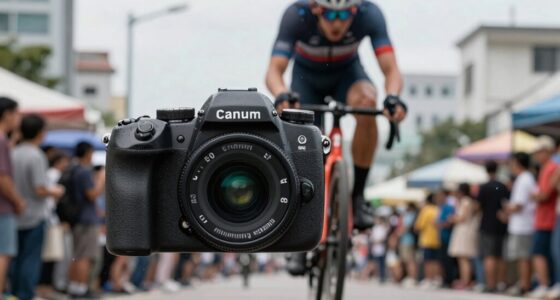

Most creators miss that rolling shutter artifacts can really distort fast scenes, making objects appear skewed or wobbling, and distracting viewers. You might not realize how quickly motion or camera movements exaggerate these effects, especially with budget cameras or smaller sensors. These distortions are not just cosmetic—they impact how motion feels and looks unnatural. If you want to avoid jarring visuals and create smoother footage, understanding these basics will help you improve your results considerably.
Key Takeaways
- Creators often overlook how rolling shutter artifacts become more pronounced during rapid camera or subject movement.
- Many assume high frame rates alone eliminate distortion, ignoring the role of sensor readout speed.
- The impact of rolling shutter can be subtle but accumulates, affecting perceived motion and image quality in fast scenes.
- Proper camera stabilization and faster shutter speeds are crucial but often underestimated for minimizing artifacts.
- Some creators mistake rolling shutter effects as poor technique, not recognizing them as inherent sensor limitations.

When filming fast-moving scenes, you might notice a peculiar distortion known as rolling shutter artifacts, which occur because digital cameras often scan images line-by-line rather than capturing the entire frame at once. This scanning process can lead to noticeable issues like skewed lines, wobbling objects, or jello-like effects, especially when subjects move quickly or the camera itself is in motion. Many creators focus on avoiding camera shake or choosing higher frame rates but overlook the subtle yet significant impact of sensor distortion caused by rolling shutter. Recognizing sensor distortion as an inherent limitation helps you better understand and anticipate the visual artifacts in your footage.
Sensor distortion isn’t just about visible skewing; it also influences how motion blur appears in your footage. Unlike global shutter cameras, which expose the entire frame simultaneously, rolling shutter cameras expose different parts of the image at slightly different times. This delay can cause fast-moving objects to appear stretched or compressed, giving your footage an unnatural feel. If you’re not aware of this, you might mistake these distortions for poor camera handling rather than an inherent limitation of your gear. Recognizing how sensor distortion interacts with motion blur helps you anticipate what will happen when capturing quick actions, so you can plan your shots accordingly. Additionally, understanding the relationship between readout speed and distortion can guide you in selecting the optimal camera settings for your scene.
Most creators miss that rolling shutter artifacts can be mitigated by adjusting shooting techniques rather than relying solely on post-production fixes. For example, keeping your camera steady and avoiding rapid pans or tilts minimizes the line-by-line scanning discrepancies. Using higher shutter speeds can reduce motion blur, which, in turn, lessens the perception of distortion. Furthermore, choosing appropriate camera settings that optimize readout speeds can significantly decrease these artifacts. Additionally, understanding that sensor distortion is more pronounced with certain camera models or settings can help you make better choices. For instance, cheaper cameras or those with smaller sensors tend to exhibit more pronounced rolling shutter effects because of their slower readout speeds. Recognizing the camera readout speed helps you select gear better suited for fast scenes, reducing artifacts at the source. This knowledge can also influence your decision to use specific lenses or stabilizers that further minimize unwanted distortions.
It’s also crucial to realize that some level of distortion may be unavoidable, especially in fast-paced action scenes. Knowing this allows you to embrace certain artifacts creatively, integrating them into your style instead of fighting against them. Whether you’re filming a skateboard trick or fast-moving sports, understanding the underlying mechanics of rolling shutter—how it causes sensor distortion and interacts with motion blur—gives you an edge. With this knowledge, you can better anticipate potential issues, adjust your shooting approach, and produce smoother, more professional-looking footage even in the most dynamic scenes.

DJI RS 3 Mini, Camera Gimbal Stabilizer, Canon/Sony/Nikon/Fujifilm
- Lightweight and Portable: 795g for easy travel and extended use
- Wide Compatibility: Supports cameras up to 2kg (4.4 lbs) with various lenses
- Bluetooth Shutter Control: Remotely control photo and video recording
As an affiliate, we earn on qualifying purchases.
As an affiliate, we earn on qualifying purchases.
Frequently Asked Questions
How Does Shutter Speed Affect Rolling Shutter Distortion?
Shutter speed influences rolling shutter distortion by affecting sensor readout timing and motion blur. When you use a faster shutter speed, the sensor reads the image quicker, reducing the time each frame captures, which minimizes distortion during fast motion. Conversely, slower shutter speeds increase motion blur and extend sensor readout, making rolling shutter artifacts more noticeable. To minimize distortion, keep shutter speeds high during fast scenes, balancing motion clarity and image quality.
Can Post-Processing Fix Rolling Shutter Artifacts?
Yes, you can fix rolling shutter artifacts with post-processing techniques, but results vary. Advanced software leverages sensor technology to correct distortions by analyzing frame data. While these tools can substantially reduce wobbling or skew, they might not fully eliminate artifacts, especially in extreme fast scenes. To get the best results, combine good camera settings with post-processing, but remember, prevention through better gear often outperforms corrections afterward.
Which Camera Sensors Are Less Prone to Rolling Shutter?
You’ll notice that global shutter sensors are less prone to rolling shutter effects, especially in fast scenes. These sensors capture the entire frame at once, reducing distortion. CMOS sensors with advanced in-body image stabilization also help mitigate rolling shutter artifacts by compensating for camera movement. If you want minimal rolling shutter, look for cameras with global shutter or high-quality stabilization, which keep your footage smooth and distortion-free even during rapid motion.
How Do Frame Rate and Shutter Angle Influence Rolling Shutter?
Frame rate and shutter angle directly impact rolling shutter effects by influencing sensor readout and motion blur. A higher frame rate shortens exposure time, reducing motion artifacts caused by sensor readout delays. Meanwhile, a narrower shutter angle decreases exposure duration, minimizing rolling shutter distortion in fast scenes. Together, these settings help control the sensor’s readout speed, lessening motion artifacts and creating smoother footage during rapid movements.
Are There Specific Lenses That Reduce Rolling Shutter Effects?
Ever wondered if specific lenses can reduce rolling shutter effects? Yes, they can. Lens characteristics, like those with wider apertures and minimal distortion, combined with advanced sensor technology, help minimize rolling shutter artifacts. Fast lenses with better optical quality and sensors designed for reduced readout times are your best bet. Do you choose gear that prioritizes sensor speed or lens quality? Both play vital roles in capturing smooth, fast scenes.

Canon EOS Rebel T7 DSLR Camera Double Zoom Lens Kit with EF-S 18-55mm and EF 75-300mm Lenses, 24.1 Megapixel CMOS (APS-C) Sensor, Full HD Videos, Wi-Fi, Beginner Photographers, Digital Camera, Black
- Sensor Resolution: 24.1 Megapixel CMOS (APS-C)
- Connectivity: Built-in Wi-Fi and NFC
- Autofocus System: 9-Point AF with Eye Detection
As an affiliate, we earn on qualifying purchases.
As an affiliate, we earn on qualifying purchases.
Conclusion
So, next time you’re capturing those high-speed moments, remember that rolling shutter isn’t your enemy but a gentle reminder to slow down just a tad. Embrace the quirks as part of your creative journey, adding a touch of character to your footage. With a little patience and awareness, you’ll turn potential hiccups into charming details. After all, even the fastest scenes can benefit from a bit of graceful imperfection.

Arducam 100fps Mono Global Shutter USB Camera, 720P OV9281 UVC Webcam Module with Low Distortion M12 Lens Without Microphones, for Computer, Laptop, Android and Raspberry Pi
- Sensor Type: 1MP Monochrome Global Shutter Sensor
- Lens: 70° Low Distortion M12 Lens
- IR Sensitivity: Sensitive to Infrared Light
As an affiliate, we earn on qualifying purchases.
As an affiliate, we earn on qualifying purchases.

Sony Cyber-Shot RX100 VII Digital Camera, 20.1MP 1" Stacked CMOS Sensor, ZEISS Vario-Sonnar T 24-200mm f/2.8-4.5 Lens, 4K Video, Bundle with 32GB SD Card, Camera Bag, Sony 1-Year Warranty
- Includes: Camera, lens, accessories, warranty, SD card, bag
- High-Quality Sensor: 20.1MP 1" stacked CMOS sensor
- Versatile Lens: 24-200mm f/2.8-4.5 ZEISS lens
As an affiliate, we earn on qualifying purchases.
As an affiliate, we earn on qualifying purchases.