To shoot cleaner slow motion when speed matters, use high frame rates and set shutter speed around double the frame rate for natural motion blur. Stabilize your camera with tripods, gimbals, or in-body stabilization to prevent shakes. Make certain your scene is well-lit with diffused lighting to reduce shadows and improve clarity. Fine-tune exposure by adjusting ISO, aperture, and shutter speed. For more tips on mastering slow motion, keep exploring these techniques to make your footage shine.
Key Takeaways
- Use high frame rates (120fps or higher) to capture detailed motion without sacrificing clarity.
- Maintain a shutter speed approximately double the frame rate for natural motion blur.
- Stabilize your camera with gimbals or tripods to prevent shakes during high-speed recording.
- Ensure consistent, bright lighting to reduce noise and enhance image sharpness.
- Fine-tune camera settings and perform post-processing to correct any color or exposure issues.
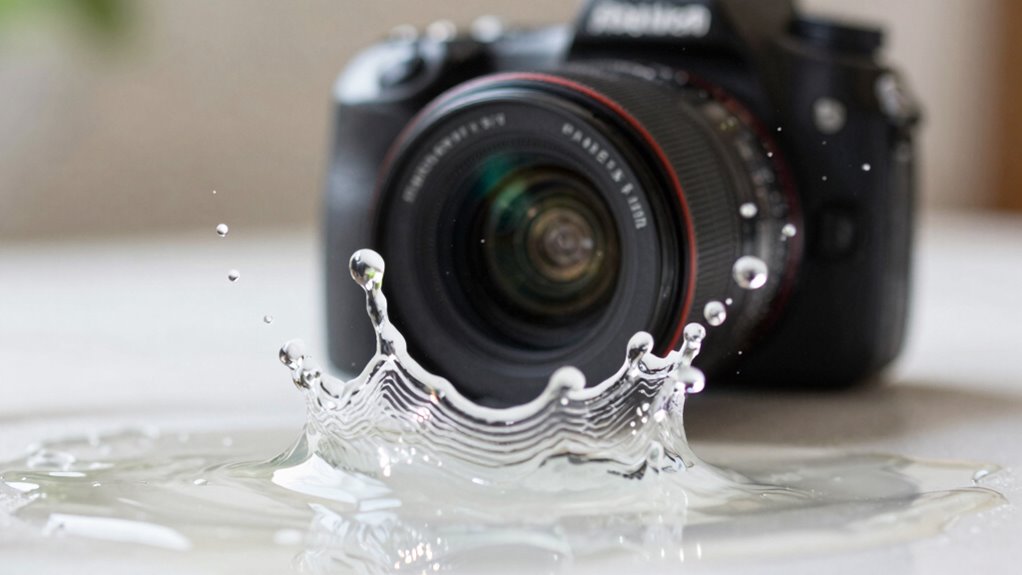
Shooting cleaner slow motion footage requires more than just high frame rates; it involves proper camera settings, lighting, and technique. When you’re capturing fast-moving subjects, camera stabilization becomes essential. Even slight shakes can turn what should be smooth, professional-looking footage into a shaky mess. Use a sturdy tripod, gimbal, or steadicam to keep your camera steady. If handheld shooting is unavoidable, employ in-body stabilization if your camera offers it, or use lens stabilization features. The goal is to eliminate jitter and guarantee your footage remains smooth, allowing viewers to focus on the motion itself without distraction.
Lighting techniques also play an important role in achieving cleaner slow motion shots. Because you’re recording at high frame rates, you need more light to compensate for the increased shutter speed. A well-lit scene prevents motion blur and maintains clarity. Use bright, diffused lighting that reduces harsh shadows and evenly illuminates your subject. Softboxes, LED panels, or reflectors can help create consistent lighting conditions. Avoid mixed lighting sources, which can cause color inconsistencies. Remember, the key is to keep your exposure balanced; underexposing can introduce noise, while overexposing washes out details. Adjust your ISO, aperture, and shutter speed to find that perfect exposure, keeping the shutter speed at around double your frame rate for natural motion blur. Paying attention to camera settings helps optimize image quality during high frame rate shooting. Additionally, understanding proper exposure techniques can greatly improve the clarity and detail in your slow motion footage. Using proper lighting techniques** ensures your footage remains sharp and vibrant, even at high frame rates. To further enhance footage quality, consider post-processing adjustments** to refine the final look.
![QILOVE Global Shutter USB Camera – 800P Monochrome Ultra High Speed 640fps [120/210/420fps Modes] – Manual Focus 5-50mm CS Lens – Compatible with Raspberry Pi, Linux, Mac & Windows](https://m.media-amazon.com/images/I/418o+aEy8lL._SL500_.jpg)
QILOVE Global Shutter USB Camera – 800P Monochrome Ultra High Speed 640fps [120/210/420fps Modes] – Manual Focus 5-50mm CS Lens – Compatible with Raspberry Pi, Linux, Mac & Windows
【Adjustable High Speed 120-640fps Recording】Achieve ultra-slow motion capture with frame rates from 120 to 640fps. Please Note: 640fps…
As an affiliate, we earn on qualifying purchases.
As an affiliate, we earn on qualifying purchases.
Frequently Asked Questions
What’s the Best Frame Rate for Slow-Motion Shots?
The best frame rate for slow-motion shots is typically 120 fps or higher, depending on your camera. Don’t fall for frame rate myths that suggest higher is always better; it depends on your desired effect. Slow motion myths also persist, but remember, shooting at a high frame rate and then slowing it down smoothly offers the clearest, most professional result. Adjust based on your project needs for ideal clarity.
How Does Lighting Affect Slow-Motion Clarity?
Lighting can make or break your slow-motion shots, turning ordinary footage into cinematic magic. You need perfect lighting techniques to guarantee your scene is bright and evenly lit, reducing unnecessary motion blur. Bright, well-controlled light minimizes grain and helps capture sharp, detailed images at high frame rates. Use softboxes or reflectors to diffuse light evenly, ensuring your slow-motion footage is crystal clear and stunning, not blurred or muddy.
Which Camera Settings Optimize Slow-Motion Footage?
To optimize slow-motion footage, set your camera sensor to a high frame rate, like 120fps or higher, for smoother results. Use a shutter speed at least double your frame rate to reduce motion blur—so, if filming at 120fps, set shutter speed to 1/240s. Adjust ISO for proper exposure, but keep it low to maintain clarity. These settings guarantee crisp, detailed slow-motion videos that capture fast movements clearly.
Can Smartphones Shoot High-Quality Slow Motion?
Yes, smartphones can shoot high-quality slow motion, but it’s a game of details. You need to tap into sensor sensitivity, adjusting your camera settings for maximum clarity. Keep in mind, audio synchronization can be tricky—slow motion often makes sound lag behind visuals. To truly capture smooth, professional-looking footage, guarantee your phone’s settings are refined, focus on stable shots, and consider editing for perfect timing. The results might just surprise you.
How Do You Stabilize Slow-Motion Footage Effectively?
To stabilize slow-motion footage effectively, focus on reducing motion blur and using proper stabilization techniques. Use a tripod or gimbal to keep your camera steady, preventing unwanted shake. Enable electronic stabilization if available, and shoot with a higher frame rate to minimize motion blur. Post-production, consider software stabilization tools to smooth out any remaining jitters. These steps help your slow-motion shots look crisp, professional, and smooth.
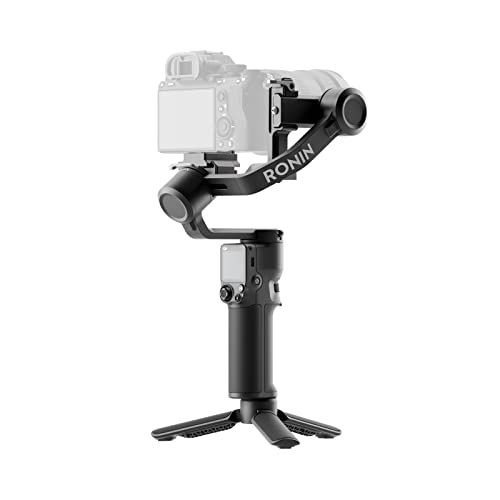
DJI RS 3 Mini, Camera Gimbal Stabilizer, Canon/Sony/Nikon/Fujifilm
795g (1.75lbs) Lightweight and Portable – DJI RS 3 Mini is an ultra-compact gimbal stabilizer for camera convenient…
As an affiliate, we earn on qualifying purchases.
As an affiliate, we earn on qualifying purchases.
Conclusion
Mastering clean slow motion isn’t just about technique; it’s about capturing the heartbeat of a moment with clarity. When speed matters, every detail becomes a brushstroke in your cinematic canvas. Think of it as tuning a fine instrument—precision transforms chaos into harmony. Keep experimenting, refine your skills, and soon your slow motion will sing with the power to move and mesmerize. After all, in the race against time, clarity is your most valuable finish line.

Skytex Softbox Lighting Kit 2Pack 20x28in Soft Box | 85W 2700-6400K E27 LED Bulb Continuous Photography Lighting, Photo Studio Lights Equipment for Camera Shooting, Video Recording
The kit included: 2pcs 20" x 28"/50cm x 70cm Softbox +2pcs 85W 2700-6400K 100V-240V LED Light Bulb +…
As an affiliate, we earn on qualifying purchases.
As an affiliate, we earn on qualifying purchases.

VICTIV 74” Camera Tripod, Tripod for Camera and Phone, Aluminum Professional Tripod Stand for Canon Nikon with Carry Bag and Phone Holder, Compatible with DSLR, iPhone, Spotting Scopes, Max Load 9.5Lb
【74 Inch Tall Tripod and Compact Tripod】 This tall camera tripod has a height adjustment range of 19-74…
As an affiliate, we earn on qualifying purchases.
As an affiliate, we earn on qualifying purchases.