
Choosing the right export settings is crucial to make your social clips look professional and upload smoothly. Focus on selecting the proper codec, like H.264, and match the container (usually MP4) for compatibility. Adjust resolution, bitrate, and aspect ratio to suit each platform, whether it’s Instagram, TikTok, or YouTube. Keep file sizes manageable for faster uploads and consistent quality. If you keep these tips in mind, you’ll guarantee your videos stand out—there’s more to master to perfect your clips.

Get sports gear delivered free — and shop member deals
- Fast, free delivery on millions of items
- Access to Prime Big Deal Days deals on October 6–7
- Prime Video, Amazon Music and more included
Key Takeaways
- Match export settings to platform specifications for aspect ratio, resolution, and frame rate to ensure compatibility and optimal display.
- Use a high-quality codec like H.264 and MP4 container for broad compatibility and balanced file size.
- Adjust bitrate appropriately to maintain visual clarity without creating unnecessarily large files.
- Consistently apply platform-specific presets and color grading to streamline workflow and ensure professional quality.
- Preview and troubleshoot export settings to prevent issues like out-of-sync audio, dull colors, or pixelation.
As an affiliate, we earn on qualifying purchases.
Why Export Settings Are Key to Social Video Quality
The quality of your social video heavily depends on your export settings because they determine how well your content displays across different platforms. Proper settings guarantee your color grading remains sharp and consistent, making your visuals more appealing. They also help preserve audio synchronization, so your sound matches the action perfectly. If you choose the wrong format or resolution, colors might appear dull or washed out, and audio could become out of sync or muffled. Optimizing export parameters guarantees your video looks professional and engaging, regardless of where it’s shared. By paying attention to these settings, you avoid losing quality, guaranteeing your content stands out. Clear, vibrant visuals combined with perfectly synchronized audio make your social clips more compelling and shareable. Additionally, understanding video encoding standards ensures your content remains compatible and maintains high quality across various social platforms. Knowing how compression techniques affect file size and quality can help you balance performance and visual fidelity effectively. Properly configuring these settings ensures that your videos retain their intended visual quality while remaining optimized for quick sharing. Being aware of platform-specific requirements can further enhance your video’s performance and appearance across different social media channels. Moreover, understanding the impact of bitrate settings can help you fine-tune your exports for optimal clarity and file size.
social media video export settings
As an affiliate, we earn on qualifying purchases.
As an affiliate, we earn on qualifying purchases.
How Export Settings Affect Your Social Media Clips
Ever wondered how export settings can make or break your social media clips? They directly impact key elements like audio synchronization and color grading, which influence viewer engagement. Incorrect settings can cause audio to lag behind video, ruining the viewing experience. Proper export choices guarantee your color grading stays vibrant and consistent across platforms. Keep in mind:
Export settings are crucial for perfect audio sync and vibrant color consistency across platforms.
- Bitrate adjustments improve video clarity without excessive file size.
- Frame rate choices maintain smooth motion, especially for fast-paced clips.
- Resolution settings preserve image sharpness across devices.
- Content optimization ensures your clips meet platform-specific standards and reach your audience effectively. Additionally, understanding digital content standards can help you better adapt your visuals to various social media environments. Being aware of export settings and how they align with content standards can also prevent issues like compression artifacts or aspect ratio mismatches. Incorporating platform-specific requirements into your export process ensures your clips look their best regardless of where they’re shared.
These settings also affect how well your clip integrates with platform-specific requirements, ensuring your visuals look polished and professional. When you optimize export parameters, your social media clips become more compelling, engaging, and true to your creative vision. Additionally, understanding smart home technology insights can help you better adapt your content to modern digital environments.
video bitrate optimizer for social media
As an affiliate, we earn on qualifying purchases.
As an affiliate, we earn on qualifying purchases.
Choose the Best Codec and Container for Social Videos

Choosing the right codec and container is essential for guaranteeing your social videos look professional and load efficiently across platforms. The codec determines how your video is compressed, affecting quality, file size, and compatibility. For social clips, H.264 is a popular choice because it balances quality and efficiency, supporting features like color grading and maintaining accurate audio synchronization. The container, such as MP4, works seamlessly with most social media platforms and ensures your video plays smoothly. Using the correct combination helps preserve your video’s visual fidelity, especially during color grading, and keeps audio synchronized throughout playback. Additionally, selecting codecs and containers aligned with biodiversity and conservation content ensures your message remains clear and impactful. Using the right combination streamlines the upload process and guarantees your content looks polished and professional everywhere it appears.
platform-specific video export presets
As an affiliate, we earn on qualifying purchases.
As an affiliate, we earn on qualifying purchases.
Optimize Resolution and File Size for Faster Uploads

To speed up your uploads, you need to find the right balance between resolution and file size. Choosing an efficient codec can help reduce file size without compromising too much quality. By adjusting these settings, you guarantee your social clips upload faster while still looking great. Incorporating strength training tips can also improve your overall fitness routine, making your content more engaging and inspiring.
Balance Quality and Size
Balancing quality and file size is crucial when exporting social clips, as it directly affects upload times and viewer experience. To optimize, you need to find a sweet spot that maintains clarity without creating overly large files. Focus on adjusting resolution and bitrate to manage size effectively. Keep in mind:
- Ensuring audio synchronization remains intact during compression
- Embedding subtitles clearly without increasing file size excessively
- Maintaining visual quality so viewers don’t experience pixelation or blurriness
- Considering systems thinking to evaluate how different export settings interact and impact overall performance
These factors influence how well your clip performs on social platforms, especially with fast upload speeds. Properly balancing quality and size helps your content load quickly and look professional, all while preserving essential elements like audio synchronization and subtitles.
Choose Efficient Codec
Using an efficient codec is crucial for reducing your social clips’ file size without sacrificing quality. A good codec guarantees faster uploads and smoother playback, especially when sharing across platforms. When choosing a codec, consider how it handles color grading, as some codecs preserve color detail better—important for professional-looking videos. If your clip involves music licensing, opt for codecs that maintain audio clarity without increasing file size. Modern codecs like H.264 or H.265 balance compression and quality effectively, making them ideal choices. This way, you save time during uploads and ensure your audience enjoys crisp visuals and sound. Always test different codecs to find the best balance for your content, especially when aiming for quick sharing and excellent viewing experiences.
Pick the Right Bitrate for Clear, Smooth Playback
- Content type: Fast-moving scenes require higher bitrates for clarity.
- Platform specifications: Different social platforms recommend specific bitrate ranges.
- File size constraints: Balance bitrate to maintain quality without exceeding upload limits.
- Understanding video quality factors can help you make informed decisions about bitrate settings.
Adjusting bitrate carefully ensures your social clips are visually appealing and flow seamlessly, engaging viewers without buffering or lag. Prioritize bitrate selection to enhance overall viewer experience and maximize your content’s impact.
How Frame Rate Impacts Engagement and Video Flow
Frame rate plays a crucial role in how viewers perceive the flow and engagement of your social clips. A higher frame rate, like 60fps, delivers smooth motion that keeps viewers engaged and makes fast-paced content feel natural. Conversely, a lower frame rate, such as 24fps, can give a more cinematic look but might seem choppy for quick action or dynamic scenes, reducing social engagement. The right frame rate guarantees your content flows seamlessly, capturing viewers’ attention and encouraging interaction. When you choose an appropriate frame rate, you help your clips appear professional and polished, which boosts social engagement. Remember, the ideal frame rate depends on your content type and platform, but always prioritize smooth motion to maximize viewer connection. Understanding video quality can help you make informed decisions about the best settings for your content. Additionally, considering content type can ensure your chosen frame rate aligns with the style and pacing that resonate most with your audience. To further optimize your videos, understanding frame rate and how it impacts the overall viewing experience can lead to more effective content.
Best Export Practices for Instagram, TikTok, and YouTube
To guarantee your social clips look professional and perform well, it’s essential to export them with the right settings for each platform. Different platforms favor specific formats, resolutions, and aspect ratios to maximize audience engagement and uphold branding consistency. For Instagram, use square or vertical videos in MP4 format at 1080×1080 or 9:16 aspect ratio. TikTok prefers vertical videos at 1080×1920 with high-quality H.264 encoding. YouTube supports various formats, but 1920×1080 in MP4 with a 16:9 aspect ratio is standard. To optimize your exports, consider these tips:
- Match aspect ratios to platform specifications
- Use high-quality codecs like H.264 for clarity
- Keep file sizes manageable for quick uploads
- Remember that visual storytelling can significantly enhance viewer engagement and brand recognition. Additionally, understanding content specifications helps ensure your videos meet platform standards without unnecessary re-exports. Being aware of platform preferences for encoding and resolution can prevent common issues like pixelation or black bars. Recognizing the importance of consistent branding across your videos can also help build a stronger audience connection. Following these practices ensures your clips resonate with viewers and reinforce your brand identity.
Common Export Mistakes and How to Avoid Them
Even experienced editors can make common export mistakes that compromise the quality and performance of social clips. One mistake is neglecting proper export customization; using generic settings can lead to poor resolution or file sizes that are too large or too small. Another pitfall is overlooking color grading; exporting without considering color consistency can make clips look dull or mismatched across platforms. To avoid these issues, double-check your export settings, matching resolution and aspect ratio to each platform’s requirements. Pay attention to color grading adjustments, ensuring your clips look vibrant and consistent. Skipping these steps can diminish viewer engagement and reduce overall quality. Additionally, understanding export settings is crucial to optimize your clips for different social media platforms. By carefully customizing export options and maintaining accurate color grading, you’ll produce social clips that look professional and perform well everywhere. Remember that video quality impacts viewer perception and engagement, making it essential to prioritize during the export process.
Quick Tips for Saving Time With Export Presets
Using export presets can save you a lot of time by applying ideal settings quickly. You should customize these presets for each platform to guarantee your clips look their best everywhere. This way, you streamline your workflow while maintaining quality across all social channels.
Save Time With Presets
Saving time during export is easier when you leverage presets. Presets streamline your workflow by saving default settings for quick reuse, ensuring consistency across your social clips. When creating presets, consider including specific configurations for color grading to match your brand’s style, and settings for audio synchronization to maintain audio quality and timing. Using presets also reduces the need to tweak export parameters repeatedly, which speeds up the process considerably.
To maximize efficiency, focus on:
- Establishing presets with ideal color grading for visual appeal
- Saving audio synchronization settings to prevent delays
- Customizing export options for different social platforms
Customize for Platforms
Ever wondered how to make your social clips look their best on different platforms? Customizing export settings for each platform saves you time and guarantees quality. Start by adjusting color grading to match platform preferences—brighter for Instagram, more natural for Facebook. Don’t forget audio balancing; some platforms prioritize clear sound, so fine-tune your audio levels accordingly. Use platform-specific presets when available, which can streamline your workflow. These presets automatically optimize resolution, bitrate, and aspect ratio. By customizing these settings, you prevent the need for multiple edits later. This approach assures your clips are visually appealing and engaging across all social media channels, making your content stand out. A little upfront effort with color grading and audio balancing will pay off with professional results. Content quality is also essential for maintaining viewer engagement across different platforms.
Troubleshooting Export Issues for Flawless Social Clips
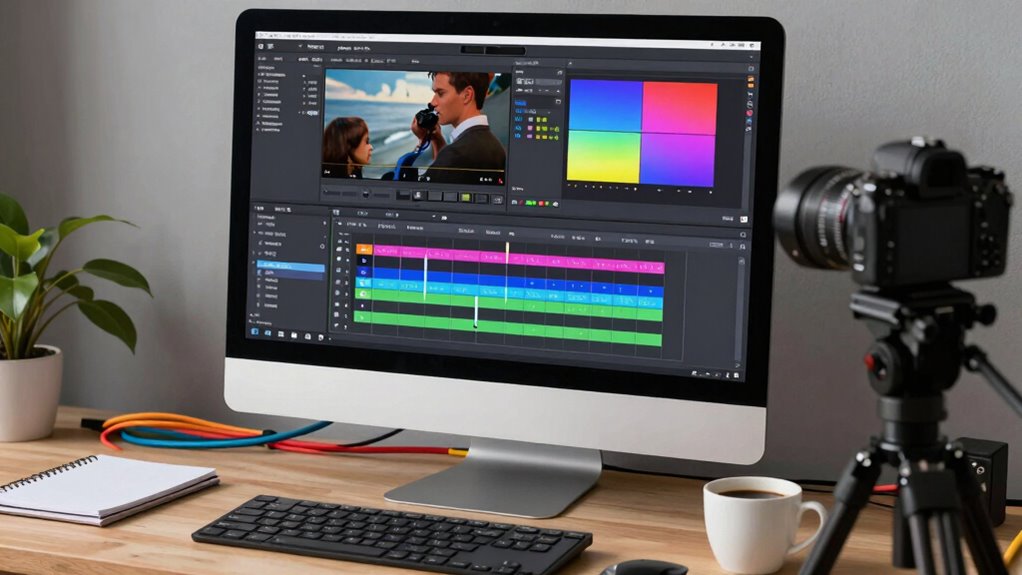
When you encounter issues during export, it can be frustrating, but many problems have straightforward solutions. If your social clips have audio synchronization issues or color grading looks off, start by checking your export settings. Confirm your frame rate matches the original footage to prevent audio or visual mismatches. Verify that your bitrate isn’t too low, which can cause quality loss. Also, review your color settings to preserve color grading integrity during export.
Check export settings, match frame rate, and ensure high enough bitrate for quality and color accuracy.
To troubleshoot further, consider these steps:
- Use a different media codec to improve compatibility
- Preview clips before exporting to catch issues early
- Adjust audio sample rates for better synchronization
Addressing these points often resolves common export problems, resulting in flawless social clips ready to share.
Frequently Asked Questions
How Do I Choose the Right Export Settings for Different Social Platforms?
You should choose export settings based on each platform’s recommended aspect ratio and ideal quality. For example, prioritize vibrant color grading to make your clips pop, and match the aspect ratio—like 1:1 for Instagram or 16:9 for YouTube. Adjust bitrate for clarity, and export in formats supported by the platform. This guarantees your social clips look professional and engaging across different platforms, maximizing viewer engagement.
What Are the Best Audio Settings for Social Media Videos?
For social media videos, you want clear audio with ideal sound balance. Use a sample rate of 44.1 kHz or 48 kHz and a bit depth of 16-bit for good audio clarity. Keep the audio bitrate around 128 kbps to 192 kbps for smooth playback without sacrificing quality. Avoid heavy compression, as it can distort sound. These settings guarantee your video’s audio remains crisp, engaging, and professional across platforms.
How Can I Ensure My Video Quality Remains High After Compression?
Think of your video as a delicate glass sculpture—you want it to shine even after being handled. To keep quality high after compression, guarantee you do proper color grading to enhance visuals and maintain consistency. Match your aspect ratio to the platform to prevent distortion. Use a high bitrate and preferred codecs like H.264 or H.265, so your video remains sharp, vibrant, and true-to-life across all social media channels.
Should I Use Hardware or Software Encoding for Faster Exports?
Use hardware encoding for faster exports, especially when you need quick turnaround, but guarantee it supports your color grading and subtitle integration needs. Hardware encoding speeds up the process by utilizing your GPU, preserving video quality for editing and post-production. Software encoding offers more control, ideal if you prioritize precise color grading and accurate subtitle rendering. Choose based on your project’s complexity and your hardware capabilities for the best results.
How Do I Match Export Settings to My Original Footage’s Specifications?
Ever wonder how to match your export settings to your original footage? Start by checking your footage’s resolution and aspect ratio. Keep color grading consistent by exporting in the same color space, like Rec. 709. Do you want your social clips to look seamless? Match the frame rate and bit depth to your original footage. This guarantees your exported video retains quality and visual integrity across platforms.
Conclusion
Getting your export settings right is essential—over 80% of social videos lose quality during upload. By choosing the right codec, resolution, and bitrate, you guarantee your clips look sharp and load quickly. Keep these tips in mind, and you’ll avoid common mistakes that can ruin your video’s impact. Take control of your export process, and watch your social clips stand out with professional polish and flawless playback every time.
NFL season / tailgating Picks
team gear
As an affiliate, we earn on qualifying purchases.